
This content originally appeared on Stefan Judis Web Development and was authored by Stefan Judis
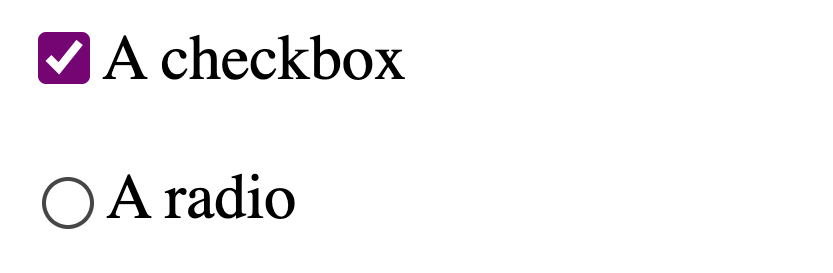
While reading the Chrome 91 DevTools release notes, I discovered that hopefully soon, we'll be able to define the highlight color or radios and checkboxes using the accent-color CSS property. It allows to match form controls with the website's style and colors.
accent-color is available in Chrome 91+ and (!) you have to turn on experimental web platform features to use the CSS property.
:root {
  accent-color: purple;
}
The result looks like the following (example on CodePen).
If you want to you can also feature detect if the browser supports the property using feature queries (@supports (accent-color: red) { /* ... */ }) or CSS.supports in JavaScript. ?
Read more about it in the CSS Basic User Interface Module Level 4.
Reply to Stefan
This content originally appeared on Stefan Judis Web Development and was authored by Stefan Judis

Stefan Judis | Sciencx (2021-04-21T22:00:00+00:00) How to style and define the color of radio and checkbox inputs (#snippet). Retrieved from https://www.scien.cx/2021/04/21/how-to-style-and-define-the-color-of-radio-and-checkbox-inputs-snippet/
Please log in to upload a file.
There are no updates yet.
Click the Upload button above to add an update.