
This content originally appeared on Bits and Pieces - Medium and was authored by Andrea Perera
Iframes with React: Best Practices
A browser standard to distinguish bots from real humans, respecting their privacy for public websites

In the past, detecting humans vs. bots wasn’t privacy-friendly. For instance, if we used reCaptcha in a website, Google could track your visitor preferences. This is not healthy for their privacy.
On the other hand, technologies like hCaptcha appeared as a direct replacement for reCaptcha respecting privacy. Still, the user experience wasn’t that great since it required solving the hCaptcha challenge and repeat it for each site they visit.
But, is there a way where we could avoid all these hassles and detect humans without privacy breaches?
Privacy Pass: An Attempt on Right Direction
So what if there is a way to bypass CAPTCHA?
Privacy Pass, an open-source web extension, was the step towards the right direction, keeping privacy at its core. It helps to bypass CAPTCHA challenge repetition by using a set of Tokens/Passes. Let’s look at how it works.
- Users have to download the Privacy Pass extension for Chrome/Firefox web browser. You can see the Privacy Pass icon.
- Visit the CAPTCHA website and answer the CAPTCHA challenge, which grants 30 Tokens/Passes.
- These tokens are stored in the extension for future use.
The concept is simple when the user visit’s another page, the Privacy Pass extension issue these Token/Passes. And the great thing here is that each of these Token/Passes goes through a cryptographic process known as “blinding” that shields users’ privacy.
You can refer to the Latest Version of the Privacy Pass Protocol for more information.
But, you might wonder whether there is any standard way of achieving the same that the browsers natively support (not using browser extensions)?
Trust Token API to Rescue
Google has recently started developing a Trust Token API. It was developed as a substitute solution for third-party cookies to fight against fraud in online advertising by differentiates Bots vs. human.
More importantly, Google Trust Tokens will distinguish bots from real humans and obsolete Third-party Cookies in Google Chrome.
Let’s get deep down how we can distinguish bots from real humans. To combat fraud and spam on the web, it relies on establishing trust signals. Though Trust Tokens are non-personalized, they are signed with the “Privacy Pass” style cryptographically to avoid forgery by malicious users and stored in the users’ web browser.
How Trust Token Works
To understand it in detail first, let’s start with an entity called an Issuer. An issuer could be any entity that has already registered as a Trust Token Issuer with Google Chrome.
Google has put out the Trust Token Origin Trial Issuer Registration if you are willing to become one.
Typically, it makes sense for social media sites and well-known software brands to become issuers trusted by a large user base.
Inside issuer-example.com
So for this to work, first, the site visitor needs to visit the Issuer’s web page (issuer-example.com), which embeds the following code snippet.
fetch('https://issuer-example.com/issue', {
  trustToken: {
    type: 'token-request'
  }
});
After issuer-example.com executes the above code snippets, requesting a Trust Token makes the visitor’s browser store the trust tokens in a new Browser Storage known as “Trust Tokens,” as shown below.
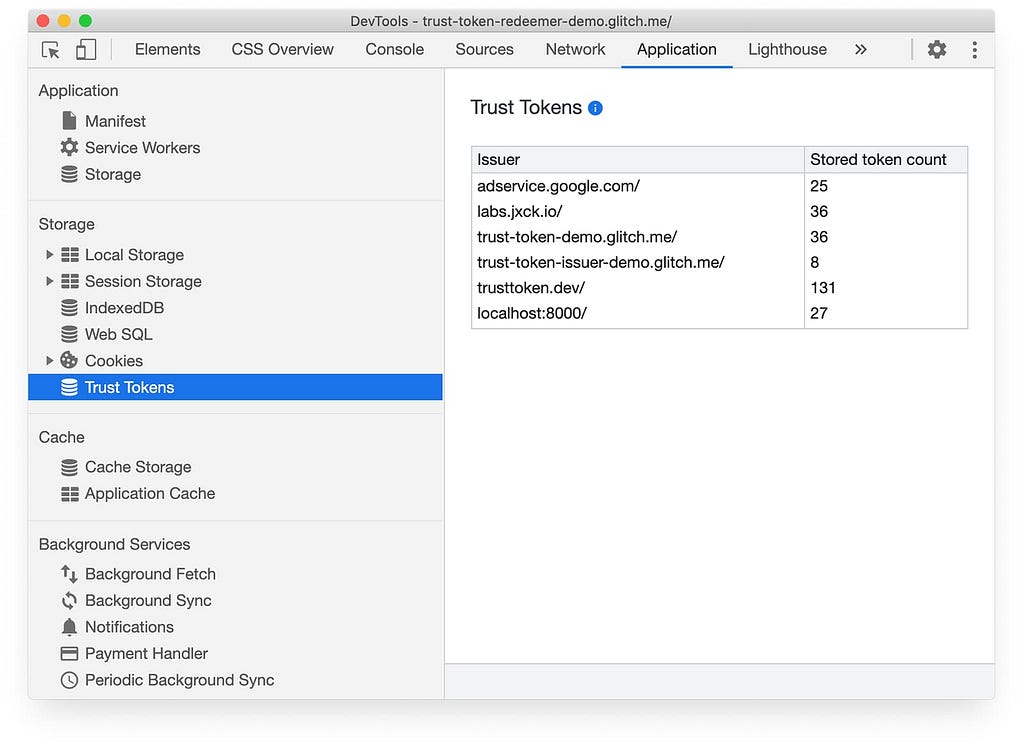
Here you might need to face a challenge while visiting the issuer-example.com to verify you as a human, at least once via captcha or as user login.
For subsequent visits to the Issuer page, Issuers can use the following code snippet to check whether the visitor has a valid Token issued previously to simplify the flow.
document.hasTrustToken(issuer-example.com)
Inside abc-example.com
Now let’s say you visit a new website(abc-example.com). If abc.com trust the same issuer by having the following code snippet in their website;
fetch('https://issuer-example.com/redeem', {
  trustToken: {
    type: 'token-redemption'
  }
});
The site abc-example.com receives a token called Redemption Record (RR), which indicates that issuer-example.com has issued a token to the visitor’s browser some time back. The RR can be used in subsequent resource requests.
Embedded IFrames with abc-example.com
Let’s say we want to embed an IFrame from another site (xyz-example.com) in abc-example.com. If the xyz-example.com also needs human verification and trusts the issuer (issuer-example.com), abc-example.com can send the RR record xyz-example.com by using the below code snippet.
fetch('xyz-example.com/get-content', {
  trustToken: {
    type: 'send-redemption-record',
    issuers: ['https://issuer-example.com']
  }
});
With this code, xyz-example.com receives the RR record and verifies that the visitor was a human, returning its content.
However, for obvious security reasons, JavaScript never has access to raw tokens directly.
Note: Web Sites may also include issuer data in HTTP response headers to enable token redemption to happen simultaneously with website loading.
Want to Try it Out?
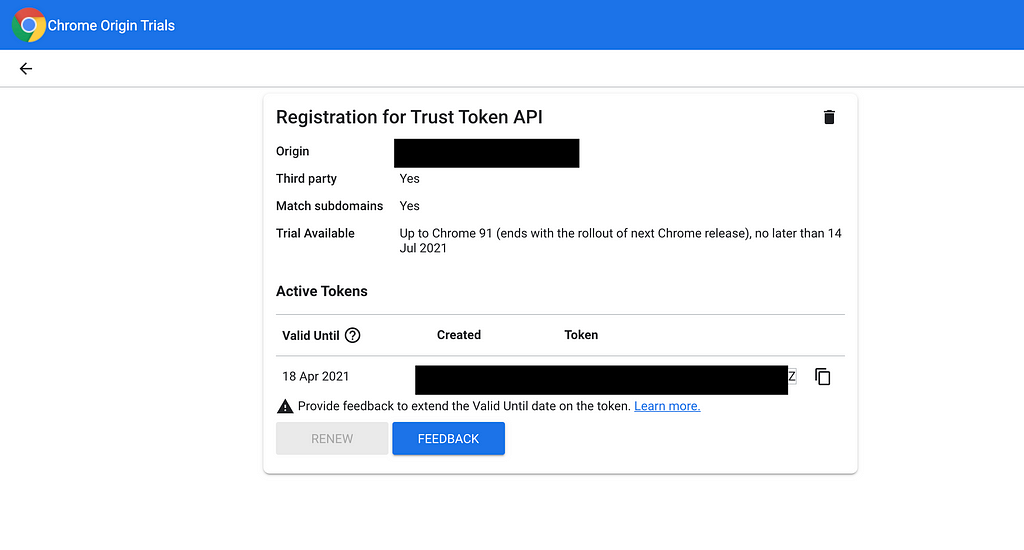
Get your hands dirty by trying out. In the Chrome DevTools Network and Application tabs, search for Trust Tokens.
Note: You need to register as an Issuer or register as a developer to use the Trust Token API.
Conclusion
It’s clear that this feature is still under exploratory level and still too young for real-world applications.
Google reported that Chrome will no longer accept passive tracking to fight against fraud and spamming on the web, and a complete phaseout is planned by 2022.
Therefore, it’s high time for the advertising industry, CDNs, to adapt to these new features to move forward.
Thanks for reading!!!? Let me know what do you all think about this new feature.
Build & share independent components with Bit
Bit is an ultra-extensible tool that lets you create truly modular applications with independently authored, versioned, and maintained components.
Use it to build modular apps & design systems, author and deliver micro frontends, or simply share components between applications.
Learn More
- Independent Components: The Web’s New Building Blocks
- Building a React Design System for Adoption and Scale
- Page Lifecycle API: A Browser API Every Frontend Developer Should Know
JavaScript API to Recognize Humans vs Bots in Chrome was originally published in Bits and Pieces on Medium, where people are continuing the conversation by highlighting and responding to this story.
This content originally appeared on Bits and Pieces - Medium and was authored by Andrea Perera

Andrea Perera | Sciencx (2021-05-20T20:25:59+00:00) JavaScript API to Recognize Humans vs Bots in Chrome. Retrieved from https://www.scien.cx/2021/05/20/javascript-api-to-recognize-humans-vs-bots-in-chrome/
Please log in to upload a file.
There are no updates yet.
Click the Upload button above to add an update.