
This content originally appeared on Level Up Coding - Medium and was authored by Rany ElHousieny
Microfrontends Hands-On Project with Module Federation — Part 1
This article will go through architecting, designing, implementing, and deploying a real-life Microfrontends project.
Table of Contents
If you are new to Microfrontends, I suggest you start with this article
Requirements:
One of my clients wanted to implement a partner portal. The companies business was about marketing products for different partners on their website. They needed a portal to make it easier for their partner companies to select certain products and publish them at certain events on their marketing website. An example of an event would be a Christmas Event, and partners would select the products related to Christmas and add it to the “Christmas Event.” Of course, I will not go the same complexity, but I will take the high-level idea and implement the basics with Microfrontends. Actually, we started with the proof of concept similar to the one here in this article and then extended it later.
Design:
For this project, we will implement the following simple UI:
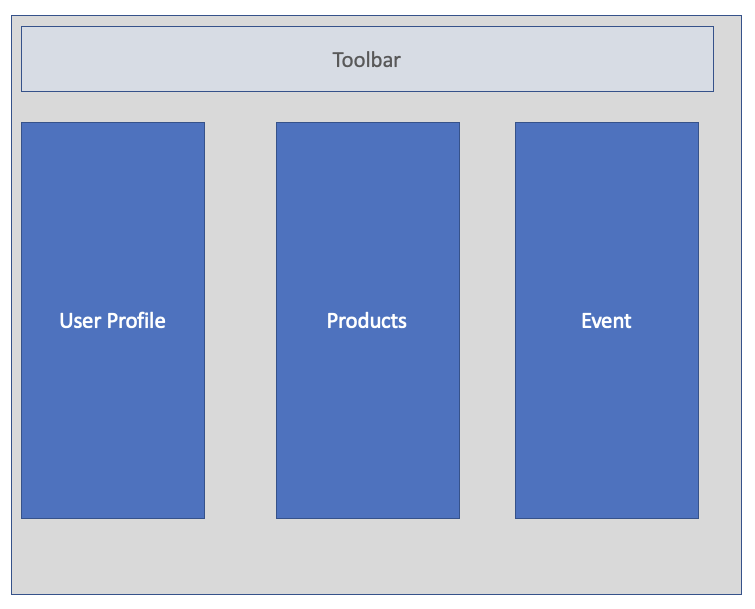
We will have:
- A toolbar
- A component for User Profile and information
- A list of products
- An event that we will add products to it
We will implement each one of these as a separate microfrontend.
The “Products” Microfrontend
Setting up the project
We will create the project using React, Webpack 5, and Module Federation. However, we will not use create-react-app. Therefore, you might go through the steps in this article to create the boilerplate setup,
Rany ElHousieny , PhDᴬᴮᴰ on LinkedIn: Create React App without create-react-app (CRA)
or download/clone the following Github project:
git clone --single-branch --branch Products-Microfrontend-Start https://github.com/ranyelhousieny/Products.git
cd Products
npm install
code .
npm run start
You should see the following at http://localhost:8080
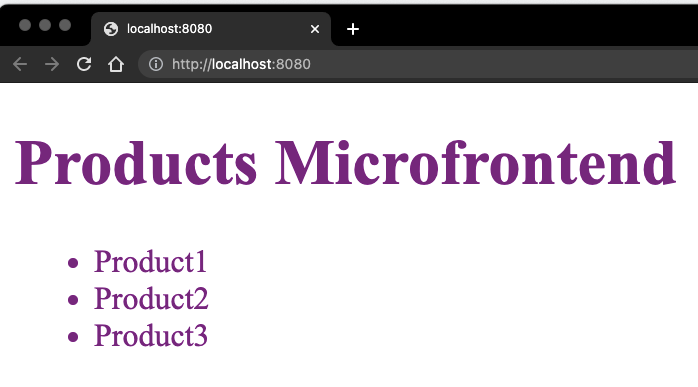
It is a very simple index.js that will render three products, as shown above.
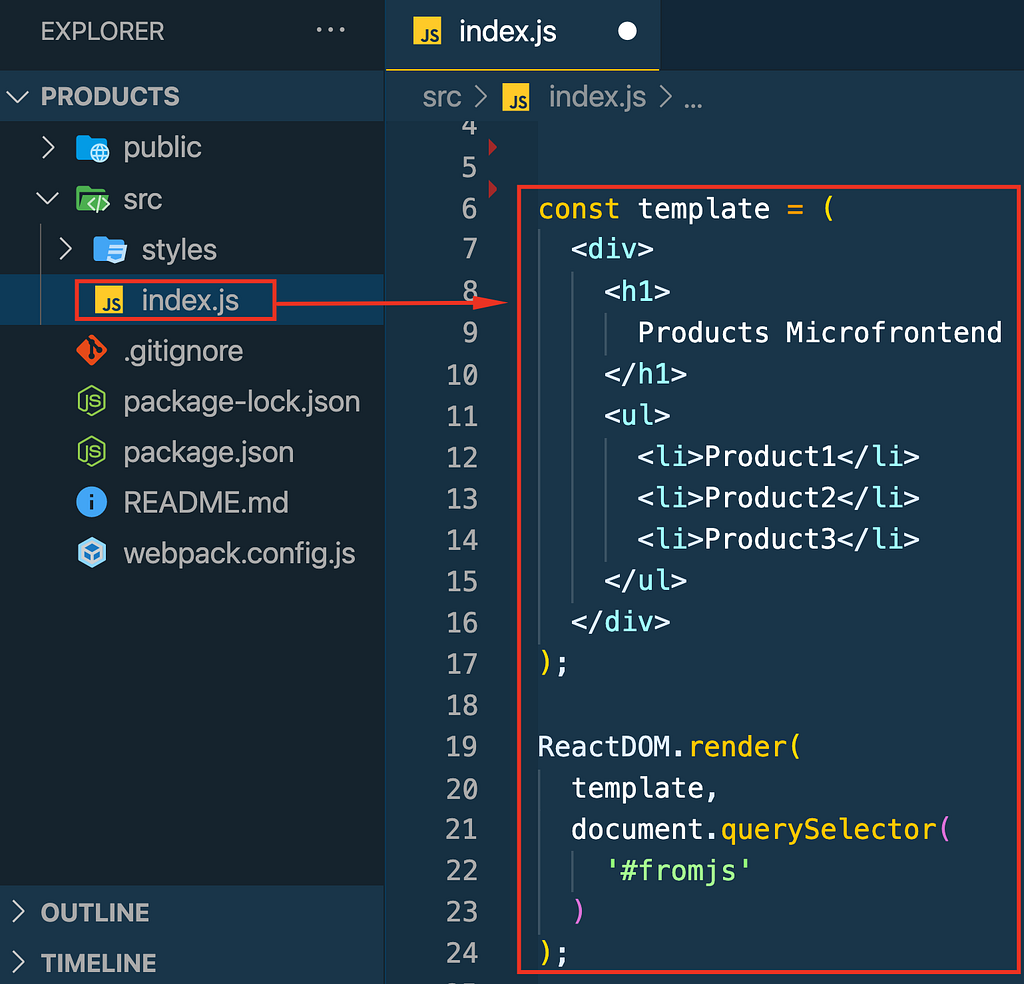
If this is new to you, please follow the following article for more details about the configurations used in this project.
Rany ElHousieny , PhDᴬᴮᴰ on LinkedIn: Create React App without create-react-app (CRA)
======
Meet the “Product” Team

This “Products” microfrontend is owned by the Product team. This team created, deployed, and maintained it separately from the other micorfrontends and the portal itself. They have a separate repo and CI/CD. In this example, I will use the following repo for the Product microservice. Products.git
https://github.com/ranyelhousieny/Products.git
They will need to test it separately. Therefore, I installed the Webpack HTML plugin to render it stand-alone before exporting the remote microfrontend. However, before they export it, they need to build the site.
Requirements
The products page needs to list all the products from a certain partner. In this example, I will assume it is only one partner. So, I will provide a list of products. Another requirement is for a search bar and filters to limit the products that are viewed.
Design
For this example, I will provide a list of products to focus on the microfrontend integration. As we progress, I will start to fetch data from APIs and provide search and filters. This will require state management and will make the project more interesting.
For now, we will render the list of products.
Create The Products Microfrontend
Follow the following article to import Module federation and convert. Products to a Microfrontend
Rany ElHousieny , PhDᴬᴮᴰ on LinkedIn: Create a Microfrontend Using Webpack 5 Module Federation
Your webpack.config.js should look like the following
Products/webpack.config.js at Products-Microfrontend-Step2 · ranyelhousieny/Products
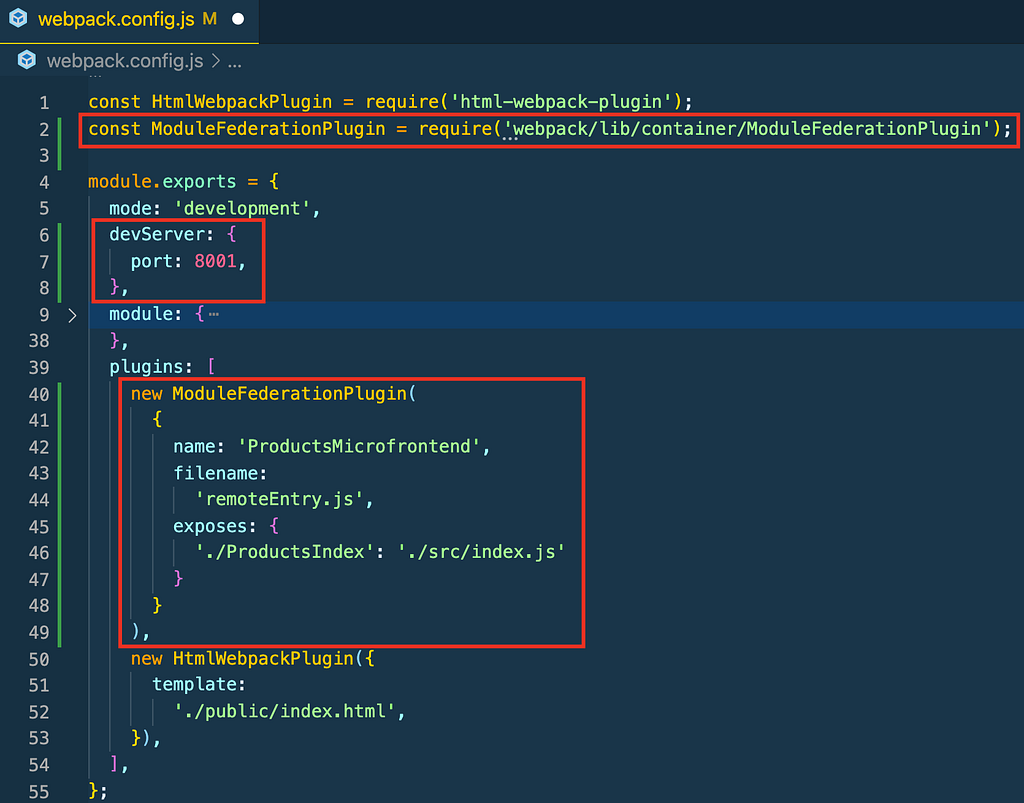
When you run `npm webpack` or `yarn webpack' you will notice the generation of dist/remoteEntry.js
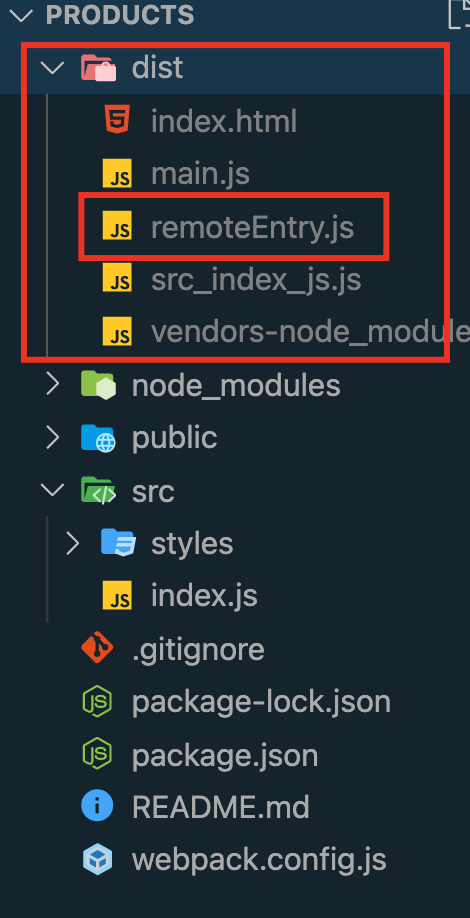
Now, run yarn run start or npm run start and leave it running on http://localhost:8001/ for the Portal to link to it

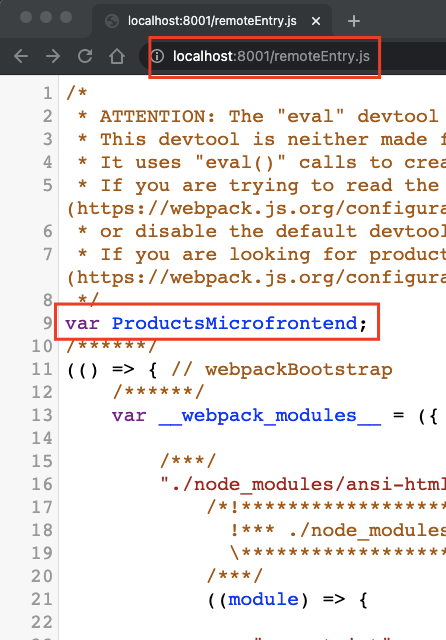
If you are curious to see what will be loaded by the Portal, browse http://localhost:8001/remoteEntry.js
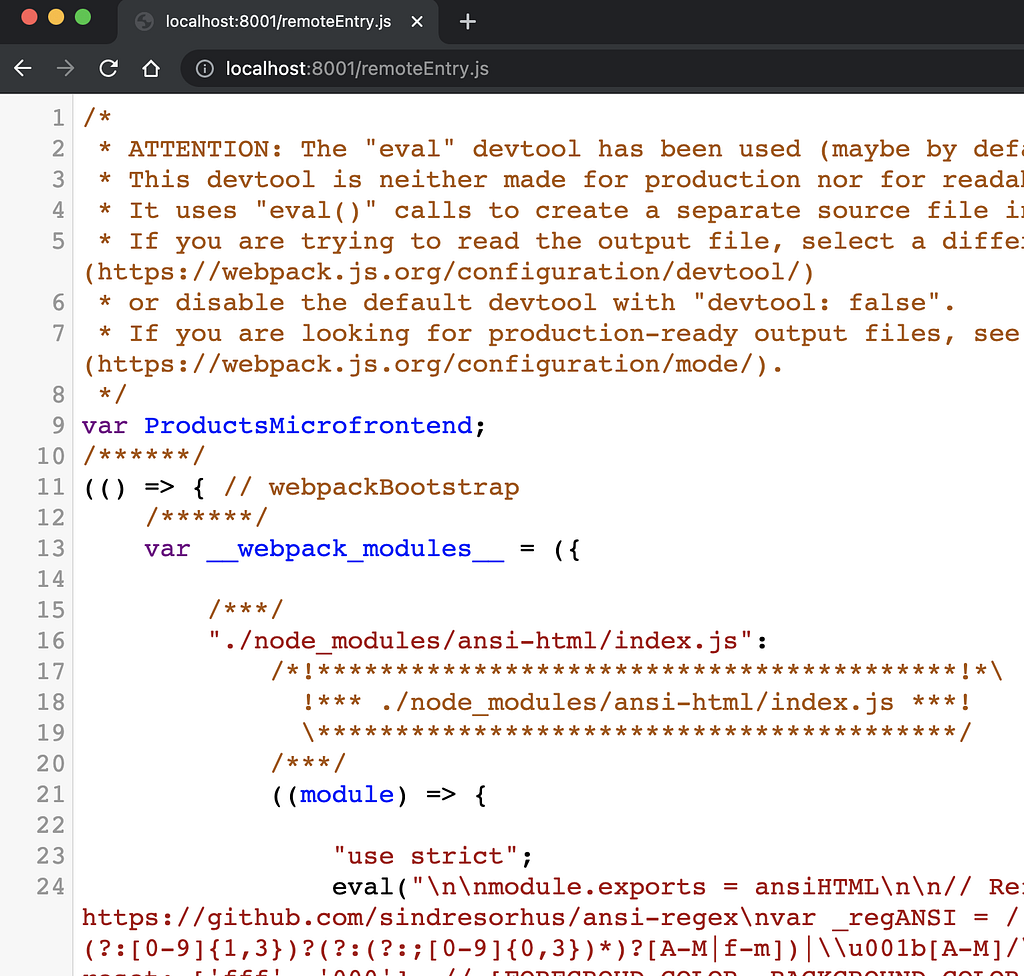
Of course, there is not much to see here. Webpack will decode this on the Portal/Container side.
=====================
The Partner Portal

The “Partners” team owns the partner portal. They own the authentication and the Role-Based Access Control (RBAC). They will create the microfrontend host/container. The container is the maestro that contains all the microfrontends.
Follow the article below to configure a Microfrontends portal/container:
Create a Microfrontends Portal/Host/Container CRA
You also can Download/Clone the following branch to follow along
git clone --single-branch --branch Partner-Portal-Step1 https://github.com/ranyelhousieny/partner-portal.git
cd partner-portal
yarn install
code .
yarn run start
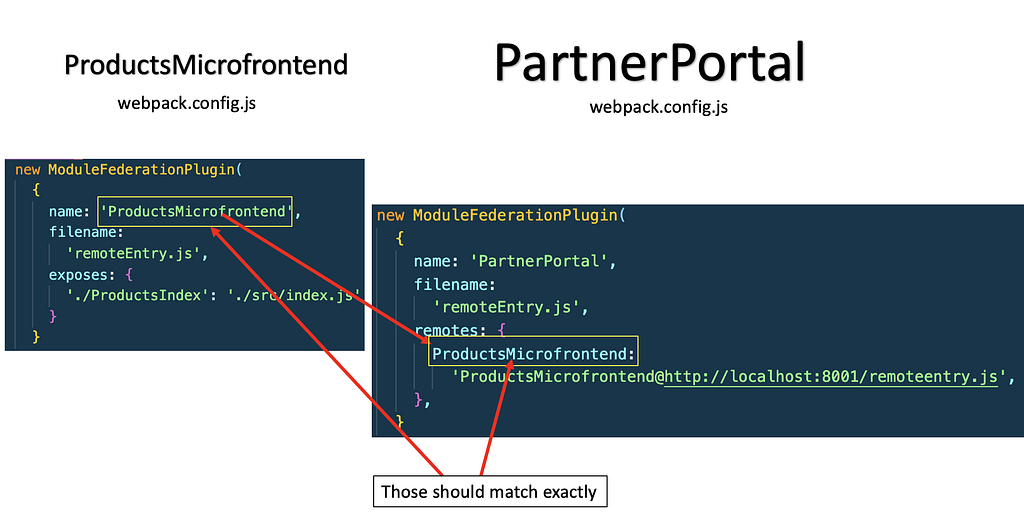
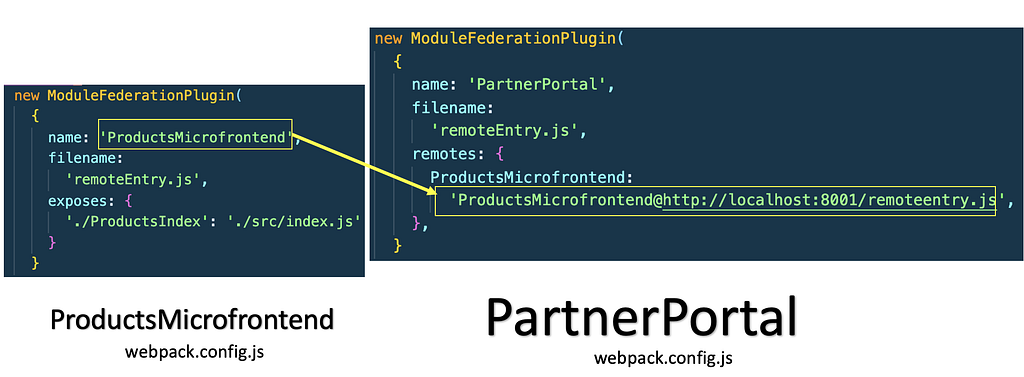
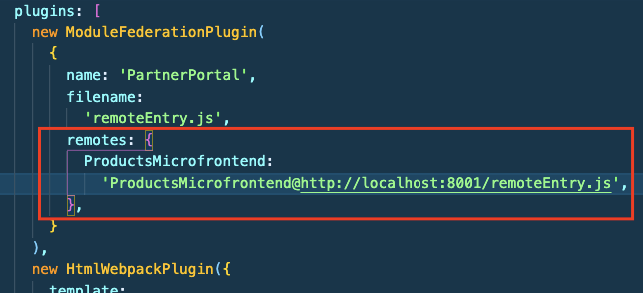
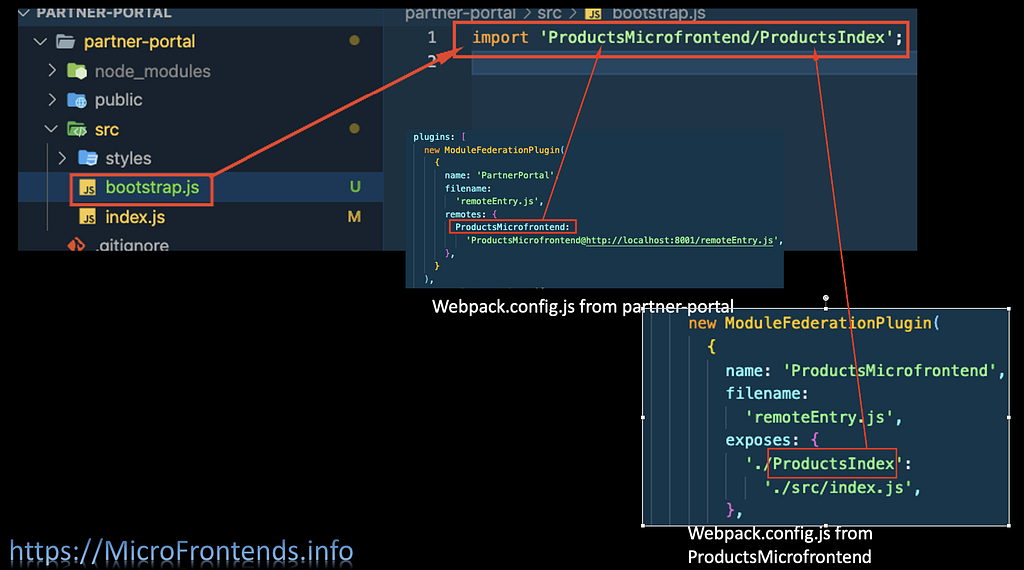
Add a Remote to ProductsMicrofrontend Webpack config
remotes: {ProductsMicrofrontend:
'ProductsMicrofrontend@http://localhost:8001/remoteEntry.js',
},
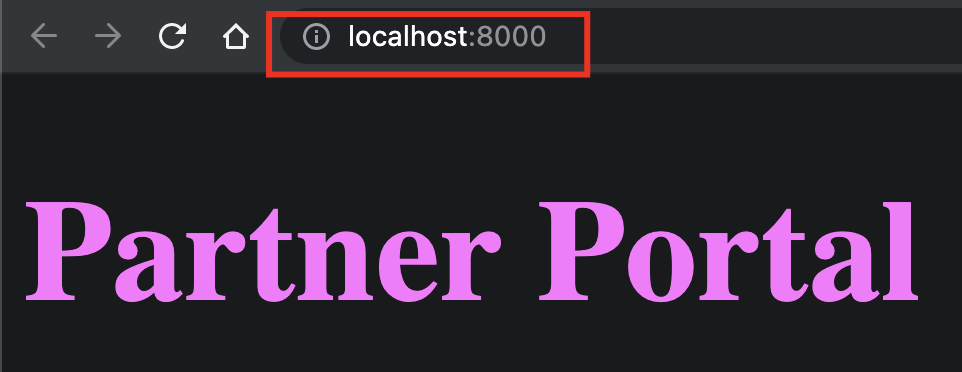
yarn run start
Of course, the portal is still empty.
Import and Render ProductsMicrofrontend on PartnerPortal
Now, let’s import this remoteEntry.js from http://localhost:8001/remoteEntry.js into the Portal (We are not using React yet)
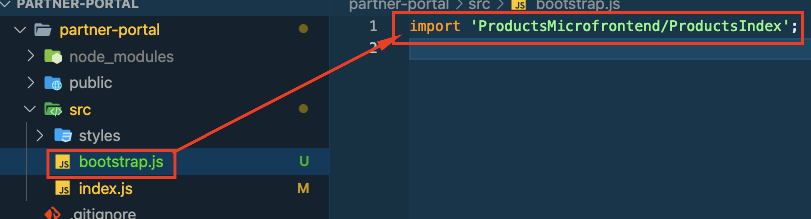
- create src/bootstrap.js and add the following line
import 'ProductsMicrofrontend/ProductsIndex';
2. In src/index.js, delete everything and import bootstrap in it
import('./bootstrap');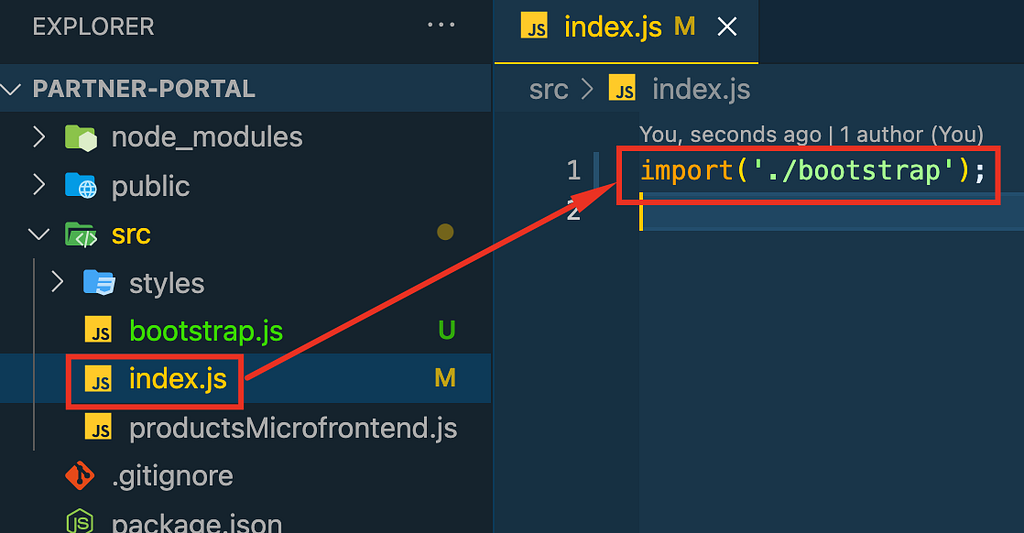
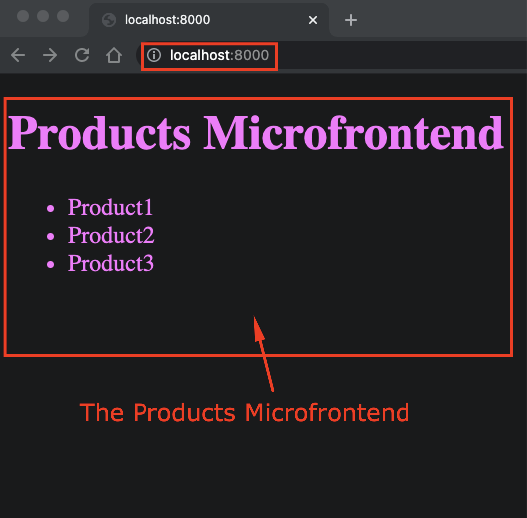
Now, refresh the portal page at http://localhost:8000/, and you will see the following.
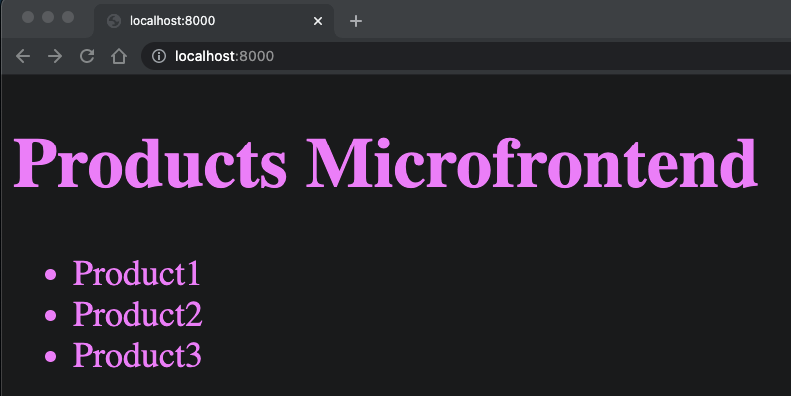
This is actually from Products Microfontend.
Where are we
- So far, the product team has implemented the basic Microfrontend at http://localhost:8001/ (we will see how to deploy to AWS)

2. They deployed it to http://localhost:8001/remoteEntry.j (We will see how to deploy this to AWS S3)
3. The Partners team added it to the Partner Portal at http://localhost:8000/ (We will see how to deploy this to AWS at the end)
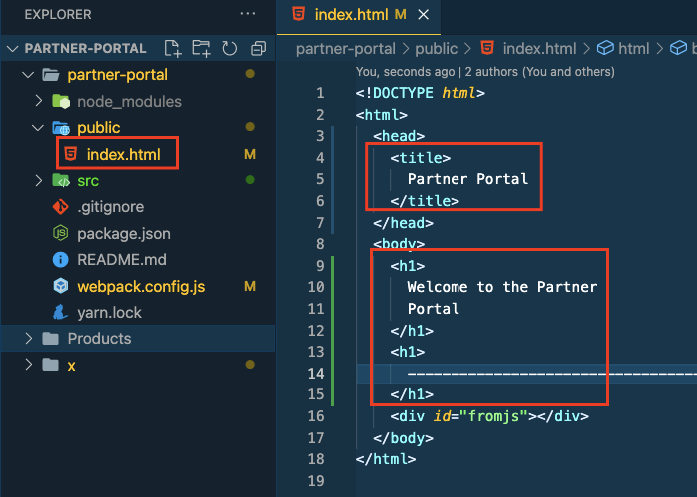
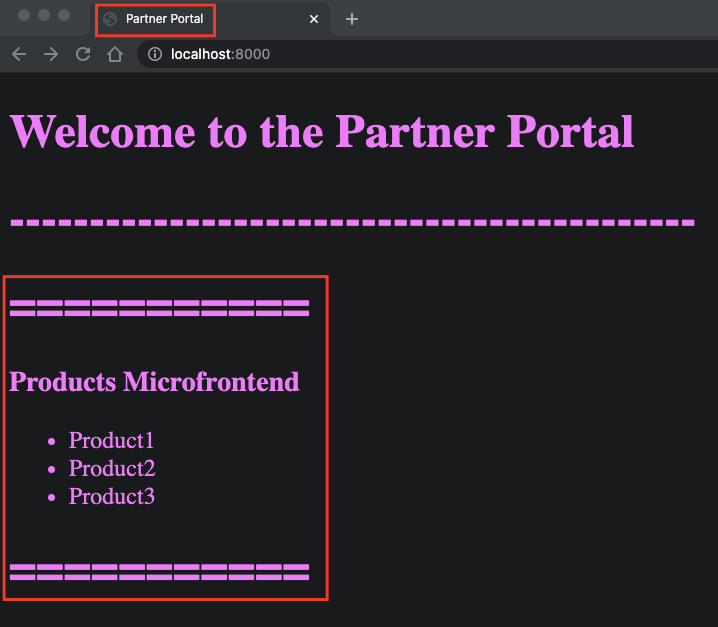
Until we add CSS, let’s identify the portal with a header and a title in public/index.html.
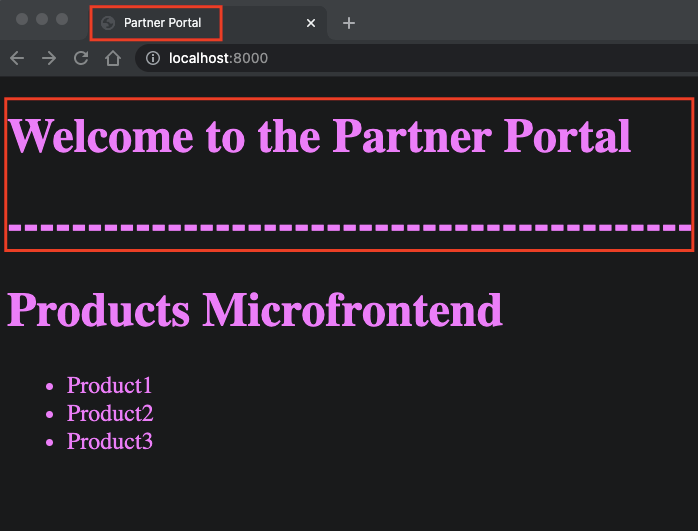
You will be able to see those changes immediately on the browser without re-run.
In the Products microcontent, I added a non-CSS border as follows.
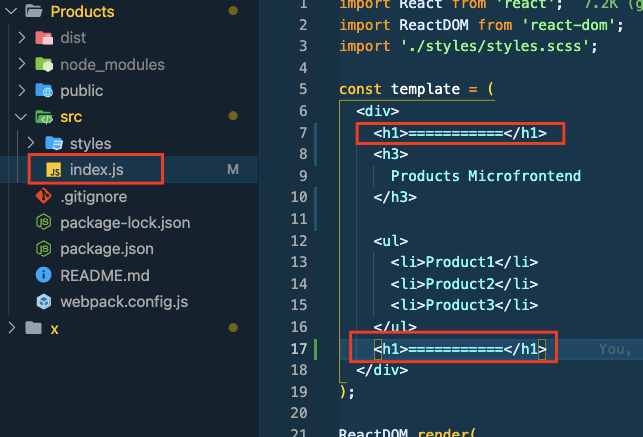
This will make the Microfrontend identifiable.
Microfrontends Hands-On Project with Module Federation — Part 1 was originally published in Level Up Coding on Medium, where people are continuing the conversation by highlighting and responding to this story.
This content originally appeared on Level Up Coding - Medium and was authored by Rany ElHousieny

Rany ElHousieny | Sciencx (2021-09-07T17:27:57+00:00) Microfrontends Hands-On Project with Module Federation — Part 1. Retrieved from https://www.scien.cx/2021/09/07/microfrontends-hands-on-project-with-module-federation%e2%80%8a-%e2%80%8apart-1/
Please log in to upload a file.
There are no updates yet.
Click the Upload button above to add an update.