
This content originally appeared on DEV Community and was authored by Aravind Sanjeev
The position property is one of the harder to understand concepts in CSS. However, it is actually quite simple if you're in the right place. In this post, I will try to explain the CSS position property in an easy to understand manner. If you wish, you can code along.
The starter contain 3 files - index.html, index.css, and postion.css. The position.css file is empty (other than the selectors) and is the only relevant file for this post.
Currently our setup look like this,
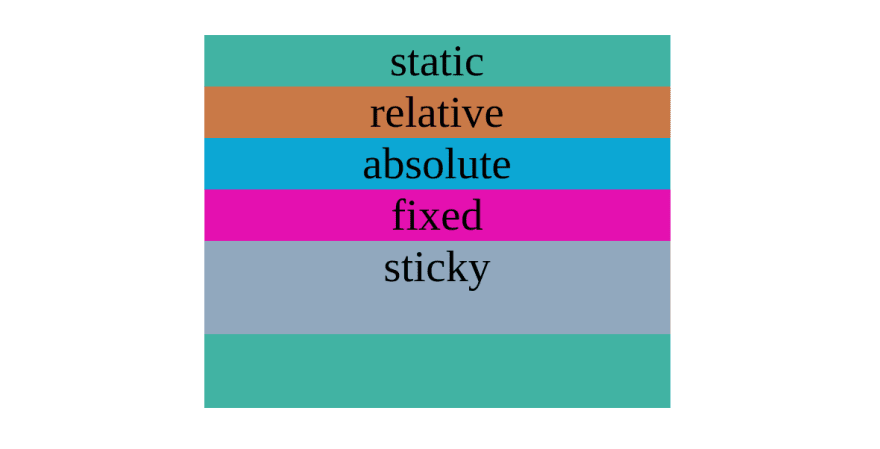
Taking a glance at our index.html file, we can see it has 5 nested divs inside the body.
<div class="static">
  static
  <div class="relative">
    relative
    <div class="absolute">
      absolute
      <div class="fixed">
        fixed
        <div class="sticky">sticky</div>
      </div>
    </div>
  </div>
</div>
These are actually the 5 values CSS position property can hold.
- static
- relative
- absolute
- fixed
- sticky
The static value is the default. When the position is static, the element is rendered in order as they appear in the document flow. We will use the static div as the parent.
Now let's open position.css file.
.static {
}

.relative {
}

.absolute {
}

.fixed {
}

.sticky {
}
Since static is the default, no position property has to be necessarily applied.
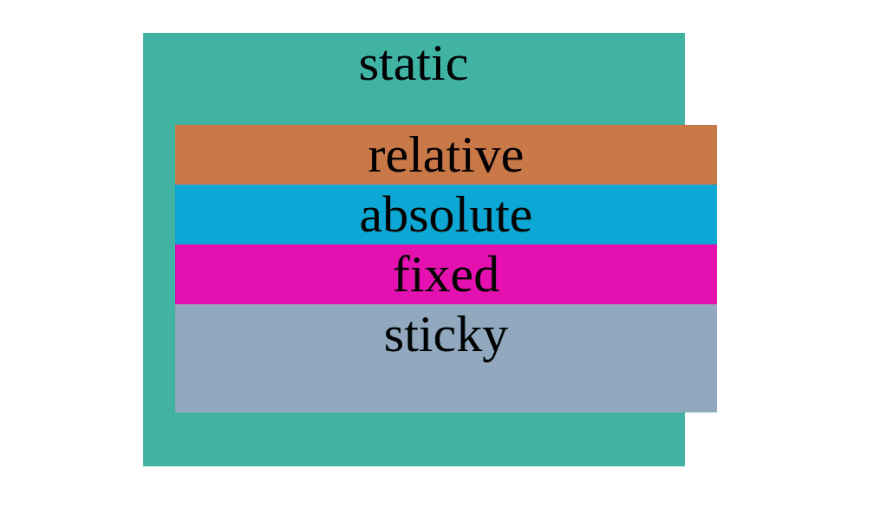
The relative position is used to position something relative to itself. It is done using top, bottom, left, and right properties.
.relative {
  position: relative;
  top: 30px;
  left: 30px;
}
With the above code you should expect two things to happen,
- 30px will be added to the top and left of
relativediv - Children of
relativediv to inherit the same position
The absolute position is used to position an element absolutely. The absolute position only works with respect to a non-static ancestor. In this example, it is the relative div.
.relative {
  position: relative;
  top: 30px;
  left: 30px;
}

.absolute {
  position: absolute;
  top: 50px;
  left: 50px;
}
With the above code you should expect,
- The absolute div to be positioned 50px top and left of
relativediv - Children of
absolutediv to inherit the same position
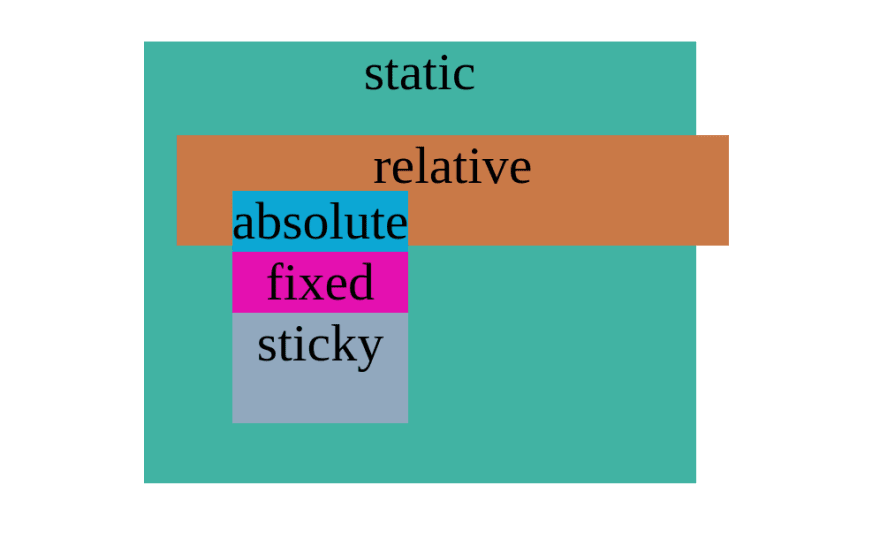
For absolute positioning to work, the parent must be either relative, fixed, sticky, or absolute itself.
However, generally relative position is used as the parent container. Let's clear the top and left properties of relative div.
.relative {
  position: relative;
}

.absolute {
  position: absolute;
  top: 50px;
  left: 50px;
}
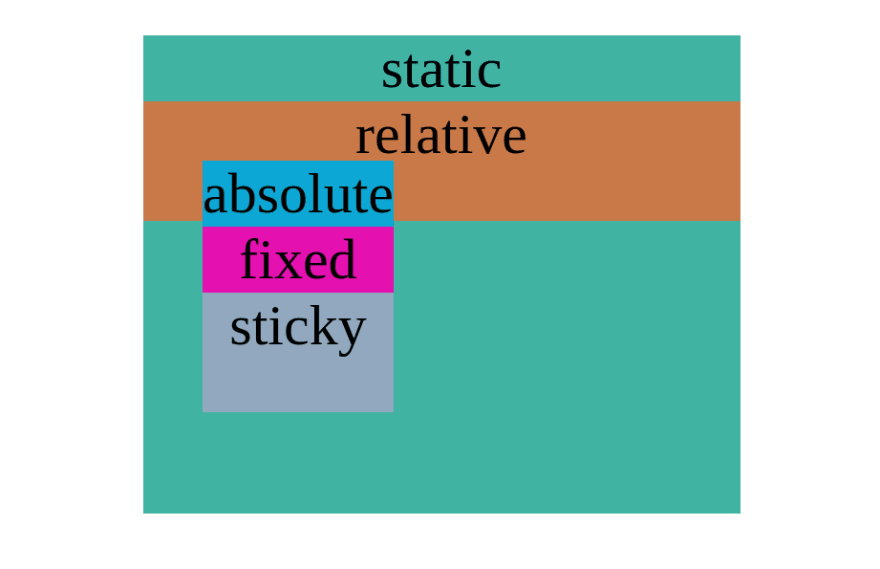
What you see above is a fairly standard setup in the CSS world. We use a relative element to act as a parent for our absolute positioned element. The relative position itself is not very useful on its own.
The fixed position is used to position an element with respect to the viewport.
.fixed {
  position: fixed;
  bottom: 100px;
  left: 100px;
}
With the above code you should expect two things,
- The
fixeddiv container to be placed 100px bottom and left to viewport - The
childrenof fixed div to inherit the same position
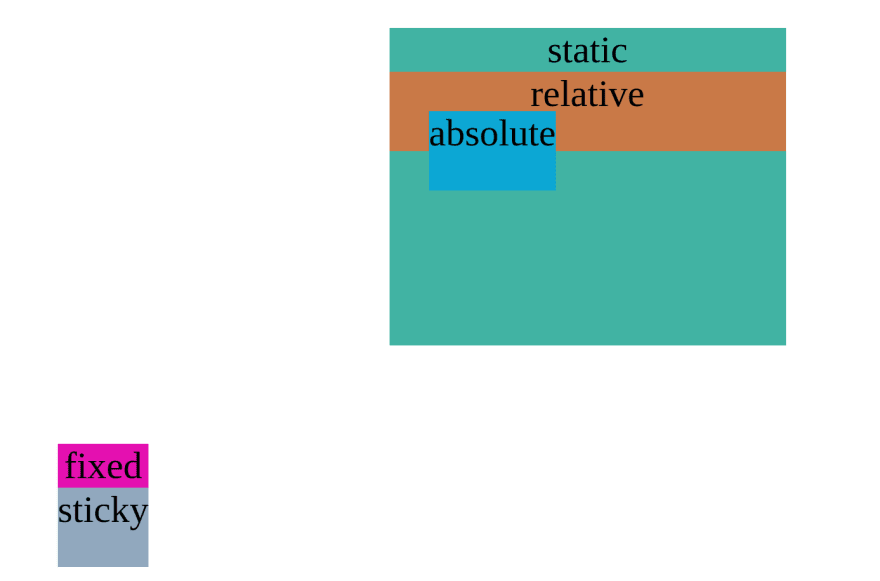
Please note that 100px from the bottom is measured between the sticky div and viewport. This is because the fixed div is the parent.
And finally, the sticky position acts like a relative element until the user scrolls past a given offset point where the element sticks (like fixed elements).
So sticky position is actually a combination of relative and fixed position.
To demonstrate sticky position, we will clear all the CSS applied so far. Then add 300vh height to our fixed div and set position sticky to our sticky div with offset point being 0 pixels from top.
.fixed {
  height: 300vh;
}

.sticky {
  position: sticky;
  top: 0;
}
With the above code you should expect,
- To increase the height of the
fixeddiv to 3 times viewport height - A sticky div relatively positioned initially
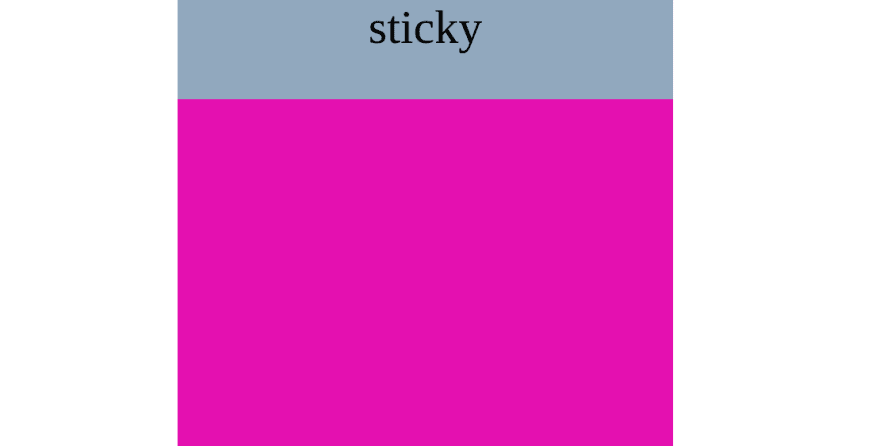
- A sticky div that becomes fixed positioned once it hits 0px from top
Our document will initially look like this:
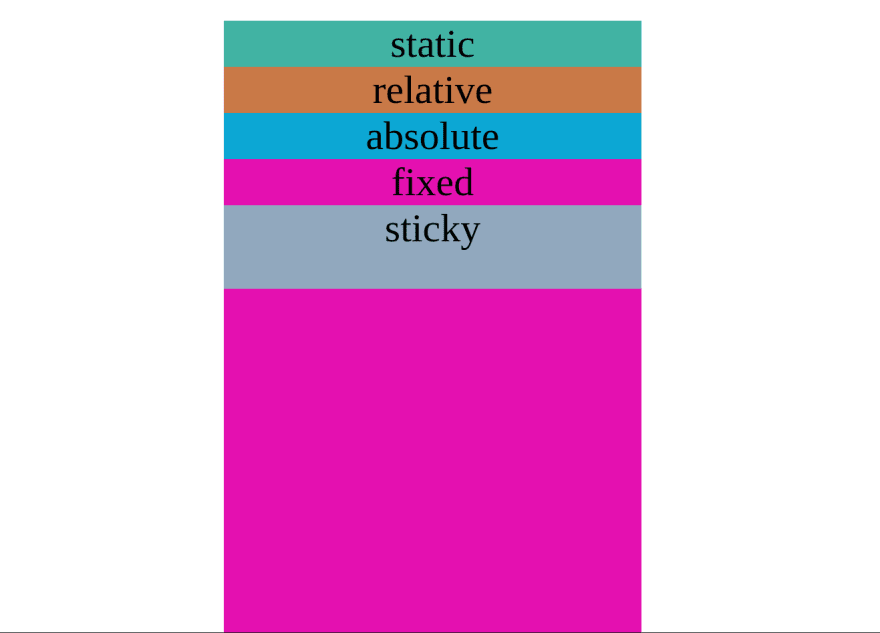
Right now it is relatively positioned. When we scroll past our offset point (in this case, 0px from top), it will stick (become fixed position).
That being said, the position property accepts two more values,
- initial
- inherit
These are values accepted by all CSS properties. It may not find much use in the position property.
To summarize,
- The
staticposition is by default and render elements in document flow - The
relativeposition is used to position element relatively to itself - The
absoluteposition is used to position element absolutely with respect to a non-static ancestor - The
fixedposition is used to position element with respect to viewport - The
stickyposition is a combination ofrelativeandfixed. The position isrelativeuntil a certain offset point is hit where the element becomesfixed
All CSS positions (other than static) is fundamentally destructive in nature. This is because it will affect the entire document's flow. Things can also get messy for responsive sites.
This content originally appeared on DEV Community and was authored by Aravind Sanjeev

Aravind Sanjeev | Sciencx (2021-10-11T18:51:16+00:00) CSS Position Complete Guide. Retrieved from https://www.scien.cx/2021/10/11/css-position-complete-guide/
Please log in to upload a file.
There are no updates yet.
Click the Upload button above to add an update.