
This content originally appeared on DEV Community and was authored by Jose
What is the localStorage?
The localStorage is a read-only property of the window interface that allows us to access the Storage for the Document’ origin (aka the browser). It let us save key-value pairs on the user browser. This was introduced on HTML 5 and everything it’s stored as a String, but I will show you how to save JSON objects.
localStorage vs sessionStorage
The difference between localStorage and sessionStorage it’s the expiration date: the localStorage data will persist until:
- We delete the data.
- User clears the browser data.
localStorage data won’t persist if the user is using incognito or private browsing.
sessionStorage data gets expired each time the page it’s reloaded.
How to write on localStorage
Data on localStorage is stored as key-value pairs and must always be String. It’s also possible to store and retrieve JSON objects with a little workaround. The function responsible for writing on the localStorage is the setItem function.

Example:
// Saving user access token
localStorage.setItem('token', 'ksjakdkaugdka2i163mjbdja8y1');
We can check that the informations has been saved by opening the console (f12) and checking the application tab under Local Storage:

Storing objects
In this case I’m saving the personal access token from a user, but what if I have to store an object with the user's details? Let’s try it:
// 1. We define an Object;
const user = {name: 'John', surname: 'Connor', id: 2};

// 2. Try to store the Object:
localStorage.setItem('user', user);
And now check the application tab:

Well it has stored ‘something’ but the content it’s not accessible so it’s useless and if this was an API response we would have lost the response. So how can we store objects in localStorage?
Though localStorage works only with strings so we can make it work transforming the object to a String:
// 1. We define an Object;
const user = {name: 'John', surname: 'Connor', id: 2};

// 2. Transform the Object to String:
const userString = JSON.stringify(user);

// 3. Store the object:
localStorage.setItem('user', userString);
We can check it on the application tab:

The information is there, and more important, accessible.
How to read localStorage data
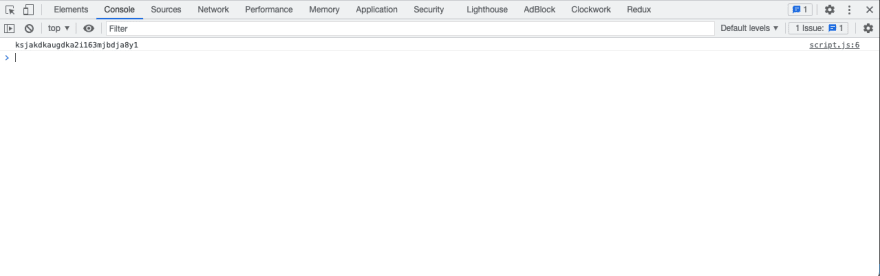
To read the localStorage data we use the getItem function and we need to know the key that keeps the data:

Example:
// Reading user access token from localStorage
const token = localStorage.getItem('token');
console.log(token);
Reding objects
Now let’s retrieve the object we stored earlier using the same getItem function.
const user = localStorage.getItem("user");
console.log(`Welcome ${user.name} ${user.surname}`);
We read the localStorage and try to console log a greeting message using the object’s name and surname properties on console and this is what we get:

The console is returning undefined for the name and surname. Why? because what we stored is not an object it is a String. To read objects from localStorage we need to transform it from String to Object. Let’s try again:
// 1. Reading the object as string
let user = localStorage.getItem("user");

// 2. Parsing the string to Object
user = JSON.parse(user)

// 3. Now we can access the object properties.
console.log(`Welcome ${user.name} ${user.surname}`);

How to find all localStorage keys
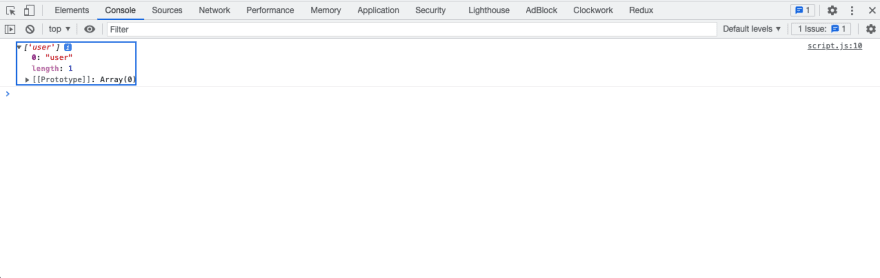
We can get an array with all the keys using Object.keys:
const keys = Object.keys(localStorage);
console.log(keys);
How to remove data
To remove data from localStorage we have 2 options:
Delete one item
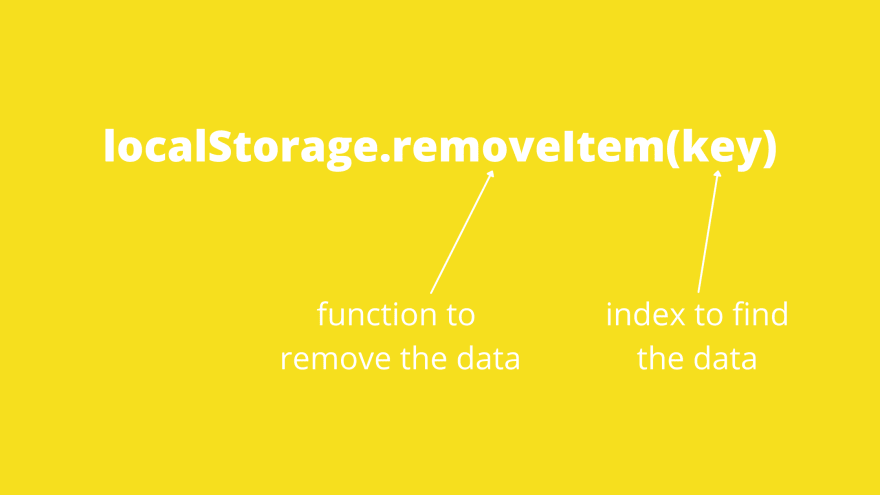
We can use the function removeItem:
Example:
localStorage.removeItem("token");
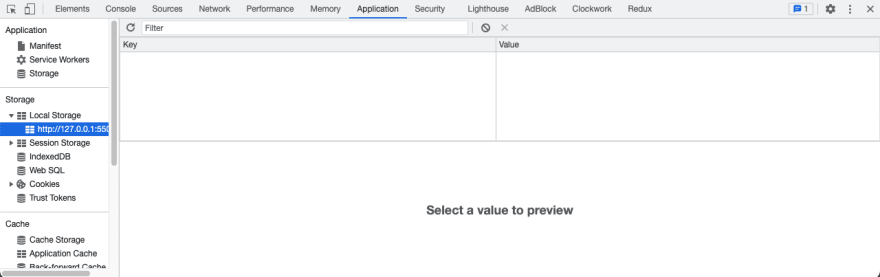
We can see that the token is no longer on the localStorage:
Delete all items
We can use the function clear to delete all existing items:
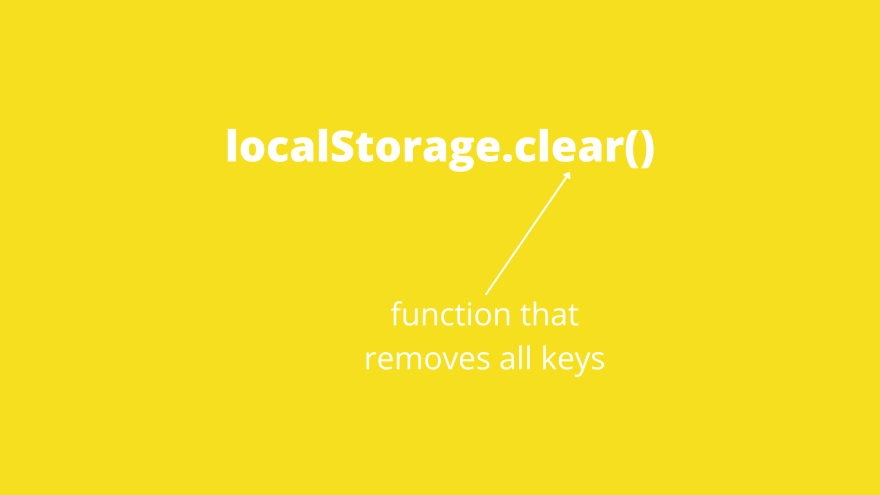
Example:
localStorage.clear();
Drawbacks of localStorage
As I showed localStorage it’s very easy to use and that can lead us to misuses:
- Don't store too much data on it as it has just 5MB per domain.
- All data is easily accessible for the user and any script running on the page and that makes it insecure. So don’t store sensitive information.
- Don’t be tempted to use it as a substitute for a database.
This content originally appeared on DEV Community and was authored by Jose

Jose | Sciencx (2021-11-16T08:12:18+00:00) javascript – Everything you always wanted to know about localStorage (but you were afraid to ask). Retrieved from https://www.scien.cx/2021/11/16/javascript-everything-you-always-wanted-to-know-about-localstorage-but-you-were-afraid-to-ask/
Please log in to upload a file.
There are no updates yet.
Click the Upload button above to add an update.