
This content originally appeared on DEV Community and was authored by Thomas Bnt
What is ShareX?
First, ShareX is an application available only on Windows.

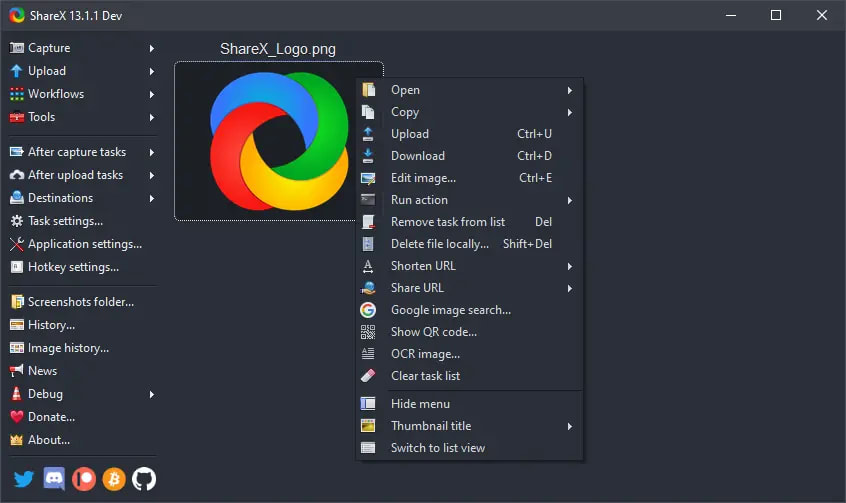
It allows you to take screenshots and do whatever you want with them afterwards, for example copy the image to the clipboard, upload it to a remote server, or recognize text in the image (OCR).
Server side
To upload your images, you need to make it request on your server and especially on a file. There are many ways to do this, I opted for a PHP file.
In my upload.php file, I set the public URLs to https://i.thomasbnt.dev/i/.
<?php
$secret_key = "VotreTouteBelleCléPrivéePourUpload"; // The beautiful private key
$sharexdir = "i/"; // Your folder
$domain_url = 'https://i.thomasbnt.dev/'; // Your domain name
$lengthofstring = 5; // Width of your output file name. Example : ek6po.png

function RandomString($length) {
    $keys = array_merge(range(0,9), range('a', 'z'));

    $key = '';
    for($i=0; $i < $length; $i++) {
        $key .= $keys[mt_rand(0, count($keys) - 1)];
    }
    return $key;
}

if(isset($_POST['secret'])) {
    if($_POST['secret'] == $secret_key) {
        $filename = RandomString($lengthofstring);
        $target_file = $_FILES["sharex"]["name"];
        $fileType = pathinfo($target_file, PATHINFO_EXTENSION);

        if (move_uploaded_file($_FILES["sharex"]["tmp_name"], $sharexdir.$filename.'.'.$fileType)) {
            echo $domain_url.$sharexdir.$filename.'.'.$fileType;
        }
            else {
           echo 'File upload failed - CHMOD/Folder doesn\'t exist?';
        }
    }
    else {
        echo 'Invalid Secret Key';
    }
}
else {
    echo 'No post data recieved';
}
?>
So I'm no good at PHP, I got this piece of code from the Internet (I don't know where exactly, so no source) and it works great. Be careful with the permissions of your folder. Make sure that it can be read and that the folder in question really exists.
You can read that you need a key, it acts as a password so that only you can upload to your server. If you don't want it, don't put anything.
Client side (ShareX)
On this side, after having correctly installed the application, you must make sure that when you make the screen, it is uploaded to the remote server. This option can be found in Destinations > Custom upload service settings...

Then enter your values, like the domain name + folder in POST, your secret key, and don't forget to put 'sharex' for the name of the form file.

Test the settings, and if everything is good, congratulations! You now have your own image host.
| ☕ | Check my Twitter account. You can see many projects and updates. You can also support me on Buy Me a Coffee. |
|---|
This content originally appeared on DEV Community and was authored by Thomas Bnt

Thomas Bnt | Sciencx (2021-12-22T17:18:55+00:00) Custom domain for your images with ShareX. Retrieved from https://www.scien.cx/2021/12/22/custom-domain-for-your-images-with-sharex/
Please log in to upload a file.
There are no updates yet.
Click the Upload button above to add an update.