
This content originally appeared on Dave Ceddia and was authored by Dave Ceddia
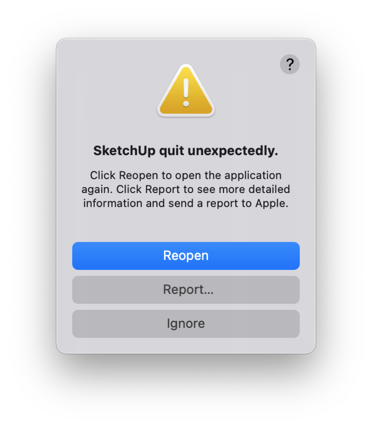
I tried to run the old standalone version of SketchUp Make 2017 on my modern M1 Mac running macOS Monterey 12.4 recently. At first it went pretty badly, crashing on startup with the error “SketchUp quit unexpectedly.”
But I got it working!
Here’s how to get it running by removing the code signature.
The main clue came when I tried running it from the Terminal, to see if it would show a more useful error. I got the same popup error, but also this:
rosetta error: /var/db/blahblah/SketchUp.aot: attachment of code signature supplement failed: 1
zsh: trace trap  /Applications/SketchUp\ 2017/SketchUp.app/Contents/MacOS/SketchUp
“attachment of code signature supplement failed”, eh?
We’ll just remove that code signature, then… from absolutely everything inside the app.
To do this, launch the Terminal app (from under Applications > Utilities), copy all of this text, paste it into the terminal window, and press Enter.
codesign --remove-signature --deep /Applications/SketchUp\ 2017/SketchUp.app
codesign --remove-signature --deep /Applications/SketchUp\ 2017/SketchUp.app/Contents/Frameworks/*.framework
codesign --remove-signature --deep /Applications/SketchUp\ 2017/SketchUp.app/Contents/Frameworks/*.dylib
codesign --remove-signature --deep /Applications/SketchUp\ 2017/SketchUp.app/Contents/PlugIns/*.plugin
(if SketchUp is installed in a different folder on your machine, you’ll have to change these paths to match)
With all that done, I was able to launch SketchUp under Rosetta!
My guess is that the code signing certificate format changed in one of the newer macOS versions. I’m not sure — but I’m glad to have SketchUp working again!
One (maybe?) important detail is that I have System Integrity Protection (SIP) disabled on my machine. I’m not sure if this matters. (I didn’t test SketchUp with SIP enabled). You can google for how to disable SIP if removing the code signature isn’t enough to get it working.
How to Run SketchUp Make 2017 on an M1 Mac with macOS Monterey was originally published by Dave Ceddia at Dave Ceddia on July 14, 2022.
This content originally appeared on Dave Ceddia and was authored by Dave Ceddia

Dave Ceddia | Sciencx (2022-07-14T00:22:58+00:00) How to Run SketchUp Make 2017 on an M1 Mac with macOS Monterey. Retrieved from https://www.scien.cx/2022/07/14/how-to-run-sketchup-make-2017-on-an-m1-mac-with-macos-monterey/
Please log in to upload a file.
There are no updates yet.
Click the Upload button above to add an update.