The Complete Guide to TypeScript

Get up and running with TypeScript: the heir to JavaScript

What is TypeScript?

TypeScript is a free and open-source programming language developed and maintained by Microsoft. It is a strict syntactical superset of JavaScript and adds optional static typing to the language. It is designed for the development of large applications and transpiles to JavaScript.

The foundation for TypeScript is JavaScript.

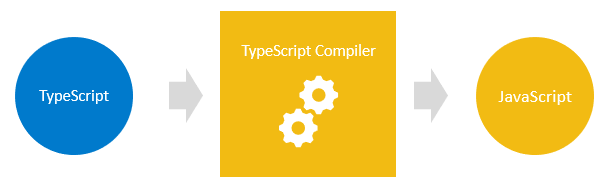
You begin by writing the TypeScript code. The TypeScript code is then converted into standard JavaScript code using a TypeScript compiler.

typescripttutorial.net

Why should you use TypeScript?

As it introduces optional types to JavaScript, our code will be less error-prone. Many companies told shifting their codebase from JavaScript to TypeScript helped them to have 50% fewer bugs🚀

Let’s look at an Example:

function getProduct(id)
{
return {
id: id,
name: `Awesome Gadget ${id}`,
}
}
const product = getProduct(1);
console.log(`The product is ${product.Name} `);

If you do like this in JavaScript, unless you run the file, it will never show an error, when you do so it will show the result as this:

You can see that the property is name and not Name. Here when you use typescript it will fetch the error before you stand a chance to run the file.

Installing TypeScript

npm install TypeScript

Running TypeScript

npx tsc

Creating the tscofig.json file

tsc --init

Types in JavaScipt

Every value in TypeScript has a type. It is just a cover that describes the properties and methods associated with it.

  1. Undefined: the set with only element undefined
  2. Null: the set with only null element
  3. Boolean: the set with only true or false
  4. Number: the set all numbers
  5. String: the set of all strings
  6. Symbol: the set of all symbols
  7. Object: the set of all objects
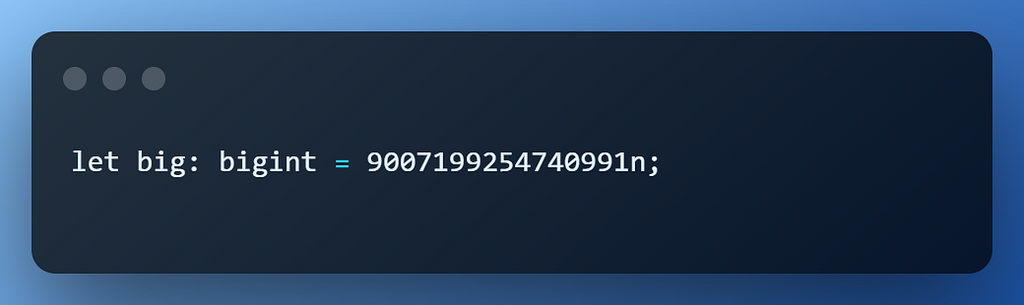
  8. BigInt: the set of all arbitrary-precision integers

These types are dynamic types which means we can use them at run time. TypeScript has several other types in addition to these, static types.

Type any in TypeScript

When you don’t want a certain value to result in type-checking issues, you can use a special type any in TypeScript.

let person: any = { x: 0 };
person.age()
person()
//here none of these will throw any error (only shows error when we run it)

This is not ideal and complements the features that typescript provides.

To fix the problem of referencing a property that doesn’t exist on an object, you do the following steps:

interface person{ id:number,age: number ,name:String};
function getPerson(id:number):person{
return{
id:id,
age:23,
name:"sai"
}
}

We explicitly use “person” as the return type of getPerson() function. When you try to access a property that never exists, it will show you an error message beforehand.

Type Annotation in TypeScript

Type annotation helps to specify which type is associated with a particular variable.

For a clear example👇🏻

In the case of Arrays and Object, you can use type followed by square. brackets.

let arrayNames: string[] = ["John", "Jane", "Mary"];
let NameObject:  {fname:string, lname:string}
let names:typeof NameObject = {fname:"John", lname:"Doe"};

Function arguments & return types

You can specify the type of arguments as well as the return type of arguments in TypeScript:

Output:

TypeScript Type Inference

Using the Type Interface we can infer types without Explicitly telling the types.

When you explicitly specify the type it is called type annotation on the other hand when Typescript decides the type it is called type inference.

TypeScript inference

TypeScript infers the type when we don’t explicitly specify the type. For Example <h1> is a heading element

Type inference occurs when you initialize variables, set parameter default values, and determine function return types. TypeScript uses its algorithm to find the best type for the variable.

TypeScript Number

In TypeScript, all numbers are either large integers or floating-point values. While huge integers receive the type bigint, floating-point numbers have the type number.

TypeScript String

Just like JavaScript, we can use “” or ‘’ or “ to denote strings:

TypeScript Boolean

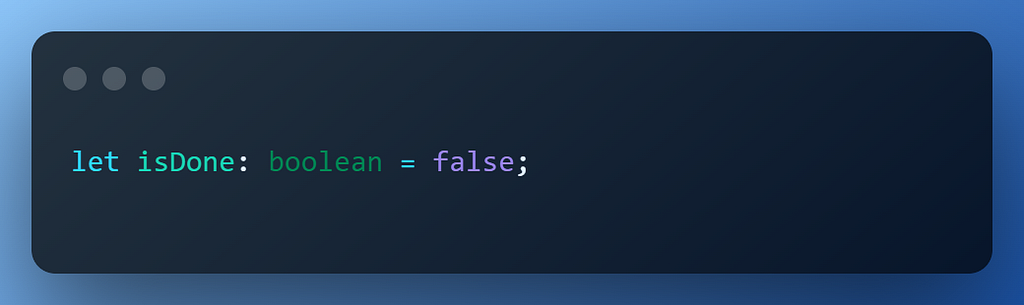
The two possible values for the TypeScript boolean type are true and false. It belongs to TypeScript’s primitive types.

TypeScript object

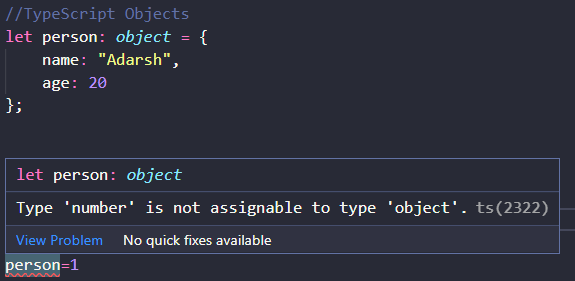
The TypeScript object type represents all values that are not in primitive types.

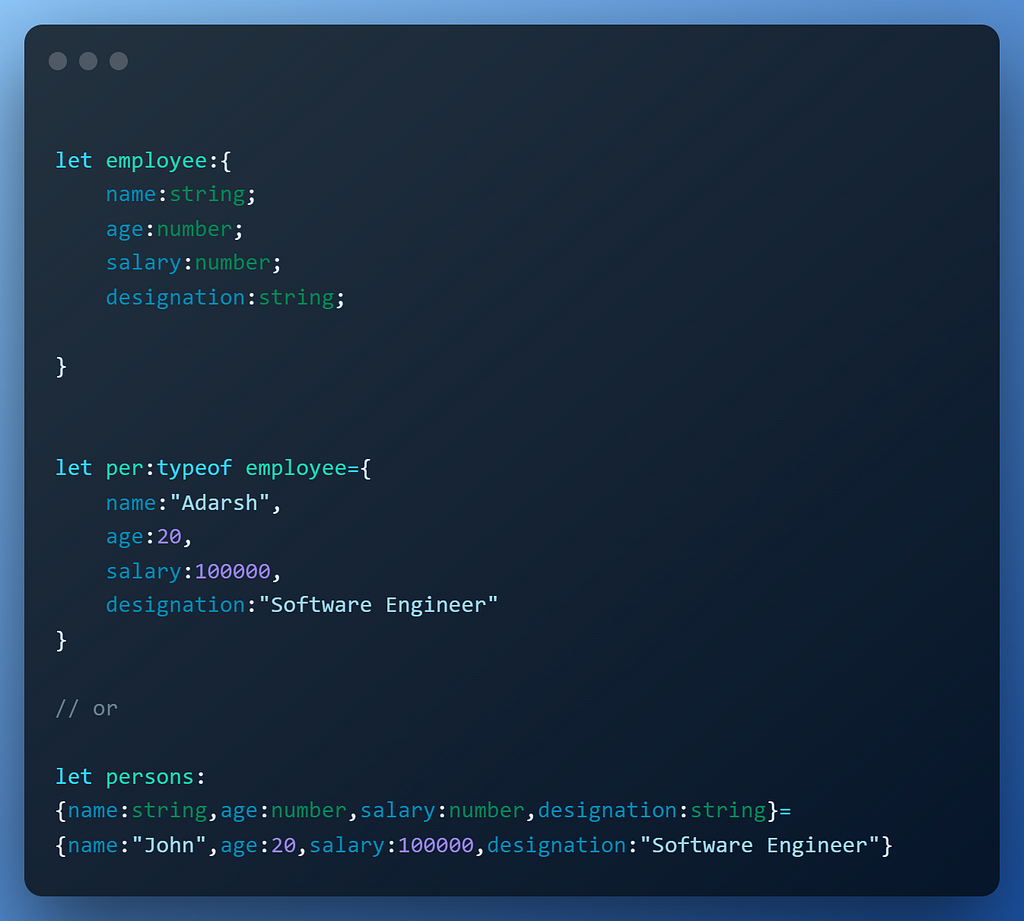
Creating objects is like creating a template for variables, for example:

TypeScript Array Type

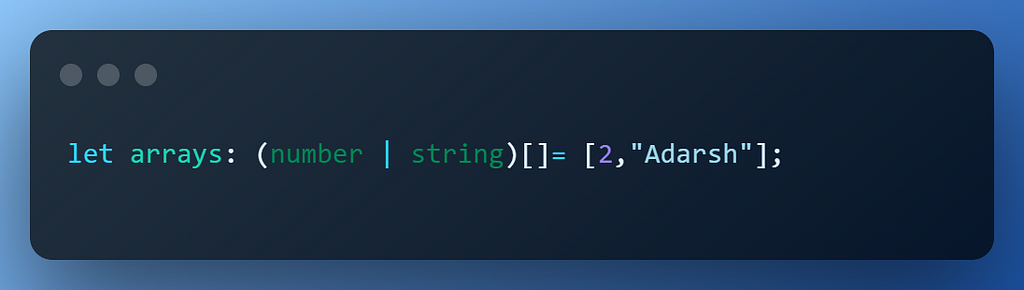
An ordered list of data is a TypeScript array. You can declare an array with values of a certain type by using the syntax shown below:

You can also define a mixed type in TypeScript

TypeScript Enum

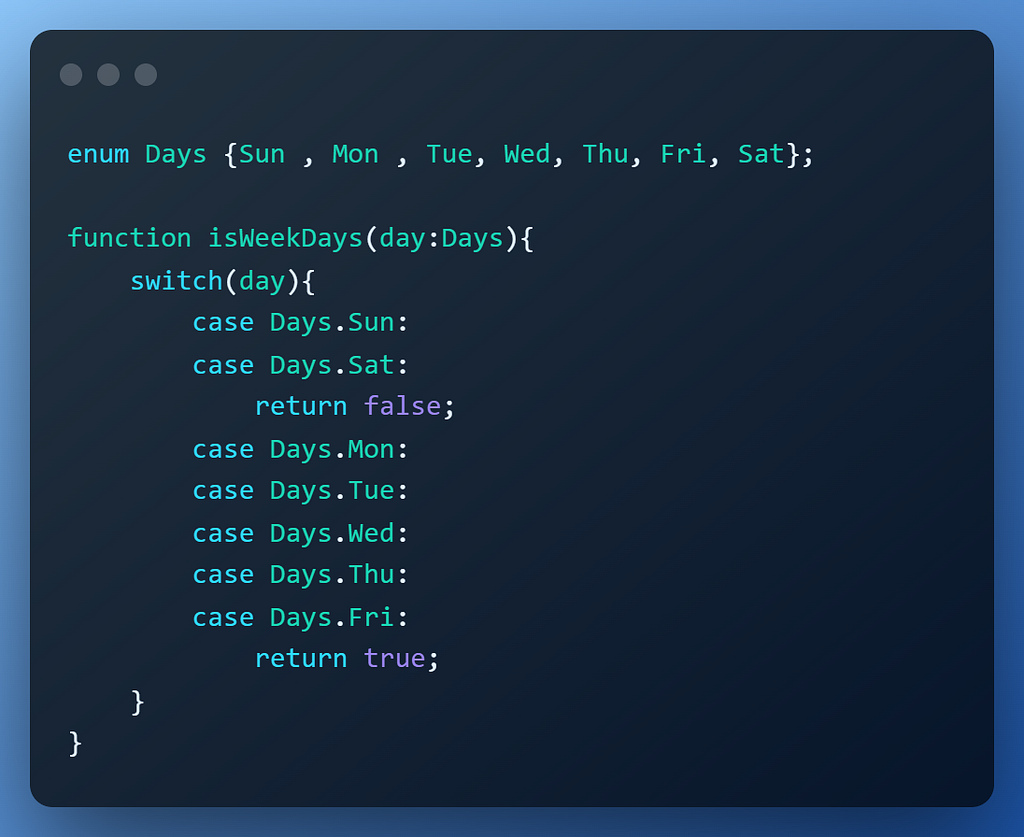
An enum is a group of named constant values. Enum stands for enumerated type.

TypeScript void Type

The void type denotes the absence of having any type at all. It is a little like the opposite of the any type.

function warnUser(): void {
console.log("This is my warning message");
}

Often we use void when we don’t want to return anything from the function or methods.

TypeScript never Type

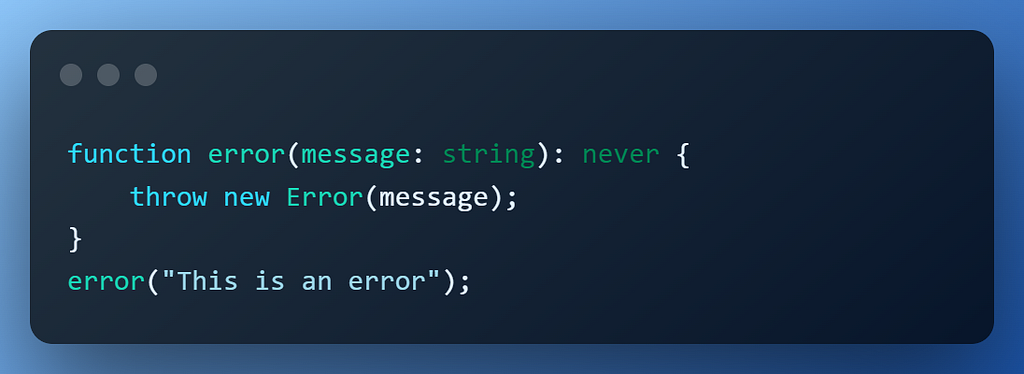
The never type is a type that contains no values. Because of this, you cannot assign any value to a variable with a never type. The never type represents the return type of a function that always throws an error or a function that contains an indefinite loop.

TypeScript union Type

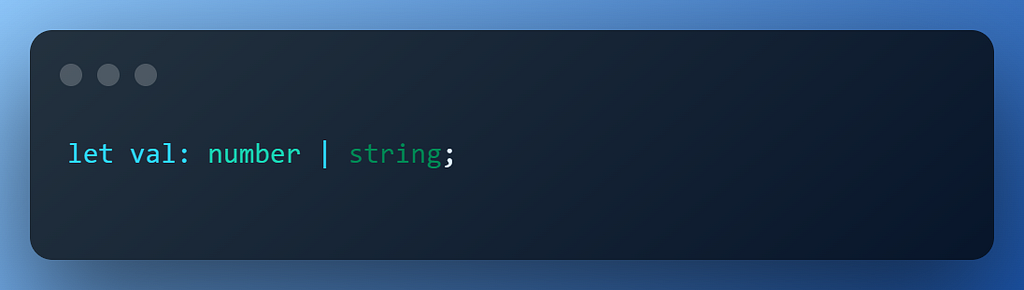
The union type allows you to combine multiple types into one type.

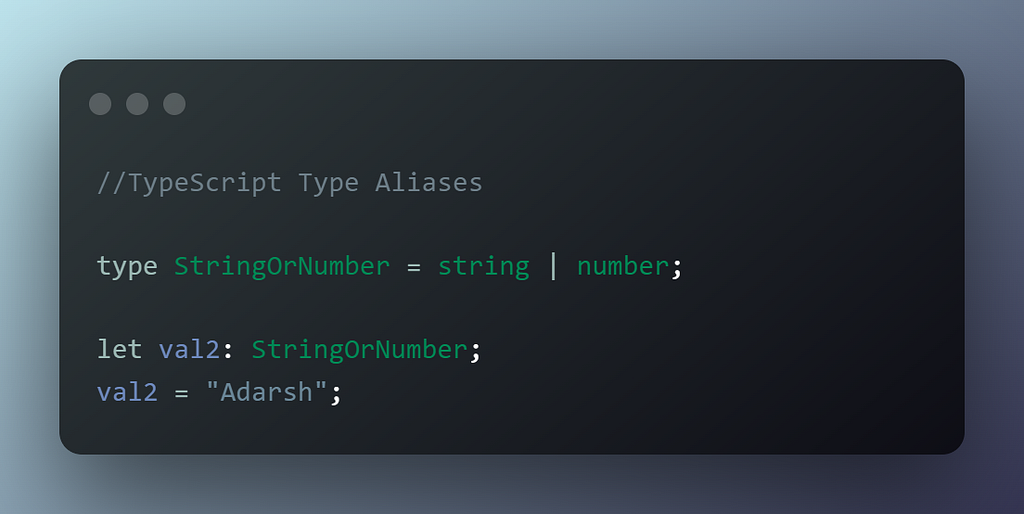
TypeScript Type Aliases

You can give an existing type a new name by using type aliases. The type alias’ syntax is displayed in the following way:

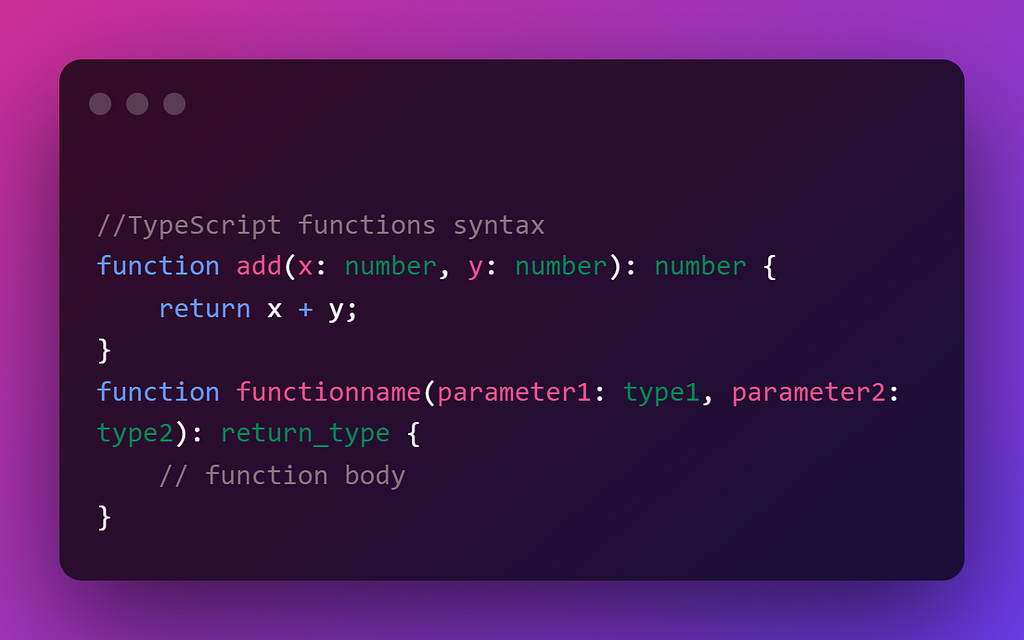
Introduction to TypeScript functions

TypeScript functions are the building blocks of readable, maintainable, and reusable code.

If a function does not return a value, you can use the void type as the return type.

TypeScript Optional Parameters

Even if a function in JavaScript provides arguments, you can call it without sending any data. As a result, JavaScript by default accepts the optional parameters. TypeScript doesn’t support these kinds of stuff.

In TypeScript, you can annotate optional parameters to tell the compiler that the parameter can be optional.

function draw(pen:boolean,paper:boolean,paint?:boolean){}

TypeScript Default Parameter

You can give default parameters to functions in typescript, if we provide the parameters then those will be used else it will use default values

function name(parameter1:type=defaultvalue1, parameter2:type=defaultvalue2,...) {
//
}

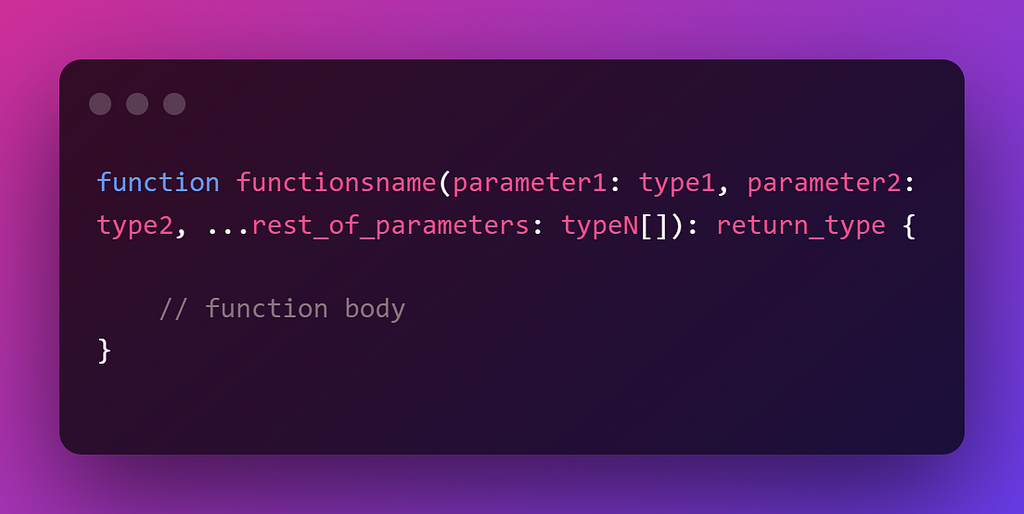
TypeScript Rest Parameters

The rest parameter allows your function to accept zero or more arguments of the specified type.

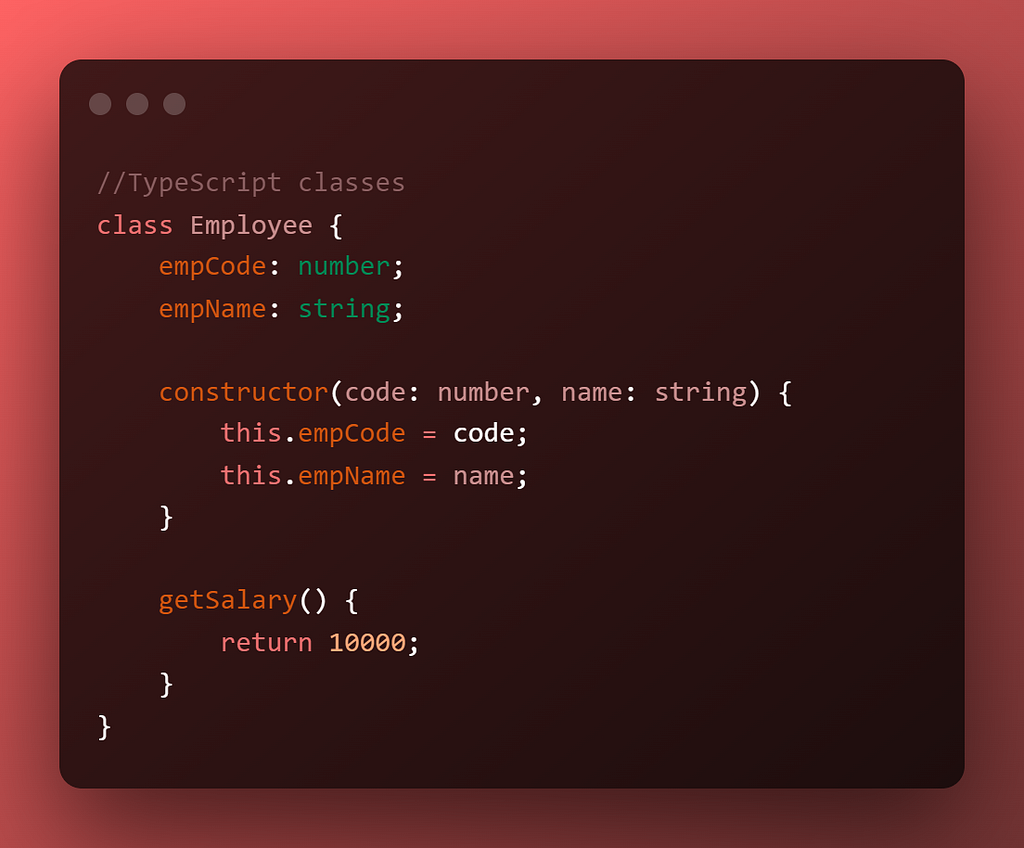
TypeScript Classes

TypeScript sways the ES6 class syntax and adds type annotations to make the class more powerful.

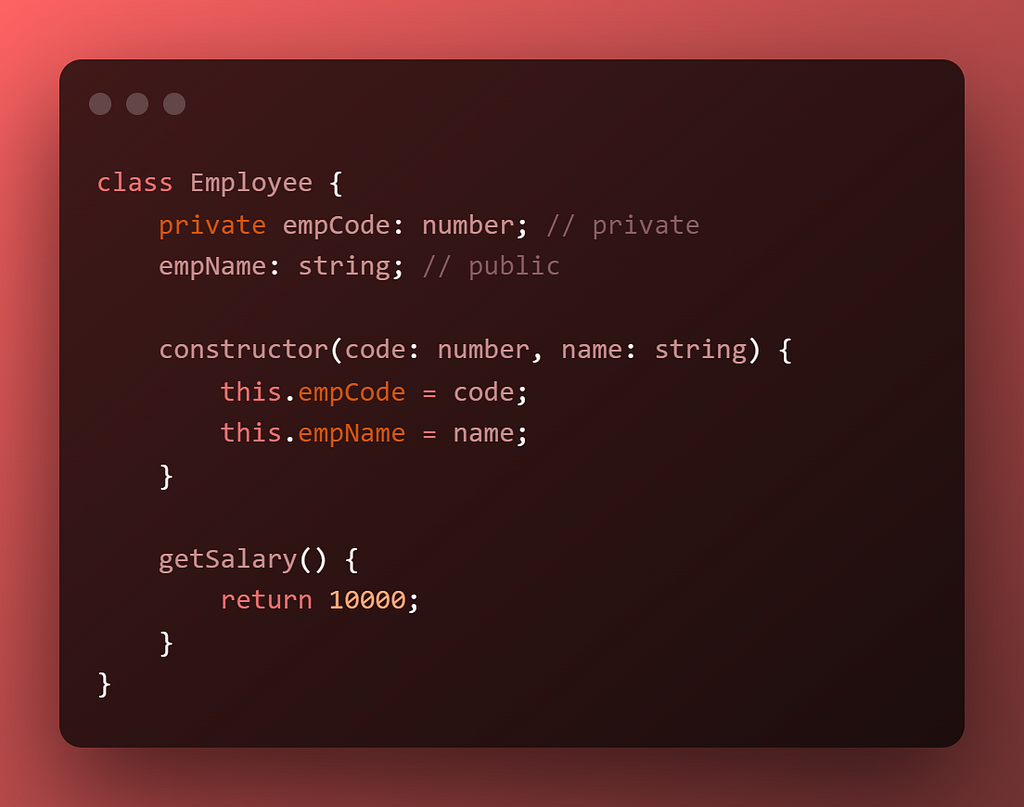
Using access modifiers alters a class’s properties and methods’ visibility. Three access modifiers are available in TypeScript:

private : visibility in same class only

public : visibility in all locations

protected : visible within same class and subclasses

Another modifier that typescript provides is readonly .It allows you to mark the properties of a class immutable.

TypeScript abstract classes

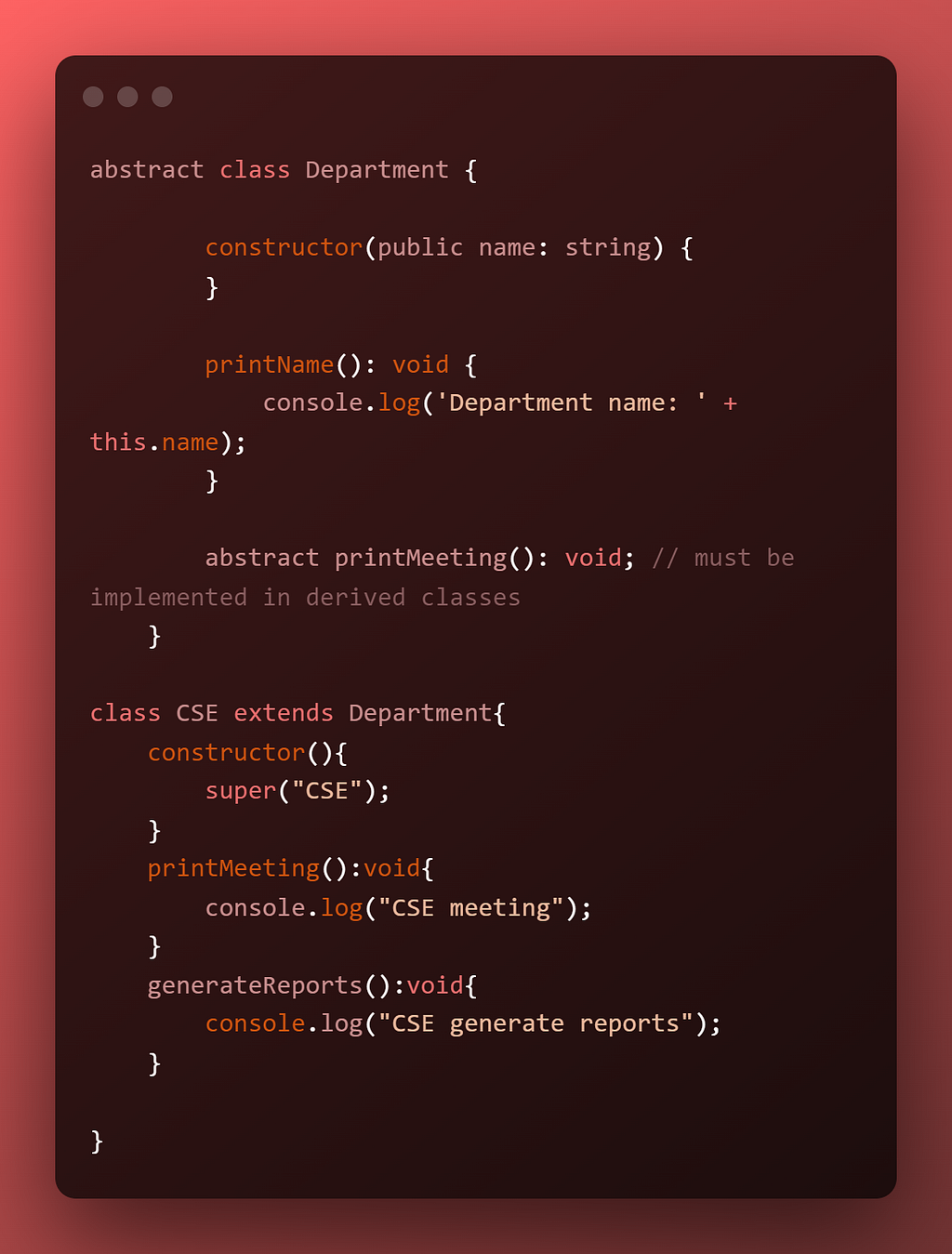
An abstract class is used to define common behaviors for derived classes to extend. Unlike a regular class, an abstract class cannot be instantiated directly.

One thing to note is that you always need to implement abstract methods in your deriving class or else the compiler will show an error. An Abstract class will have at least one abstract method.

TypeScript Intersection Types

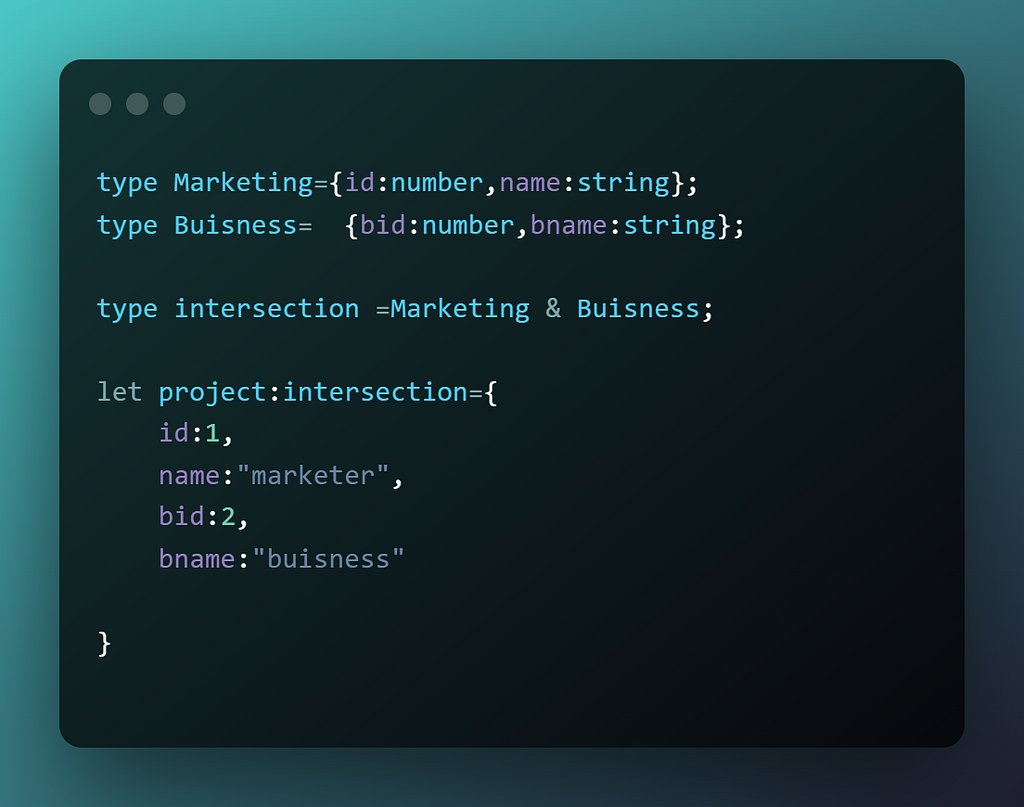
An intersection type creates a new type by combining multiple existing types. The new type has all features of the existing types.

TypeCasting in TypeScript

Variables have dynamic types, hence type casting is not a concept in JavaScript. But in TypeScript, each variable has a type. Variables can be changed from one type to another via type casting.

Typecasting using the “as” keyword

Sometimes typescript infers the best type for a particular variable and sometimes that might not be the intended type for that element. In that case, we can use the as keyword to typecast the type of that variable.

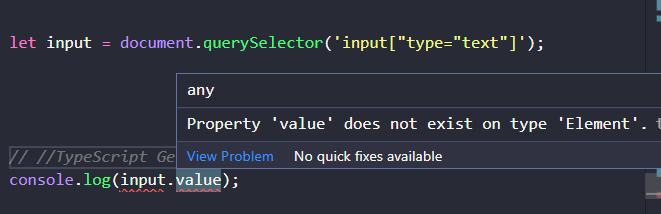
let input = document.querySelector('input["type="text"]');

You can see that we get an error saying value does not exist on type Element, this is because querrySelector will return a HTML Element and what we intended is a HTMLInputElement.

We can do this to overcome the same by using any of the following methods:

using as


let input = document.querySelector('input["type="text"]') as HTMLInputElement;

using <> operator

let input = <HTMLInputElement>document.querySelector('input[type="text"]');

Type casting allows you to convert a variable from one type to another.

There are more topics but most of the time you will only use what I have discussed above. 80% of what you will ever need will be 20% of what you learn.

Conclusion

Thanks for reading this out and glad you reached here. This entire blog covers almost all the topics that you need to know to start using TypeScript. Several websites have been referenced while creating this blog including TypeScript, TypeScript Tutorial, TypeScript Learning Area

Follow Adarsh gupta on Medium as well as Adarsh gupta on Twitter for more blogs and threads

Build apps with reusable components like Lego

Bit’s open-source tool help 250,000+ devs to build apps with components.

Turn any UI, feature, or page into a reusable component — and share it across your applications. It’s easier to collaborate and build faster.

→ Learn more

Split apps into components to make app development easier, and enjoy the best experience for the workflows you want:

→ Micro-Frontends

→ Design System

→ Code-Sharing and reuse

→ Monorepo

Learn more


The Complete Guide to TypeScript was originally published in Bits and Pieces on Medium, where people are continuing the conversation by highlighting and responding to this story.


This content originally appeared on Bits and Pieces - Medium and was authored by Adarsh gupta

Get up and running with TypeScript: the heir to JavaScript
What is TypeScript?

TypeScript is a free and open-source programming language developed and maintained by Microsoft. It is a strict syntactical superset of JavaScript and adds optional static typing to the language. It is designed for the development of large applications and transpiles to JavaScript.

The foundation for TypeScript is JavaScript.

You begin by writing the TypeScript code. The TypeScript code is then converted into standard JavaScript code using a TypeScript compiler.
typescripttutorial.net

Why should you use TypeScript?

As it introduces optional types to JavaScript, our code will be less error-prone. Many companies told shifting their codebase from JavaScript to TypeScript helped them to have 50% fewer bugs🚀

Let's look at an Example:

function getProduct(id)
{
return {
id: id,
name: `Awesome Gadget ${id}`,
}
}
const product = getProduct(1);
console.log(`The product is ${product.Name} `);

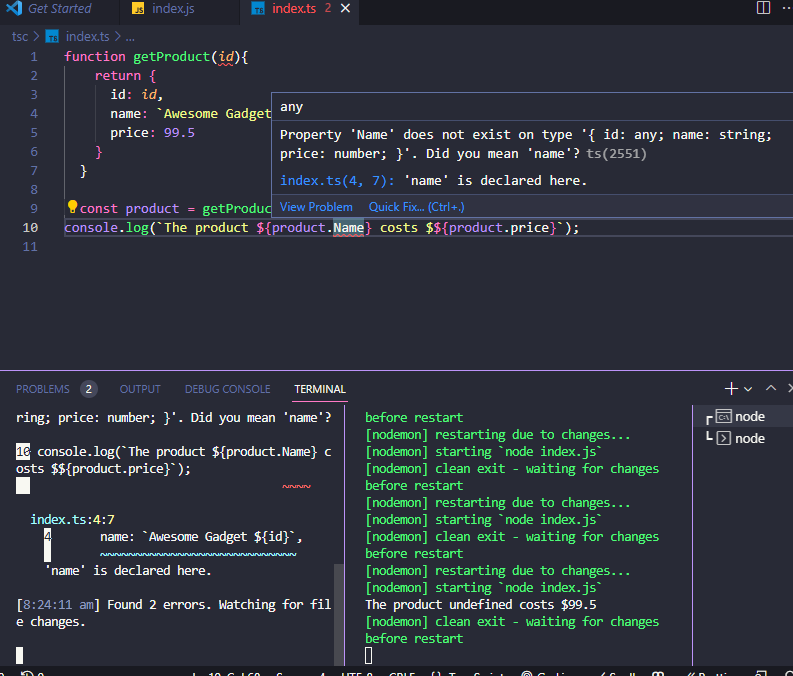
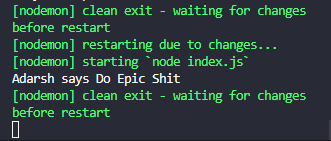
If you do like this in JavaScript, unless you run the file, it will never show an error, when you do so it will show the result as this:
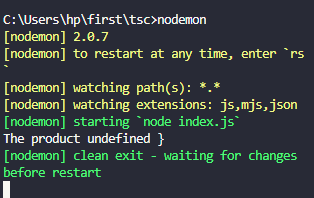
You can see that the property is name and not Name. Here when you use typescript it will fetch the error before you stand a chance to run the file.
Installing TypeScript

npm install TypeScript

Running TypeScript

npx tsc

Creating the tscofig.json file

tsc --init

Types in JavaScipt

Every value in TypeScript has a type. It is just a cover that describes the properties and methods associated with it.

  1. Undefined: the set with only element undefined
  2. Null: the set with only null element
  3. Boolean: the set with only true or false
  4. Number: the set all numbers
  5. String: the set of all strings
  6. Symbol: the set of all symbols
  7. Object: the set of all objects
  8. BigInt: the set of all arbitrary-precision integers

These types are dynamic types which means we can use them at run time. TypeScript has several other types in addition to these, static types.

Type any in TypeScript

When you don’t want a certain value to result in type-checking issues, you can use a special type any in TypeScript.

let person: any = { x: 0 };
person.age()
person()
//here none of these will throw any error (only shows error when we run it)

This is not ideal and complements the features that typescript provides.

To fix the problem of referencing a property that doesn’t exist on an object, you do the following steps:

interface person{ id:number,age: number ,name:String};
function getPerson(id:number):person{
return{
id:id,
age:23,
name:"sai"
}
}

We explicitly use "person" as the return type of getPerson() function. When you try to access a property that never exists, it will show you an error message beforehand.

Type Annotation in TypeScript

Type annotation helps to specify which type is associated with a particular variable.
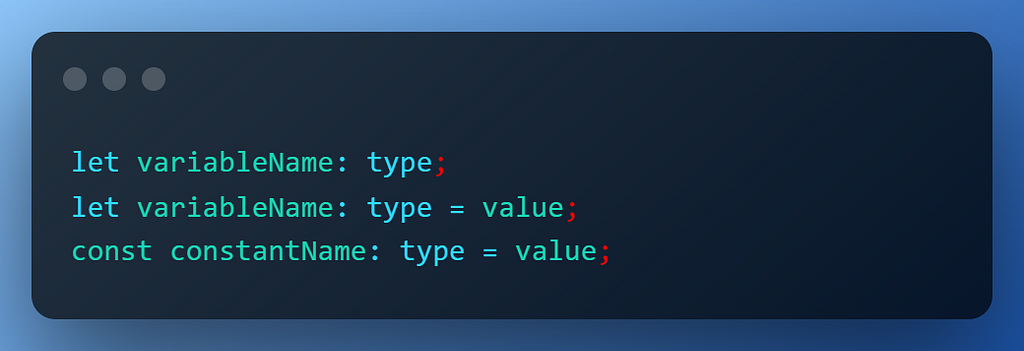
For a clear example👇🏻
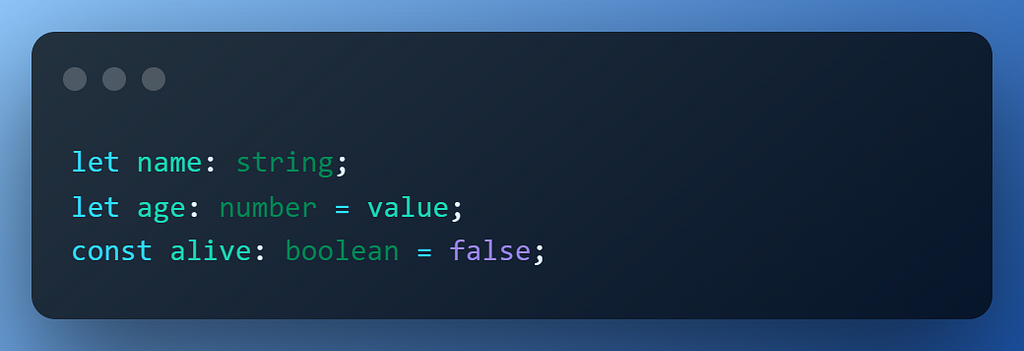
In the case of Arrays and Object, you can use type followed by square. brackets.

let arrayNames: string[] = ["John", "Jane", "Mary"];
let NameObject:  {fname:string, lname:string}
let names:typeof NameObject = {fname:"John", lname:"Doe"};

Function arguments & return types

You can specify the type of arguments as well as the return type of arguments in TypeScript:
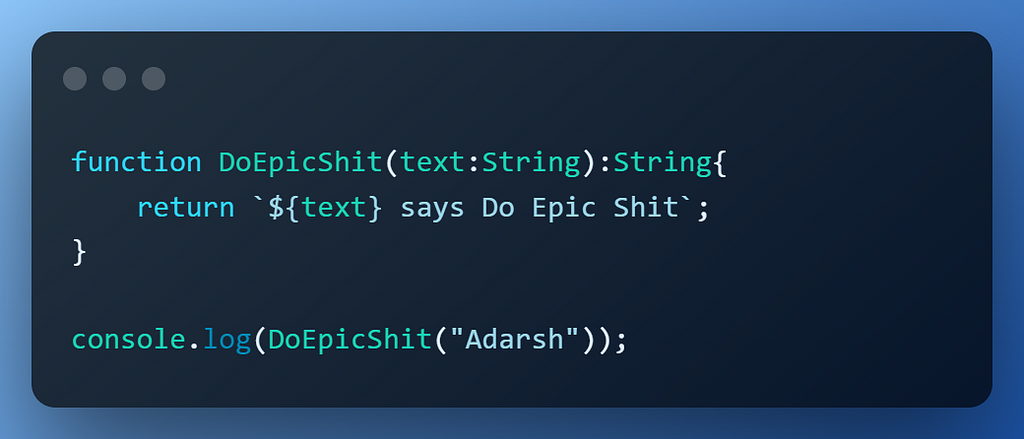
Output:
TypeScript Type Inference

Using the Type Interface we can infer types without Explicitly telling the types.
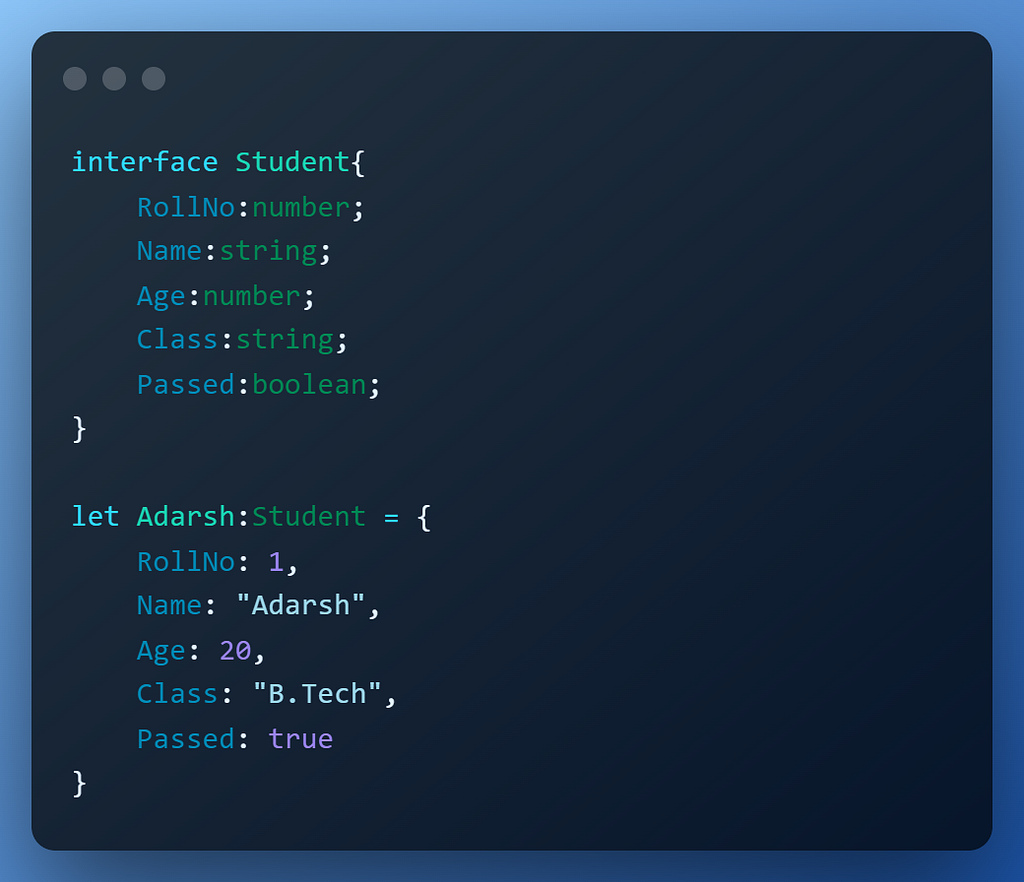
When you explicitly specify the type it is called type annotation on the other hand when Typescript decides the type it is called type inference.

TypeScript inference

TypeScript infers the type when we don't explicitly specify the type. For Example <h1> is a heading element

Type inference occurs when you initialize variables, set parameter default values, and determine function return types. TypeScript uses its algorithm to find the best type for the variable.

TypeScript Number

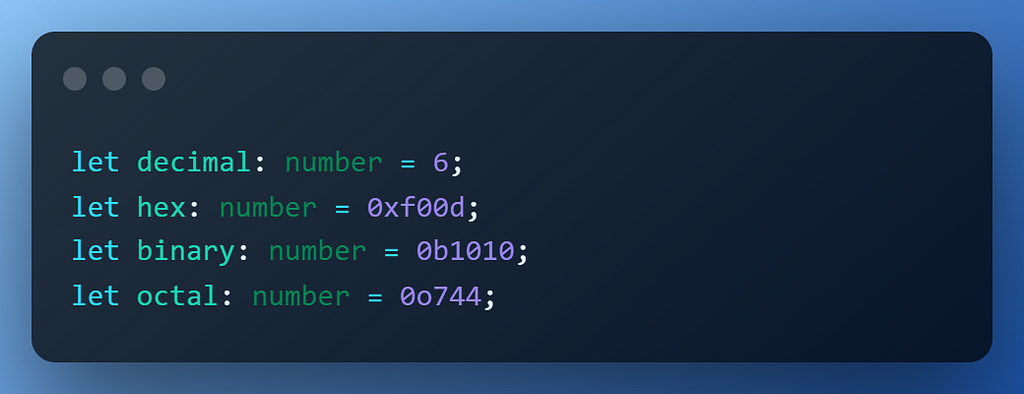
In TypeScript, all numbers are either large integers or floating-point values. While huge integers receive the type bigint, floating-point numbers have the type number.
TypeScript String

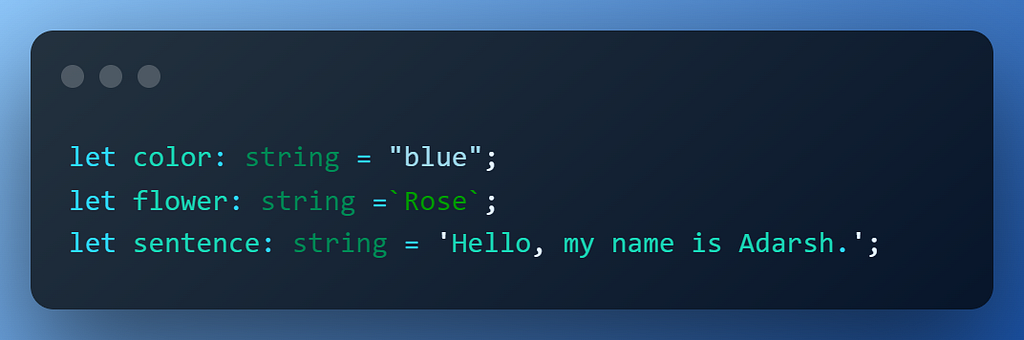
Just like JavaScript, we can use "” or '’ or `` to denote strings:
TypeScript Boolean

The two possible values for the TypeScript boolean type are true and false. It belongs to TypeScript’s primitive types.
TypeScript object

The TypeScript object type represents all values that are not in primitive types.
Creating objects is like creating a template for variables, for example:
TypeScript Array Type

An ordered list of data is a TypeScript array. You can declare an array with values of a certain type by using the syntax shown below:
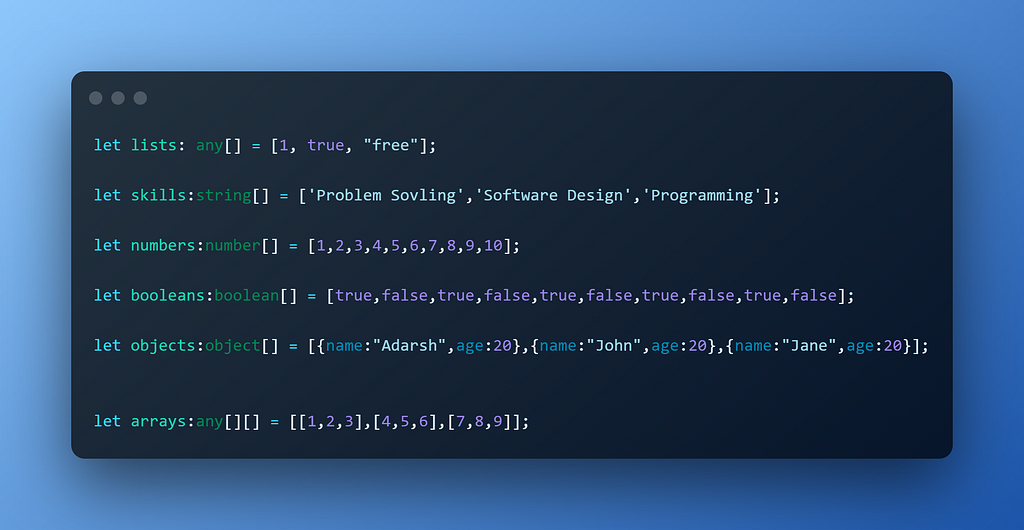
You can also define a mixed type in TypeScript
TypeScript Enum

An enum is a group of named constant values. Enum stands for enumerated type.
TypeScript void Type

The void type denotes the absence of having any type at all. It is a little like the opposite of the any type.

function warnUser(): void {
console.log("This is my warning message");
}

Often we use void when we don't want to return anything from the function or methods.

TypeScript never Type

The never type is a type that contains no values. Because of this, you cannot assign any value to a variable with a never type. The never type represents the return type of a function that always throws an error or a function that contains an indefinite loop.
TypeScript union Type

The union type allows you to combine multiple types into one type.
TypeScript Type Aliases

You can give an existing type a new name by using type aliases. The type alias’ syntax is displayed in the following way:
Introduction to TypeScript functions

TypeScript functions are the building blocks of readable, maintainable, and reusable code.
If a function does not return a value, you can use the void type as the return type.

TypeScript Optional Parameters

Even if a function in JavaScript provides arguments, you can call it without sending any data. As a result, JavaScript by default accepts the optional parameters. TypeScript doesn't support these kinds of stuff.

In TypeScript, you can annotate optional parameters to tell the compiler that the parameter can be optional.

function draw(pen:boolean,paper:boolean,paint?:boolean){}

TypeScript Default Parameter

You can give default parameters to functions in typescript, if we provide the parameters then those will be used else it will use default values

function name(parameter1:type=defaultvalue1, parameter2:type=defaultvalue2,...) {
//
}

TypeScript Rest Parameters

The rest parameter allows your function to accept zero or more arguments of the specified type.
TypeScript Classes

TypeScript sways the ES6 class syntax and adds type annotations to make the class more powerful.
Using access modifiers alters a class’s properties and methods’ visibility. Three access modifiers are available in TypeScript:

private : visibility in same class only
public : visibility in all locations
protected : visible within same class and subclasses
Another modifier that typescript provides is readonly .It allows you to mark the properties of a class immutable.

TypeScript abstract classes

An abstract class is used to define common behaviors for derived classes to extend. Unlike a regular class, an abstract class cannot be instantiated directly.
One thing to note is that you always need to implement abstract methods in your deriving class or else the compiler will show an error. An Abstract class will have at least one abstract method.

TypeScript Intersection Types

An intersection type creates a new type by combining multiple existing types. The new type has all features of the existing types.
TypeCasting in TypeScript

Variables have dynamic types, hence type casting is not a concept in JavaScript. But in TypeScript, each variable has a type. Variables can be changed from one type to another via type casting.

Typecasting using the “as” keyword

Sometimes typescript infers the best type for a particular variable and sometimes that might not be the intended type for that element. In that case, we can use the as keyword to typecast the type of that variable.

let input = document.querySelector('input["type="text"]');
You can see that we get an error saying value does not exist on type Element, this is because querrySelector will return a HTML Element and what we intended is a HTMLInputElement.

We can do this to overcome the same by using any of the following methods:

using as


let input = document.querySelector('input["type="text"]') as HTMLInputElement;

using <> operator

let input = <HTMLInputElement>document.querySelector('input[type="text"]');

Type casting allows you to convert a variable from one type to another.

There are more topics but most of the time you will only use what I have discussed above. 80% of what you will ever need will be 20% of what you learn.

Conclusion

Thanks for reading this out and glad you reached here. This entire blog covers almost all the topics that you need to know to start using TypeScript. Several websites have been referenced while creating this blog including TypeScript, TypeScript Tutorial, TypeScript Learning Area

Follow Adarsh gupta on Medium as well as Adarsh gupta on Twitter for more blogs and threads

Build apps with reusable components like Lego

Bit’s open-source tool help 250,000+ devs to build apps with components.

Turn any UI, feature, or page into a reusable component — and share it across your applications. It’s easier to collaborate and build faster.

→ Learn more

Split apps into components to make app development easier, and enjoy the best experience for the workflows you want:

→ Micro-Frontends

→ Design System

→ Code-Sharing and reuse

→ Monorepo

Learn more


The Complete Guide to TypeScript was originally published in Bits and Pieces on Medium, where people are continuing the conversation by highlighting and responding to this story.


This content originally appeared on Bits and Pieces - Medium and was authored by Adarsh gupta


Print Share Comment Cite Upload Translate Updates
APA

Adarsh gupta | Sciencx (2022-10-18T10:20:32+00:00) The Complete Guide to TypeScript. Retrieved from https://www.scien.cx/2022/10/18/the-complete-guide-to-typescript/

MLA
" » The Complete Guide to TypeScript." Adarsh gupta | Sciencx - Tuesday October 18, 2022, https://www.scien.cx/2022/10/18/the-complete-guide-to-typescript/
HARVARD
Adarsh gupta | Sciencx Tuesday October 18, 2022 » The Complete Guide to TypeScript., viewed ,<https://www.scien.cx/2022/10/18/the-complete-guide-to-typescript/>
VANCOUVER
Adarsh gupta | Sciencx - » The Complete Guide to TypeScript. [Internet]. [Accessed ]. Available from: https://www.scien.cx/2022/10/18/the-complete-guide-to-typescript/
CHICAGO
" » The Complete Guide to TypeScript." Adarsh gupta | Sciencx - Accessed . https://www.scien.cx/2022/10/18/the-complete-guide-to-typescript/
IEEE
" » The Complete Guide to TypeScript." Adarsh gupta | Sciencx [Online]. Available: https://www.scien.cx/2022/10/18/the-complete-guide-to-typescript/. [Accessed: ]
rf:citation
» The Complete Guide to TypeScript | Adarsh gupta | Sciencx | https://www.scien.cx/2022/10/18/the-complete-guide-to-typescript/ |

Please log in to upload a file.


There are no updates yet.
Click the Upload button above to add an update.

You must be logged in to translate posts. Please log in or register.