
This content originally appeared on DEV Community 👩💻👨💻 and was authored by Andrew Hu
The article assumes you are familiar with the event loop and its phases.
Promises saved the day for thousands of JavaScript developers, but do we know how they work under the hood?
Back in the day, the callback hell was the norm to handle asynchronous operations. A simple JavaScript script to read a file and insert its content into the database could have resembled this snippet.

Luckily, we don’t have to deal with this nested structure anymore because of promises and async/await.

Demystyfing promises
The MDN definition for a promise is "the eventual completion (or failure) of an asynchronous operation."
The definition feels like we are dealing with some form of obscure magic 🧙♂️, but, in simple terms, a promise is a container for future value.
A promise behaves to a certain extent like a browser containing either the desired page content or an error message. Whenever we navigate to an address, our web browser can be in three different states:
- A blank page or a loading spinner could be shown while fetching the data.
- The page content is successfully displayed.

- An error can appear.

Similarly, a promise can take three statuses:
- ⏳
pending,when for example, the query is not complete; - 💚
fulfilled,when the network request is complete; - 💔
rejected,when the asynchronous request has finished.
Hands-on example of promise status
A newly created promise is in pending status.
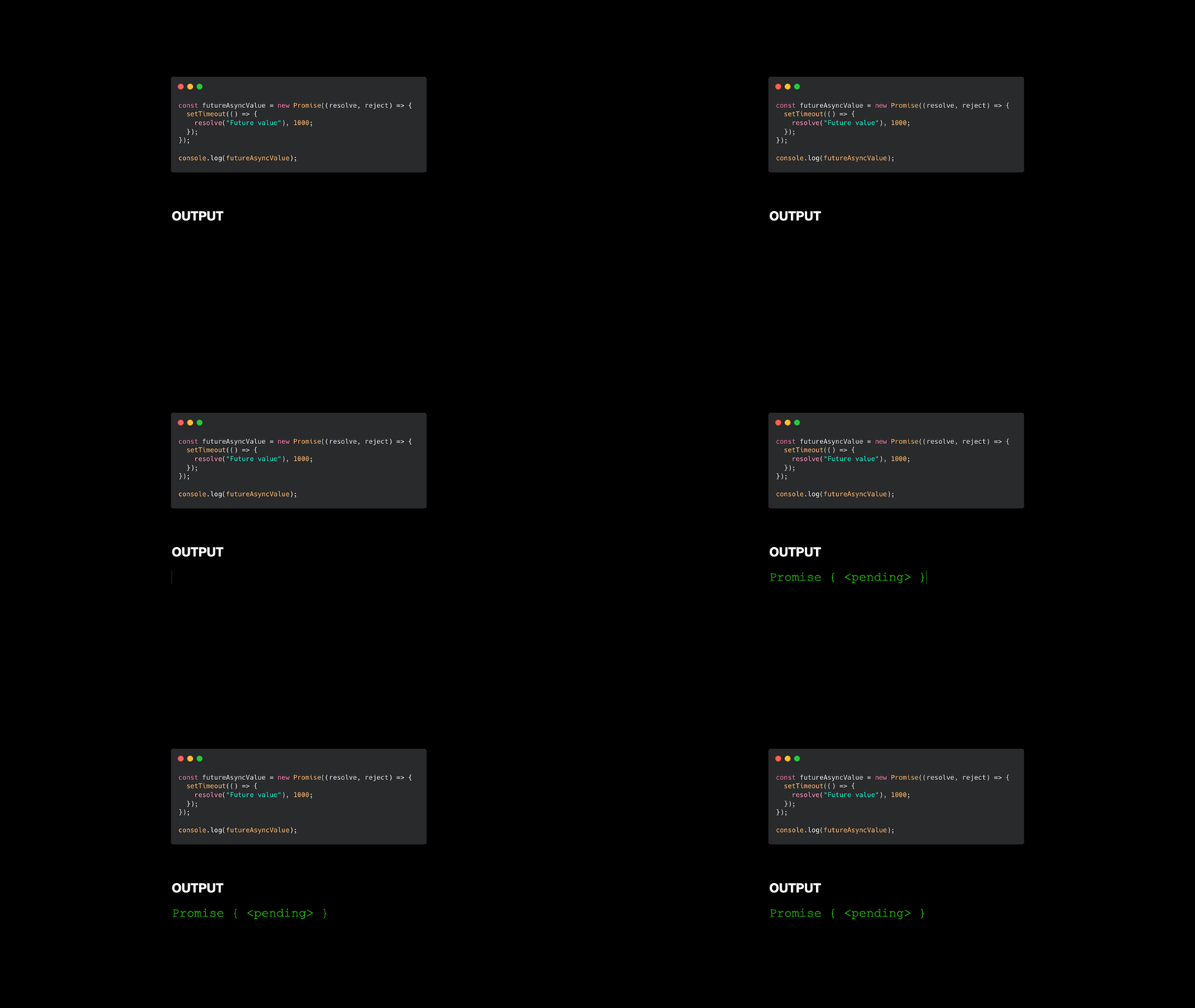
Similarly, an I/O operation like a database query is pending until it resolves or throws an error.
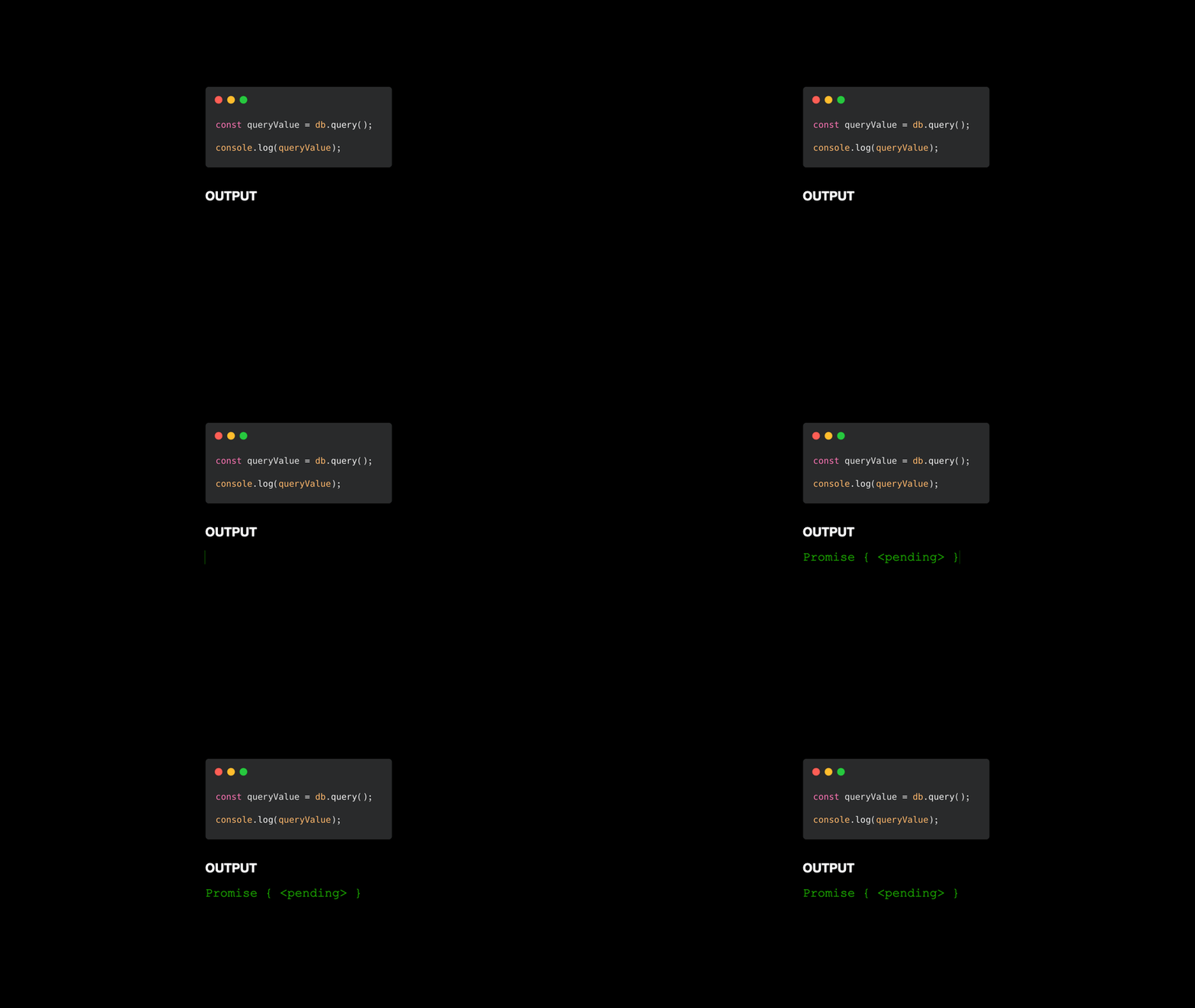
We can attach a .then/.catch listener to handle the future value of the promise. Once the resolve/reject function is invoked, the promise changes its status from pending to fulfilled/rejected.

async/await
Modern JavaScript is all about async/await, but these two expressions are an alternative way to write promises.
We can rewrite the database snippet with promises to async/await or vice versa.

If we are particularly evil 😈, we can mix the syntax and confuse our colleagues (Highly discouraged for readability and consistency 😆).

Promises under the hood
Promises seem to be processed synchronously, but their execution is delayed to a specific point in the future.
The following script shows that console.logs are run before the promise callback.

Under the hood, the V8 engine memorizes the callback function and pushes it to a microtask queue when the promise resolve/reject.

Once the call stack is empty, V8 can process microtasks.

Promise microtask queue and the event loop
The microtask queue and the event loop wait for the call stack to be empty before pushing tasks for execution, but which one has the higher priority?
The following script shows that Node.js and its internals will always try to exhaust the microtask queue before handing control back to the event loop and its phases:
setTimeout and Promise.reject queue up a macrotask in the timer phase and a microtask.

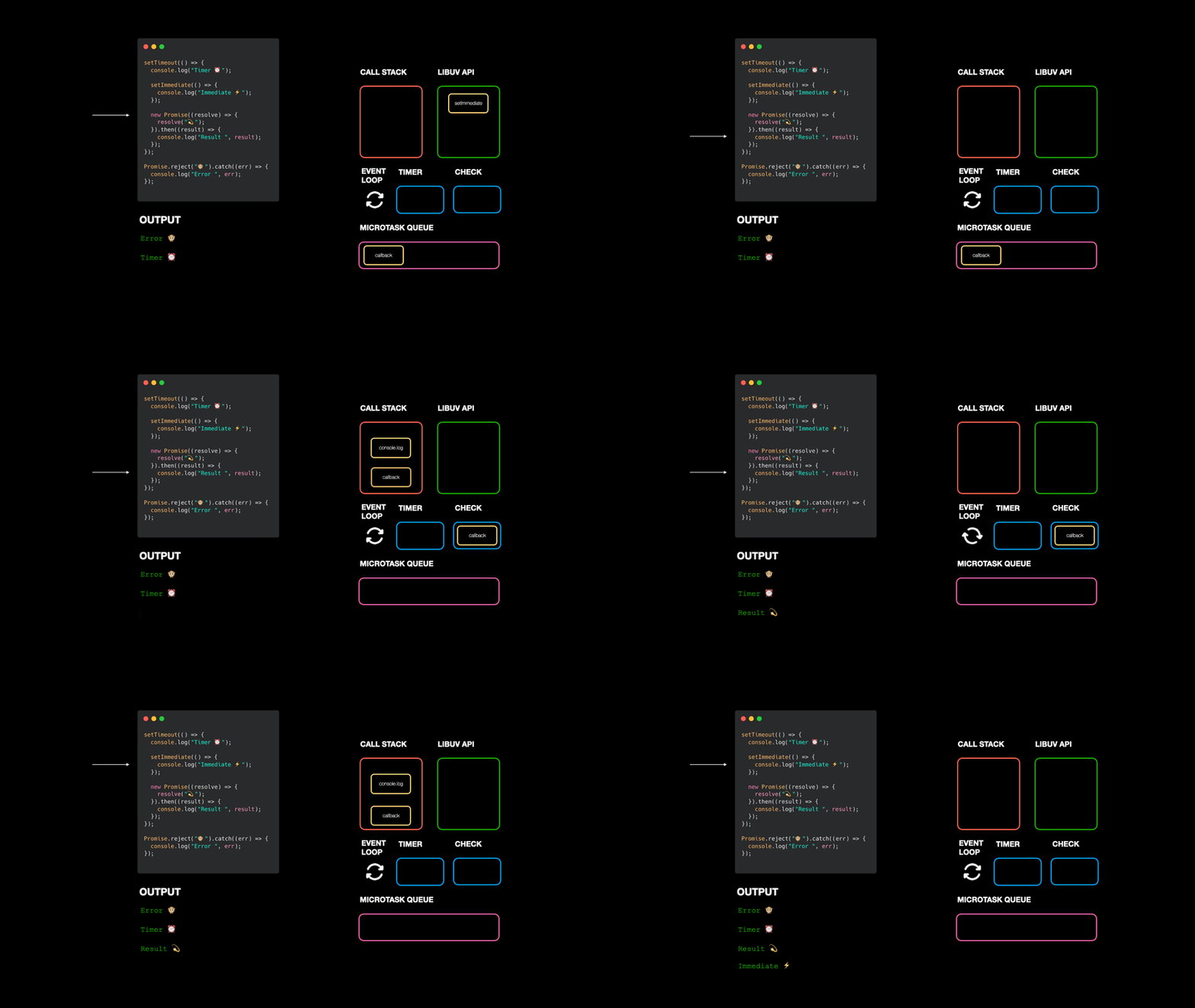
The callback in the microtask queue is run before the event loop timer phase. Once there are no microtasks, the event loop can resume its execution.
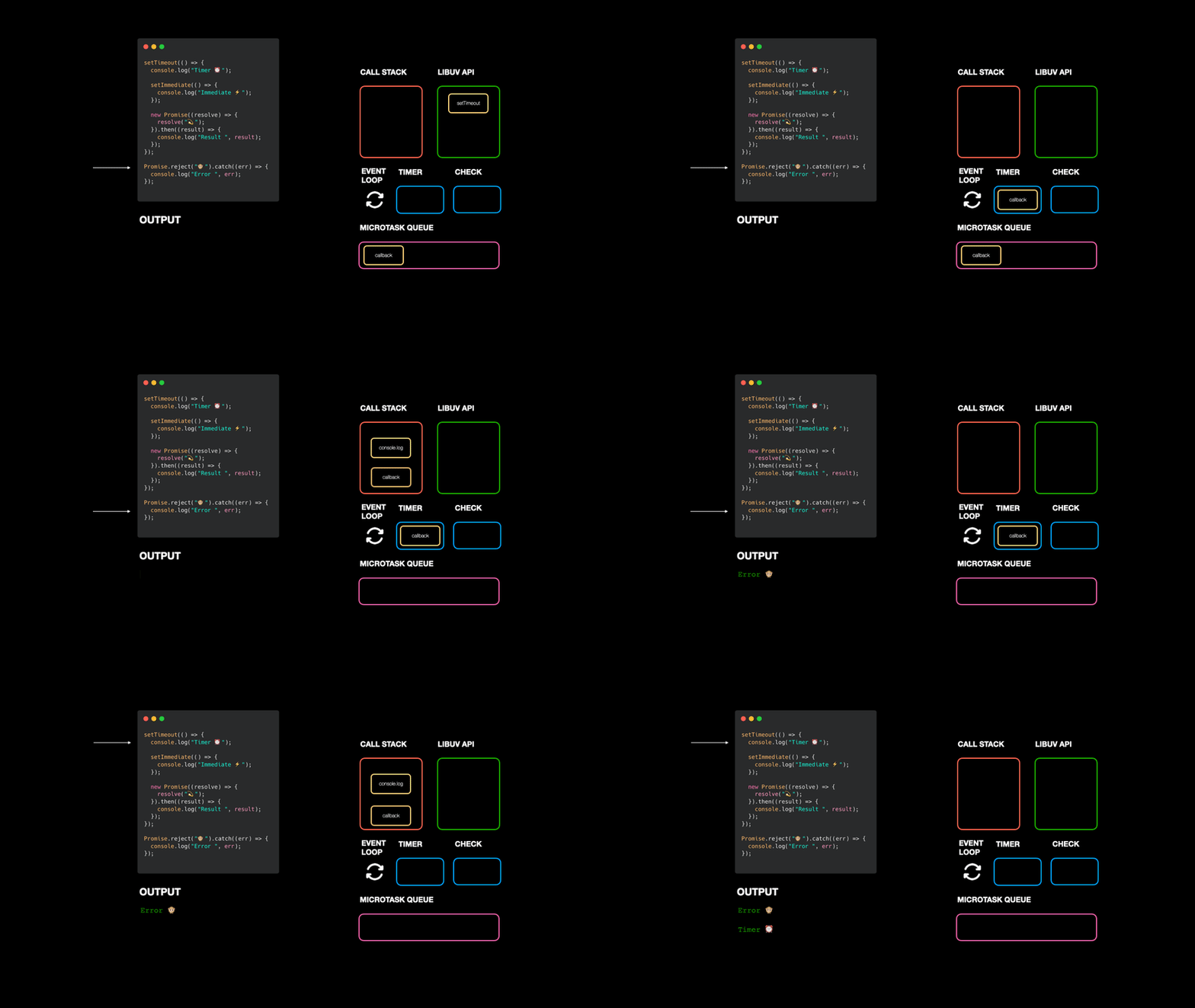
The setTimeout callback invokes setImmediate and pushes another promise microtask that will be executed at an empty call stack.

process.nextTick
Is everything for microtasks?
No, process.nextTick also schedules microtasks that Node.js manages in a dedicated queue and have higher priority than the promise queue and the event loop phases.
In the following script, Node.js places the callback in their queue.

Once the call stack is empty, Node.js processes the process.nextTick microtasks, followed by the promise queue and the event loop phases.

If you liked the article, follow us on Twitter @fabrizio.lallo and @AndrewHu368
This content originally appeared on DEV Community 👩💻👨💻 and was authored by Andrew Hu

Andrew Hu | Sciencx (2022-11-27T23:00:00+00:00) Node.js visualized: promise, async/await and process.nextTick under the hood. Retrieved from https://www.scien.cx/2022/11/27/node-js-visualized-promise-async-await-and-process-nexttick-under-the-hood/
Please log in to upload a file.
There are no updates yet.
Click the Upload button above to add an update.