
This content originally appeared on Chromium Blog and was authored by Chromium Blog
We announced in October that passkey support was available in Chrome Canary. Today, we are pleased to announce that passkey support is now available in Chrome Stable M108.
What are passkeys?
Passwords are typically the first line of defense in our digital lives. However, they are at risk of being phished, leaked in data breaches, and even suffering poor password hygiene. Google has long recognized these issues, which is why we have created defenses like 2-Step Verification and Google Password Manager.
To address these security threats in a simpler and more convenient way, we need to move towards passwordless authentication. This is where passkeys come in. Passkeys are a significantly safer replacement for passwords and other phishable authentication factors. They cannot be reused, don't leak in server breaches, and protect users from phishing attacks. Passkeys are built on industry standards, can work across different operating systems and browser ecosystems, and can be used with both websites and apps.
Using passkeys
You can use passkeys to sign into sites and apps that support them. Signing in with a passkey will require you to authenticate yourself in the same way that you unlock a device.
With the latest version of Chrome, we're enabling passkeys on Windows 11, macOS, and Android. On Android your passkeys will be securely synced through Google Password Manager or, in future versions of Android, any other password manager that supports passkeys.
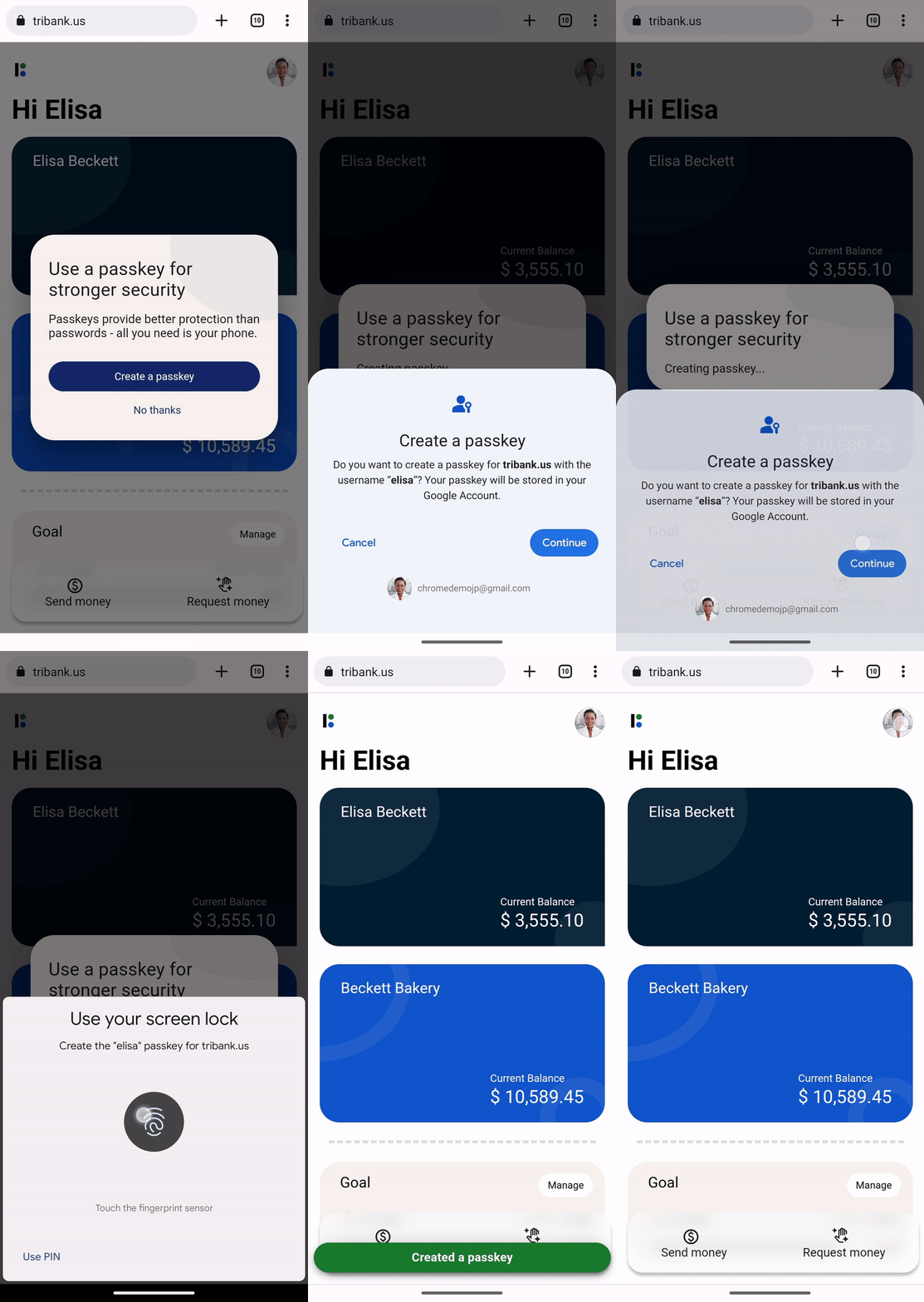
Once you have a passkey saved on your device it can show up in autofill when you're signing in to help you be more secure.
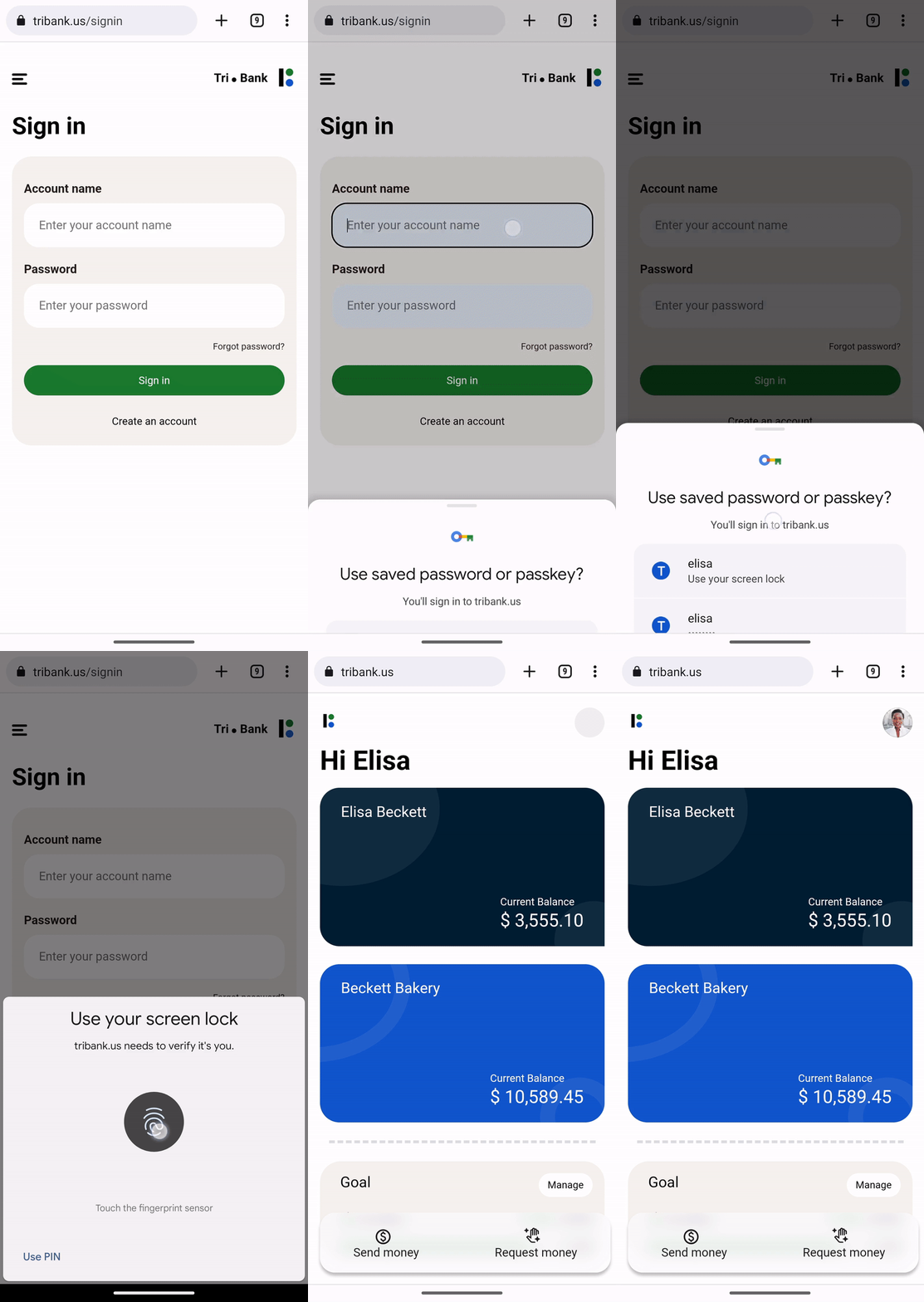
On a desktop device you can also choose to use a passkey from your nearby mobile device and, since passkeys are built on industry standards, you can use either an Android or iOS device.
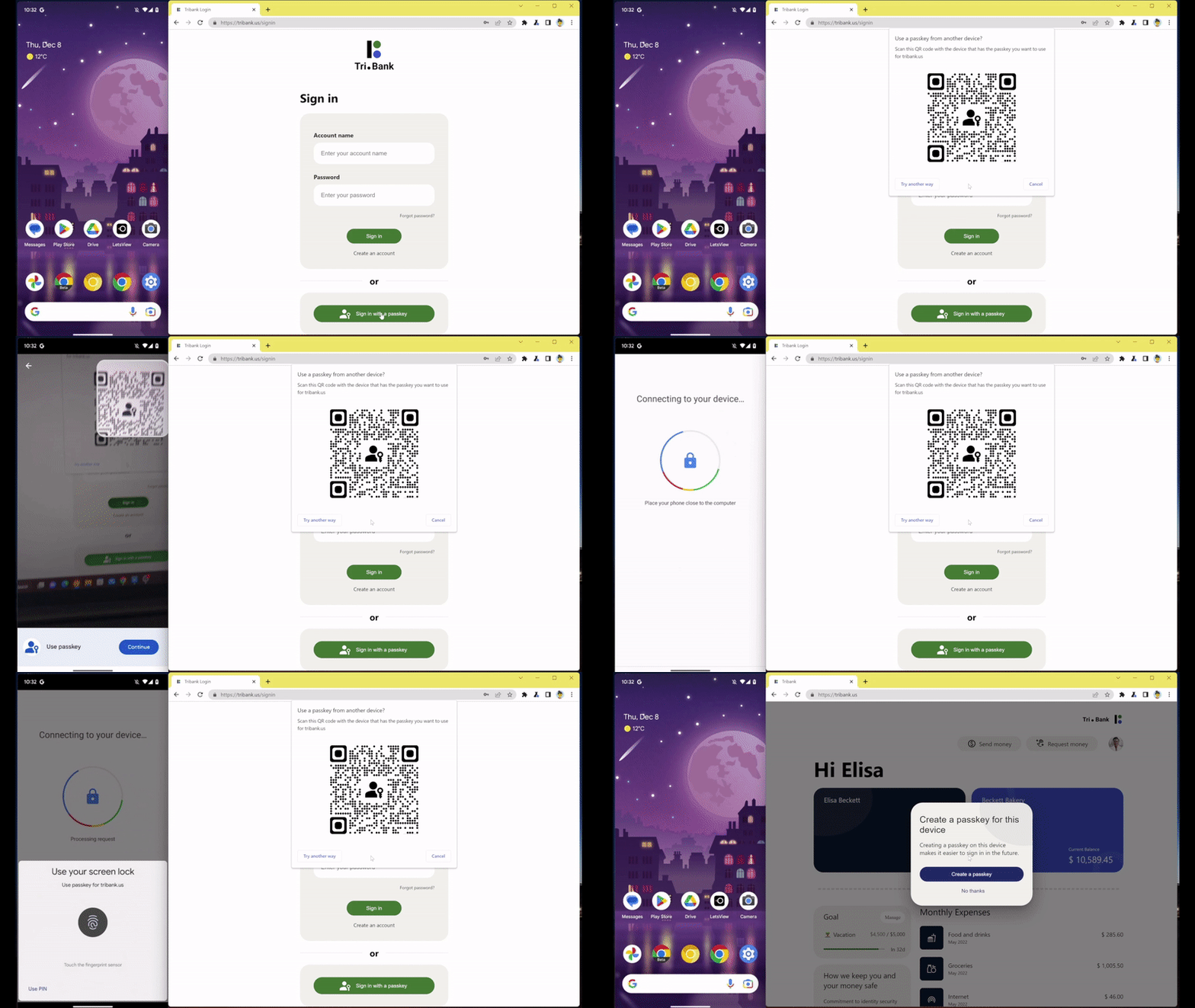
A passkey doesn't leave your mobile device when signing in like this. Only a securely generated code is exchanged with the site so, unlike a password, there's nothing that could be leaked.
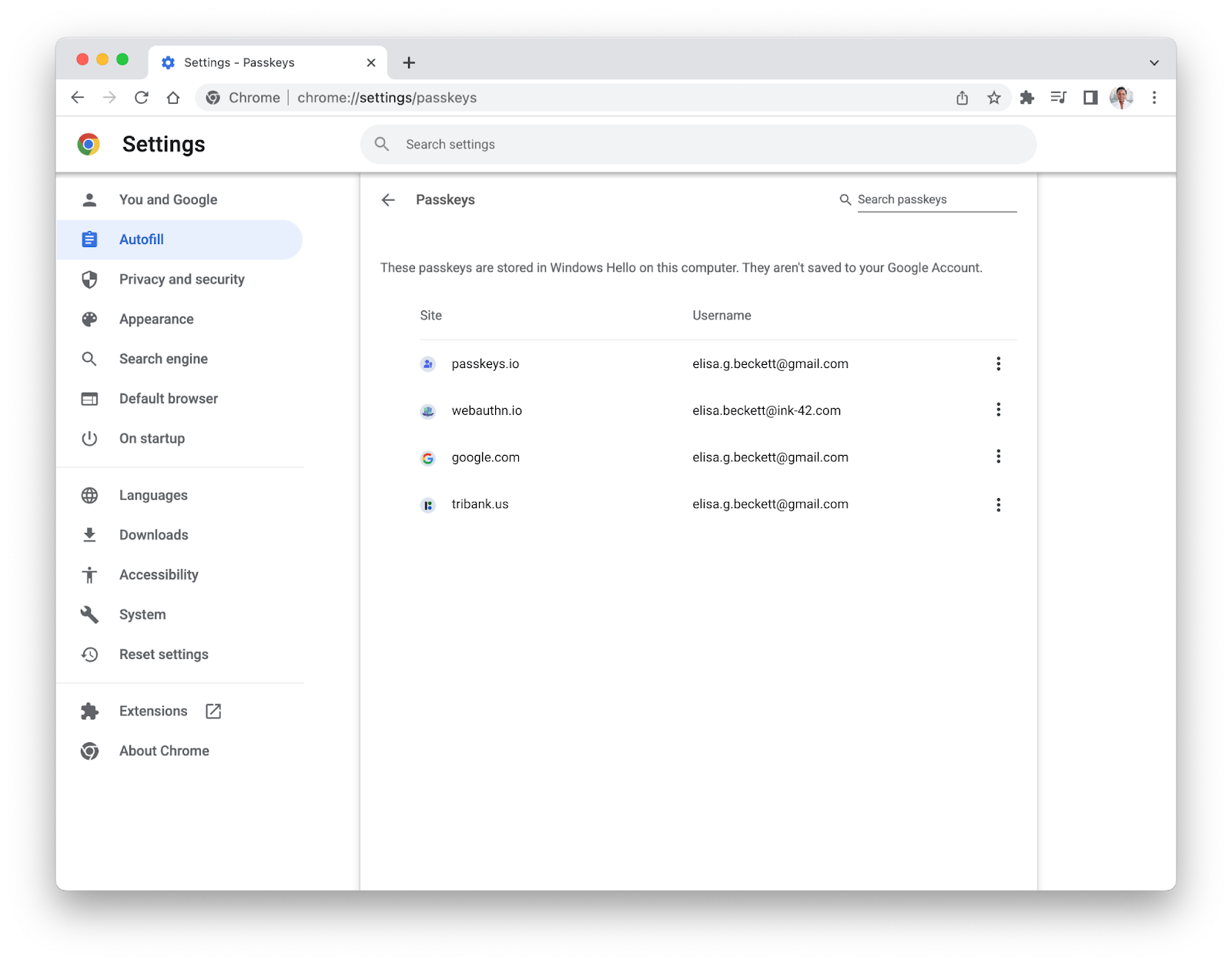
To give you control over your passkeys, from Chrome M108 you will be able to manage your passkeys from within Chrome on Windows and macOS.
Enabling passkeys
For passkeys to work, developers need to build passkey support on their sites using the WebAuthn API. We’ve been working with others in the industry, especially Apple and Microsoft, members within the FIDO Alliance and the W3C to drive secure authentication standards for years.
Our goal is to keep you as safe as possible on the web and we’re excited for what the passkeys future holds. Enabling passkeys to be used in Chrome is a major milestone, but our work is not done. It will take time for this technology to be widely adopted across sites and we are working on enabling passkeys on iOS and Chrome OS. Passwords will continue to be part of our lives as we make this transition, so we’ll remain dedicated to making conventional sign-ins safer and easier through Google Password Manager.
Posted by Ali Sarraf, Product Manager, Chrome
This content originally appeared on Chromium Blog and was authored by Chromium Blog

Chromium Blog | Sciencx (2022-12-08T18:14:00+00:00) Introducing passkeys in Chrome. Retrieved from https://www.scien.cx/2022/12/08/introducing-passkeys-in-chrome/
Please log in to upload a file.
There are no updates yet.
Click the Upload button above to add an update.