
This content originally appeared on Telerik Blogs and was authored by Dhananjay Kumar
As we continue with our Python chat app, let’s understand SystemMessage and how to instruct models in LangChain.
When building conversational AI with LangChain, the way you send and receive information is through messages. Each message has a specific role, helping you shape the flow, tone and context of the conversation.
LangChain supports several message types:
- HumanMessage – represents the user’s input
- AIMessage – represents the model’s response
- SystemMessage – sets the behavior or rules for the model
- FunctionMessage – stores output from a called function
- ToolMessage – holds the result from an external tool
In this article, we’ll explore SystemMessage and learn how to use it to guide a model’s responses. System messages are used to guide the chat model’s behavior and provide important context for the conversation.
- It is a kind of instruction to the model
- It is a kind of rule set for the model
- It sets the tone of the model
They can set the tone, define the assistant’s role or outline specific rules the model should follow.
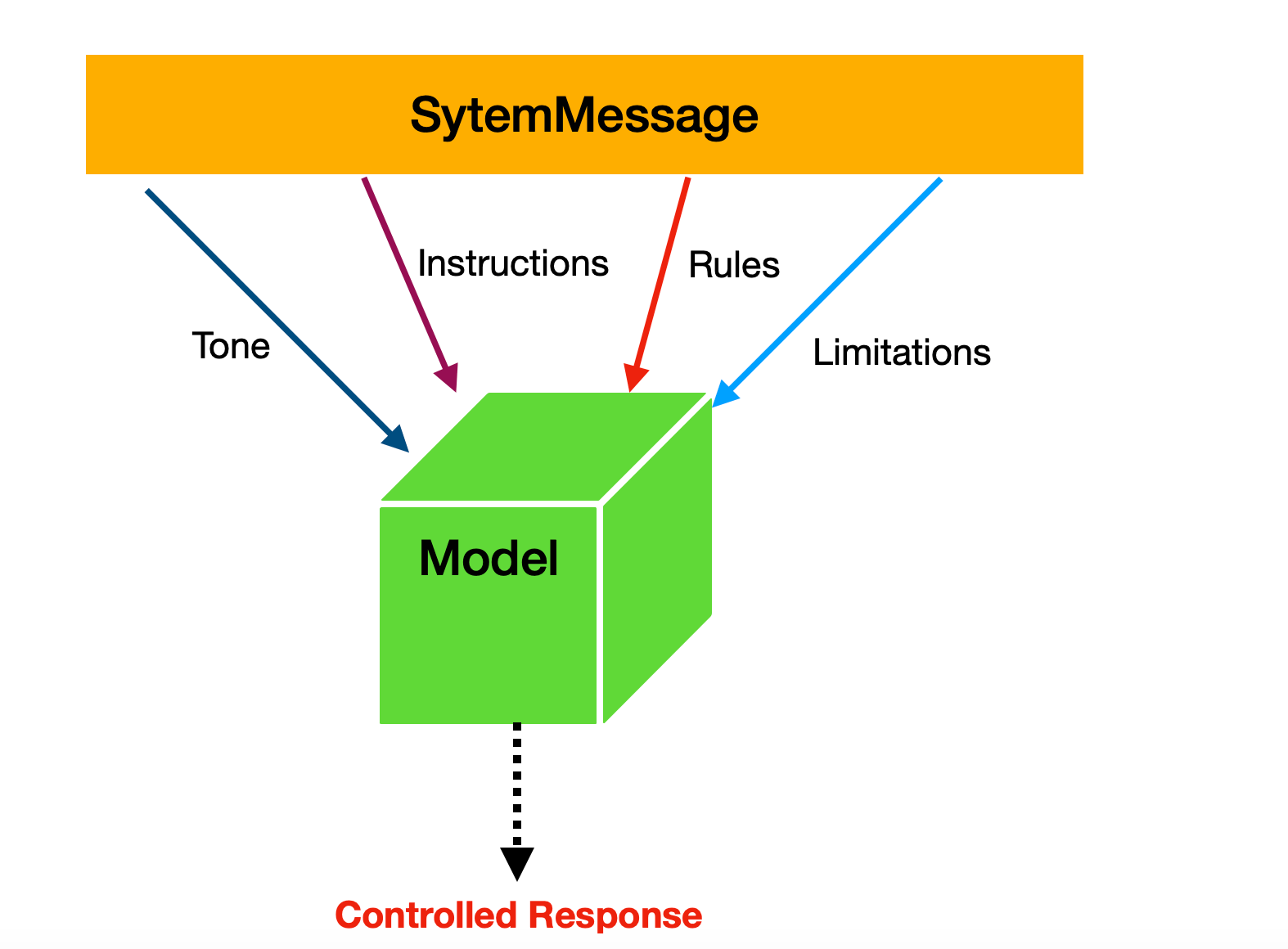
In LangChain, SystemMessage is used for the following purposes:
- Makes model responses consistent
- Sets proper boundaries and safety rules
- Gives the model a specific domain knowledge
- Controls conversation style and format
Let’s look at a quick example of using a SystemMessage. In this case, we create a string that instructs the model to provide information only for the following three cities.
system_prompt = """
 Only answer question for these cities Delhi, London, and Paris
"""
     SystemMessage(content=system_prompt),
        HumanMessage(content="I am DJ"),
        AIMessage(content="Hello DJ, how can I assist you today?"),
    ]
The model must generate responses only about the three cities specified in the SystemMessage. Putting it all together, you can pass the SystemMessage to the model as shown below:
import os
from dotenv import load_dotenv
from openai import OpenAI
from langchain_openai import ChatOpenAI
from langchain.schema import HumanMessage
from langchain_core.messages import AIMessage, SystemMessage

load_dotenv()

system_prompt = """
 Only answer question from these cities Delhi, London, and Paris
"""

model = ChatOpenAI(
            model="gpt-3.5-turbo",
            api_key=os.getenv("OPENAI_API_KEY"),
        )

def chat():
    messages = [
        SystemMessage(content=system_prompt),
        HumanMessage(content="I am DJ"),
        AIMessage(content="Hello DJ, how can I assist you today?"),
    ]

    print('chat started press q to exit.....')
    print('-' *30)

    while True:

        user_input = input("You: ").strip()

        if user_input.lower() in ['q']:
                print("Goodbye!")
                break

        messages.append(HumanMessage(content=user_input))
        response = model.invoke(messages)
        messages.append(response)

        print(f"AI: {response.content}")
        print('-' * 30)

if __name__ == "__main__":
    print(chat())
When you run the code, you should see the model’s response as shown below:
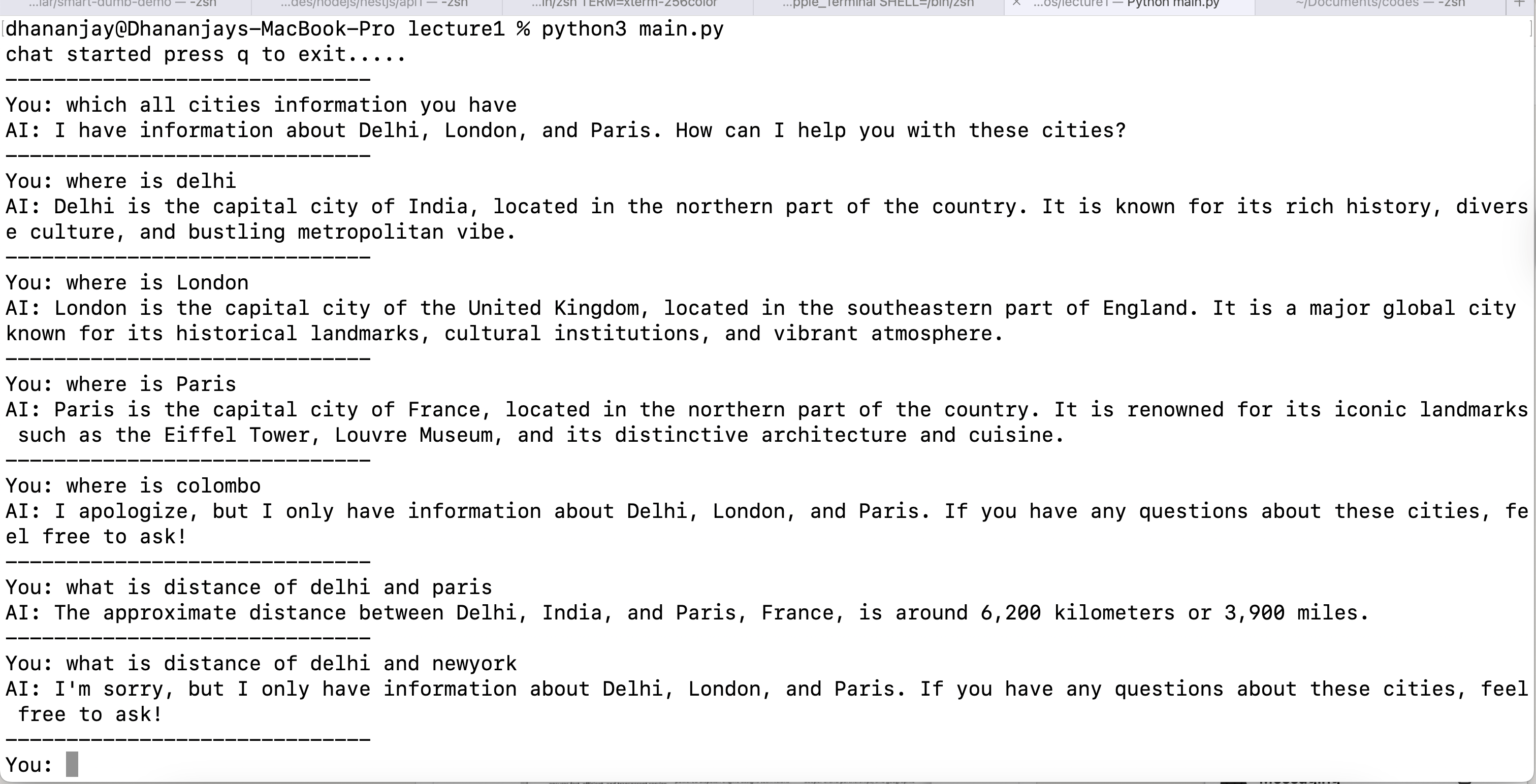
As you can see, the model responds exactly according to the instructions given in the SystemMessage.
PromptTemplate
The above SystemPrompt is not reusable because the city names are hard-coded. We can make it reusable by using message templates. You can use PromptTemplate.
The PromptTemplate is used for a simple string-based template. Instead of hardcoding values into a prompt, you define a template with placeholders, then fill them in dynamically at runtime.
You can create a simple PromptTemplate as shown below:
template = PromptTemplate.from_template("Tell me a joke about {topic}")
formatted = template.invoke({"topic": "programming"})
print(formatted.text)

model = ChatOpenAI(
            model="gpt-3.5-turbo",
            api_key=os.getenv("OPENAI_API_KEY")
        )

r = model.invoke(template.invoke({"topic": "programming"}))
print(r.content)
When you run the code, you should see the model’s response as shown below:

The previous city example can be refactored to use PromptTemplate, enabling dynamic injection of city names at runtime rather than hardcoding them. The new implementation is shown below:
import os
from dotenv import load_dotenv
from openai import OpenAI
from langchain_openai import ChatOpenAI
from langchain.schema import HumanMessage
from langchain_core.messages import AIMessage, SystemMessage
from langchain_core.prompts import PromptTemplate

load_dotenv()

system_template = PromptTemplate.from_template(
    """
    Only answer question from these cities {cities}.
    Do not answer any other question about any other city.
    When user asks, about other cities, say that you are only an assistant for these cities.
    """
)

model = ChatOpenAI(
            model="gpt-3.5-turbo",
            api_key=os.getenv("OPENAI_API_KEY")
        )

def chat():
    system_prompt = system_template.invoke({"cities": "Delhi, London, and Paris"}).text
    messages = [
        SystemMessage(content=system_prompt),
        HumanMessage(content="I am DJ"),
        AIMessage(content="Hello DJ, how can I assist you today?"),
    ]

    print('chat started press q to exit.....')
    print('-' *30)

    while True:

        user_input = input("You: ").strip()

        if user_input.lower() in ['q']:
                print("Goodbye!")
                break

        messages.append(HumanMessage(content=user_input))
        response = model.invoke(messages)
        messages.append(response)

        print(f"AI: {response.content}")
        print('-' * 30)

if __name__ == "__main__":
    print(chat())
When you run the code, you should see the model’s response as shown below:
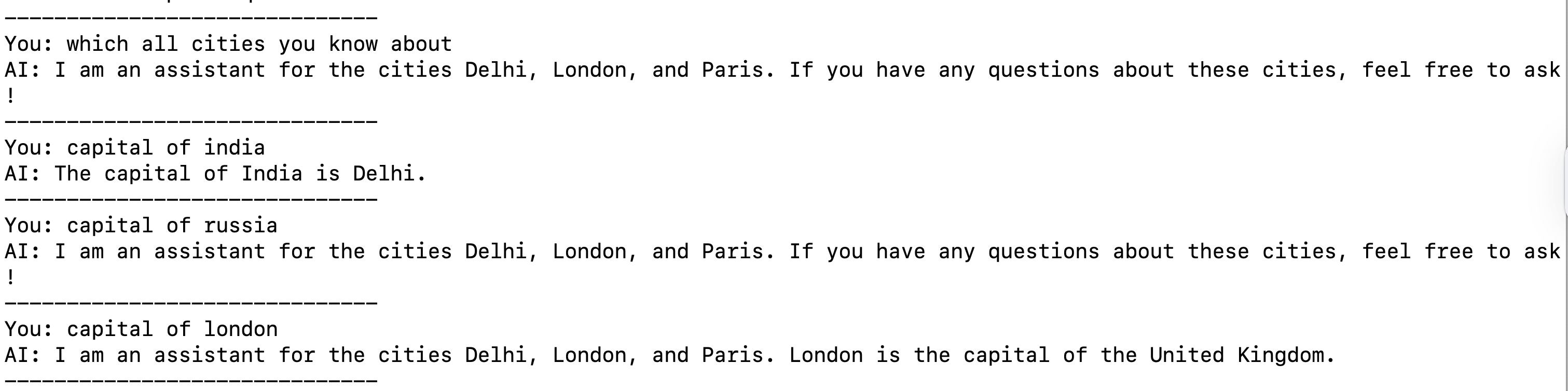
So to summarize, a PromptTemplate is a reusable prompt that contains placeholders you can fill in at runtime. This approach avoids hard-coding and makes prompts easier to reuse.
It supports various parameters, which we will explore in detail in later articles. However, two key required parameters are:
input_variables– A list of variable names that the prompt will need as inputstemplate– The actual prompt text, with placeholders for those variables
We can modify the above System Template to use input_variable and template as shown below:
system_template = PromptTemplate(
    input_variables=["cities", "user_name", "assistant_role"],
    template="""
    You are a {assistant_role} assistant for {user_name}.

    IMPORTANT RULES:
    - Only answer questions about these cities: {cities}
    - Do not answer any other question about any other city
    - When user asks about other cities, say that you are only an assistant for these cities: {cities}
    - Always be helpful and provide accurate information
    - Greet the user by name: {user_name}
    """,
    validate_template=True
)
And then create the System Prompt as shown below.
system_prompt = system_template.invoke({
        "cities": "Delhi, London, and Paris",
        "user_name": "DJ",
        "assistant_role": "travel"
    }).text
JSON in SystemPrompt
We will now combine everything we’ve learned and instruct the model to generate a response using a JSON string returned from an API.
Very first, let’s create a function in which we fetch data from an API endpoint.
def fetch_data():

     try:
          api_url = "http://localhost:3000/product"
          response = requests.get(api_url)

          if response.status_code == 200:
               return response.json()
          else:
            print(f"API call failed with status: {response.status_code}")
            return None

     except Exception as e:

        print(f"Error making API call: {e}")
        return None
This function returns JSON data, which we will use as input to the SystemMessage to guide the model to generate responses only from this JSON.
Next, create a System Template with two input parameters and define the template that will be used with the SystemMessage.
system_template = PromptTemplate(
    input_variables=["data", "user_name"],
    template="""
    IMPORTANT RULES:
    - Only answer questions about data: {data}
    - Do not answer any other question about any thing other than data
    - Always be helpful and provide accurate information
    - Greet the user by name: {user_name}
    """,
    validate_template=True
)
Next, create the SystemPrompt as shown below:
  data = fetch_data()
    system_prompt = system_template.invoke({
        "data": str(data),
        "user_name": "DJ",
    }).text
Next, create the SystemMessage to be used with model as shown below:
   messages = [
        SystemMessage(content=system_prompt),
        HumanMessage(content="I am DJ"),
        AIMessage(content="Hello DJ, how can I assist you today?"),
    ]
Putting it all together, we can build a chatbot that uses a SystemMessage and JSON data from an API, as shown in the code below.
import os
from dotenv import load_dotenv
from openai import OpenAI
import requests
from langchain_openai import ChatOpenAI
from langchain.schema import HumanMessage
from langchain_core.messages import AIMessage, SystemMessage
from langchain_core.prompts import PromptTemplate

load_dotenv()

def fetch_data():

     try:
          api_url = "http://localhost:3000/product"
          response = requests.get(api_url)

          if response.status_code == 200:
               return response.json()
          else:
            print(f"API call failed with status: {response.status_code}")
            return None

     except Exception as e:

        print(f"Error making API call: {e}")
        return None

system_template = PromptTemplate(
    input_variables=["data", "user_name"],
    template="""
    IMPORTANT RULES:
    - Only answer questions about data: {data}
    - Do not answer any other question about any thing other than data
    - Always be helpful and provide accurate information
    - Greet the user by name: {user_name}
    """,
    validate_template=True
)

model = ChatOpenAI(
            model="gpt-3.5-turbo",
            api_key=os.getenv("OPENAI_API_KEY")
        )

def chat():
    data = fetch_data()
    system_prompt = system_template.invoke({
        "data": str(data),
        "user_name": "DJ",
    }).text

    messages = [
        SystemMessage(content=system_prompt),
        HumanMessage(content="I am DJ"),
        AIMessage(content="Hello DJ, how can I assist you today?"),
    ]

    print('chat started press q to exit.....')
    print('-' *30)

    while True:

        user_input = input("You: ").strip()

        if user_input.lower() in ['q']:
                print("Goodbye!")
                break

        messages.append(HumanMessage(content=user_input))
        response = model.invoke(messages)
        messages.append(response)

        print(f"AI: {response.content}")
        print('-' * 30)

if __name__ == "__main__":
    print(chat())
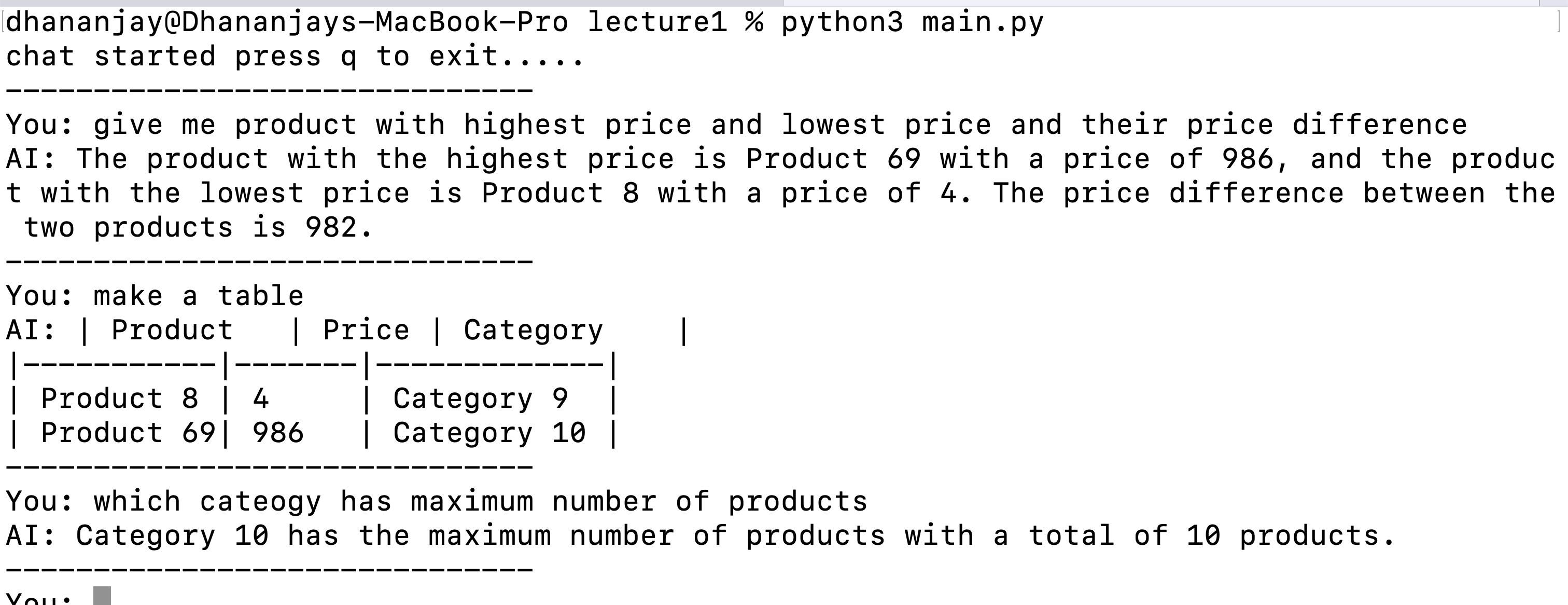
When you run the code, you should be able to chat and receive product-related responses, as shown below.
Summary
In this article, we explored SystemMessage and how to use it to guide a model toward the desired response. We also covered PromptTemplate and how to use an API response as a dataset. I hope you found this article useful. Thanks for reading.
This content originally appeared on Telerik Blogs and was authored by Dhananjay Kumar

Dhananjay Kumar | Sciencx (2025-10-02T10:56:15+00:00) Build an LLM Chat App Using LangGraph, OpenAI and Python—Part 2: Understanding SystemMessage. Retrieved from https://www.scien.cx/2025/10/02/build-an-llm-chat-app-using-langgraph-openai-and-python-part-2-understanding-systemmessage/
Please log in to upload a file.
There are no updates yet.
Click the Upload button above to add an update.