
This content originally appeared on Stefan Judis Web Development and was authored by Stefan Judis
Using proper ARIA landmark roles allows assistive technologies to navigate a page. You probably know about some common ones: main (main), header (banner), footer (contentinfo). But do you know that header and footer don't always get assigned their initial ARIA roles?
Here's an example:
<header>
  "Root" header
</header>
<main>
  <header>
    "Main" header
  </header>
  <footer>
    "Main" footer
  </footer>
</main>
<footer>
  "Root" footer
</footer>
This HTML snippet includes header and footer elements that are a) on the root level and b) included in a main element. If you check the browser's accessibility tools, these elements get different roles assigned.
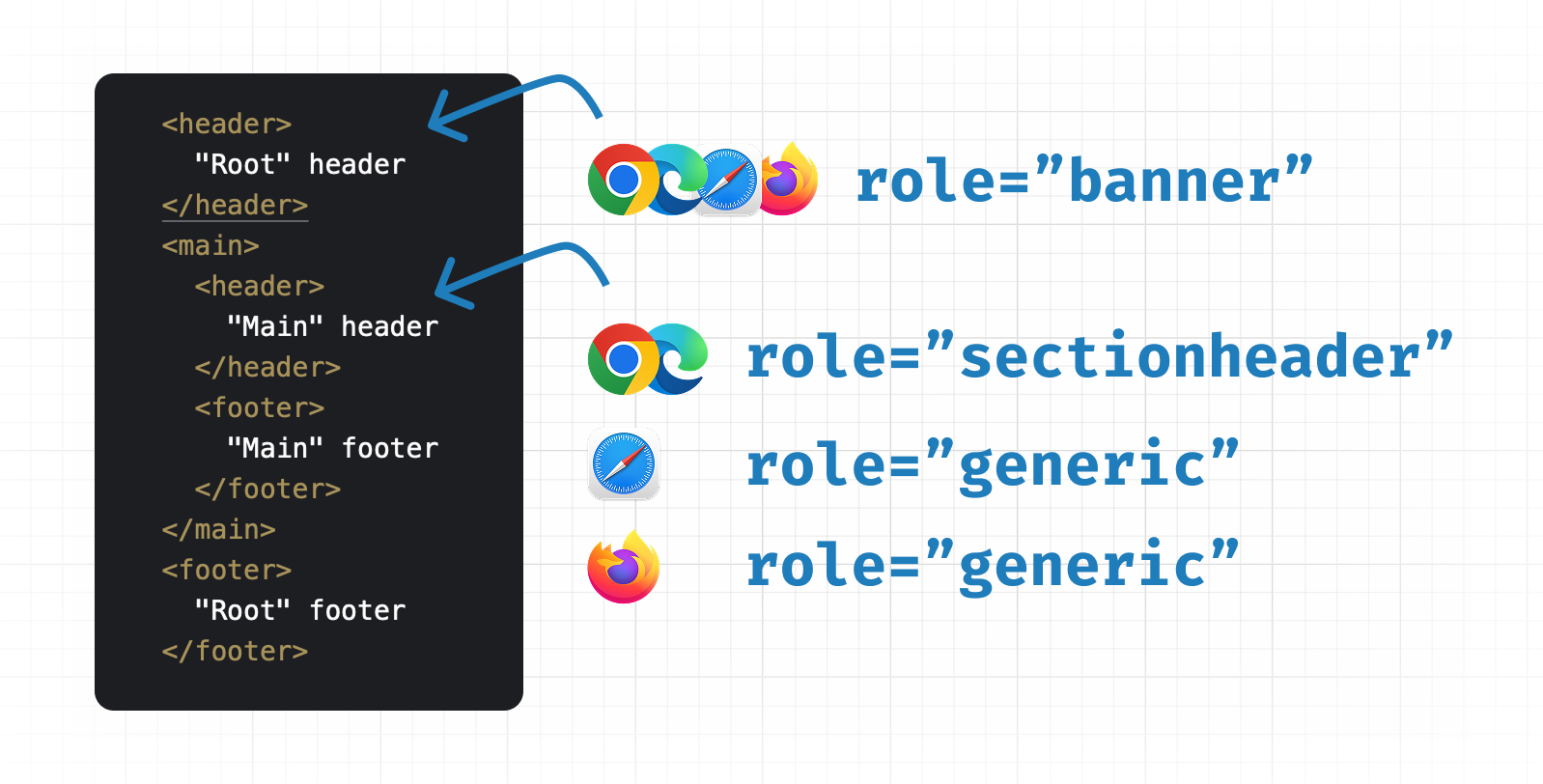
The header element loses its banner role and depending on the browser gets generic or sectionheader assigned, which has an effect on assistive technologies. Here's Martin in his post "Page headings don’t belong in the header":
The header would carry no semantic meaning, so screen reader users would be left wondering where the main page header landmark was.
You can find similar behavior, though not identical, with the footer element.
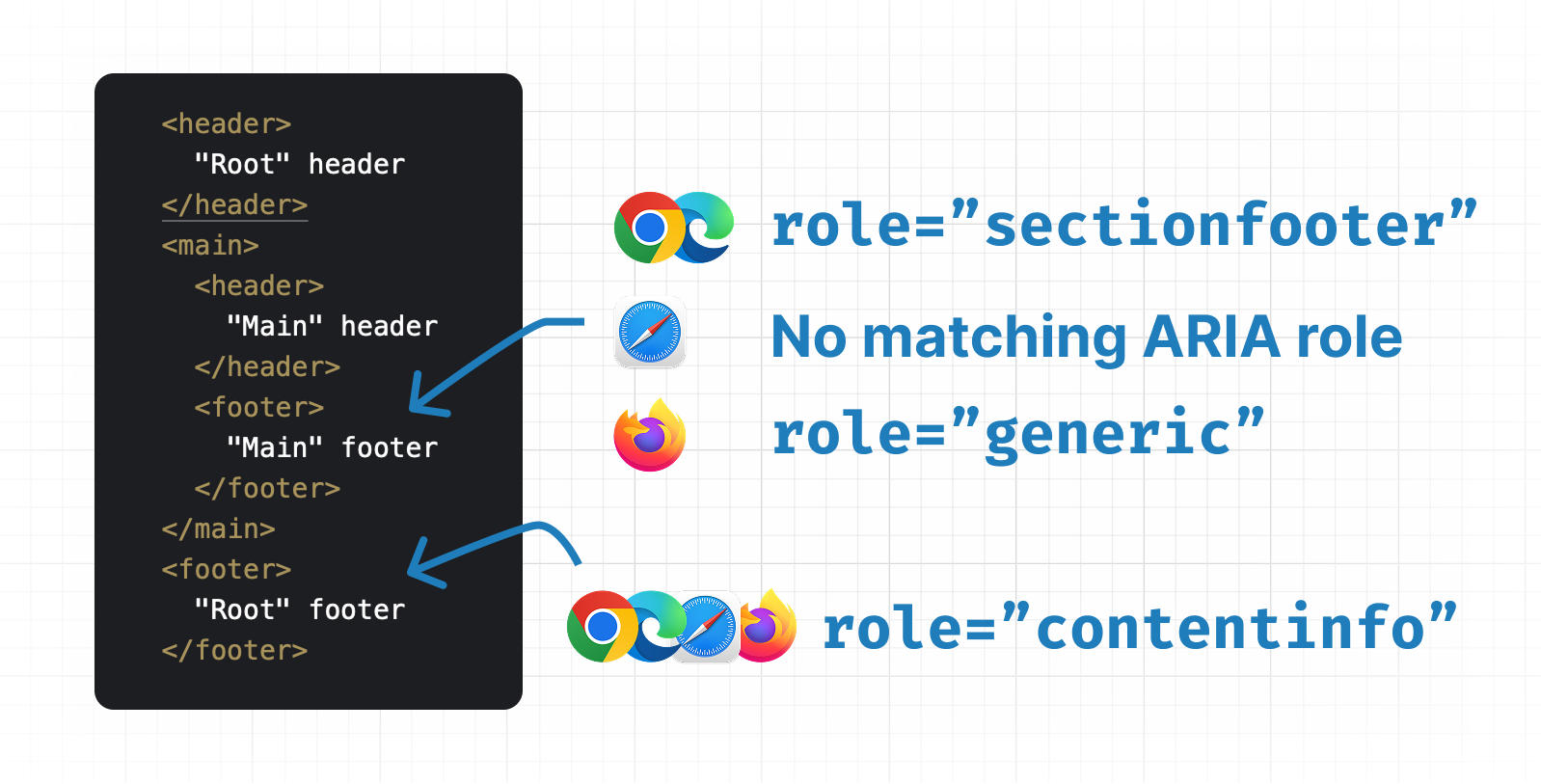
Footer elements receive varying roles from sectionfooter and generic to WebKit telling that there's no role assigned.
If you look at the "ARIA in HTML" spec, you'll find some answers.
If not a descendant of an
article,aside,main,navorsectionelement, or an element withrole=article,complementary,main,navigationorregionthenrole=banner. Otherwise,role=generic.
If not a descendant of an
article,aside,main,navorsectionelement, or an element withrole=article,complementary,main,navigationorregionthenrole=contentinfo. Otherwise,role=generic.
I wonder why Chromium is doing its own thing here. Are sectionheader and sectionfooter relics of the failed outlining algorithm? And why aren't they following the spec? If you have the answer, I'd love to hear it!
So, whenever you use header or footer elements, make sure not to include them in sectioning content like the main element, because then they probably won't provide the accessibility benefits you're hoping for. Well, today I learned!
Reply to Stefan
This content originally appeared on Stefan Judis Web Development and was authored by Stefan Judis

Stefan Judis | Sciencx (2025-10-19T22:00:00+00:00) Header and footer elements lose their roles in sectioning content (#tilPost). Retrieved from https://www.scien.cx/2025/10/19/header-and-footer-elements-lose-their-roles-in-sectioning-content-tilpost/
Please log in to upload a file.
There are no updates yet.
Click the Upload button above to add an update.