
Scalable APIs with TypeScript & Node.js

Why use TypeScript with Node.js?

TypeScript is a programming language that helps simplify debugging and reduces errors during development through enforcing static typing. It also improves code organization and maintainability as the application grow in complexity.

When used in collaboration with Node.js, TypeScript provides access to powerful features like async/await that enable non-blocking code execution to improve over all application performance. Together, they offer an ideal combination for building scalable APIs to handle high traffic and requests.

This article will explore the best practices of TypeScript and Node.js when used together to build APIs that are scalable, maintainable, and performant.

Setting up the project

We will be using the Express.js framework for our API, which can be installed using the following command:

npm install express

Next, we need to install TypeScript and the required TypeScript modules:

npm install typescript ts-node @types/node @types/express

After installing the required packages, we need to create a tsconfig.json file in the root directory of our project. This file will contain the TypeScript configuration for our project.

{
"compilerOptions": {
"target": "es6",
"module": "commonjs",
"sourceMap": true,
"outDir": "dist",
"rootDir": "src",
"esModuleInterop": true
}
}

We have set the target to ES6, which allows us to use modern JavaScript features. We have also set the module to commonjs, a module system used by Node.js.

Next, we need to create a src folder to keep our TypeScript files and add an index.ts file:

import express from 'express';

const app = express();

app.get('/', (req, res) => {
res.send('Hello World!');
});

app.listen(3000, () => {
console.log('Server listening on port 3000');
});

We have created a basic Express.js application that listens on port 3000 and responds with “Hello World!” when a GET request is made to the root route.

Compiling the code

To compile the TypeScript code to JavaScript, we need to run the following command to compile the TypeScript code and generate JavaScript files in the dist folder specified in the tsconfig.json file.

npx tsc

Running the application

To run the application, we will execute the following command to start the server and listen on port 3000.

node dist/index.js

Scaling the application

To scale our application, we need a load balancer to distribute incoming requests across multiple instances of our application. One popular load balancer for Node.js is PM2, which can be installed using the following command:

npm install pm2 -g

Next, we can start multiple instances of our application using PM2:

pm2 start dist/index.js -i 2

This command will start two instances of our application, which PM2 will automatically load balance incoming requests across.

Note: To implement a scalable architecture, it is important to define clear interfaces for the API endpoints. TypeScript’s type system can be leveraged to provide strong typing for the request and response payloads of each endpoint.

Let’s consider an example of a user authentication API. We can define an interface for the request payload as follows:

interface LoginRequest {
email: string;
password: string;
}

And an interface for the response payload:

interface LoginResponse {
token: string;
}

We can then define the endpoint with strong typing:

app.post('/login', (req: Request<{}, {}, LoginRequest>, res: Response<LoginResponse>) => {
const { email, password } = req.body;
// Authenticate user
const token = generateAuthToken();
res.json({ token });
});

In the above code, we define the Request and Response types with strong typing for the LoginRequest and LoginResponse interfaces respectively.

Another important aspect of building scalable APIs is handling errors gracefully. TypeScript’s try-catch blocks can be used to catch and handle errors in a predictable way. We can define custom error classes and throw them when necessary:

class BadRequestError extends Error {
constructor(message: string) {
super(message);
this.name = 'BadRequestError';
}
}
app.post('/login', (req: Request<{}, {}, LoginRequest>, res: Response<LoginResponse>) => {
try {
const { email, password } = req.body;
if (!email || !password) {
throw new BadRequestError('Email and password are required');
}
// Authenticate user
const token = generateAuthToken();
res.json({ token });
} catch (err) {
if (err instanceof BadRequestError) {
res.status(400).json({ error: err.message });
} else {
console.error(err);
res.status(500).json({ error: 'Internal server error' });
}
}
});

We have defined a custom BadRequestError class and throw it when the email or password is missing. We also handle the error by returning a 400 status code with the error message as the response payload.

To ensure scalability, we need to consider performance. TypeScript’s async and await keywords can be used to write asynchronous code in a synchronous style, improving code readability and maintainability.

Consider a case scenario of a database query. We can define an asynchronous function to query the database and return a promise:

async function getUser(id: string): Promise<User> {
// Query database
const user = await db.query('SELECT * FROM users WHERE id = $1', [id]);
return user;
}

We can then use this function in our endpoint as follows:

app.get('/users/:id', async (req: Request<{ id: string }>, res: Response<User>) => {
const { id } = req.params;
try {
const user = await getUser(id);
res.json(user);
} catch (err) {
console.error(err);
res.status(500).json({ error: 'Internal server error' });
}
});

In the above code, we use the async keyword to define an asynchronous endpoint handler. We then use the await keyword to call the getUser function and wait for it to resolve before returning the response.

Conclusion: Utilizing TypeScript’s type system, error handling, and asynchronous programming features makes it possible to write clean, maintainable, and scalable code. Node.js allows for efficient handling of I/O operations and provides a non-blocking event loop that allows us to handle a large number of concurrent requests. When used in conjunction, we get the added benefits of type checking, interfaces, and a better developer experience.

💡 Note: This is where an open-source toolchain like Bit can help, letting your teams share reusable types to reduce the amount of code that needs to be written, and thus work together more efficiently.

To learn more about sharing types between teams:

Sharing Types Between Your Frontend and Backend Applications

Build Apps with reusable components, just like Lego

Bit’s open-source tool help 250,000+ devs to build apps with components.

Turn any UI, feature, or page into a reusable component — and share it across your applications. It’s easier to collaborate and build faster.

Learn more

Split apps into components to make app development easier, and enjoy the best experience for the workflows you want:

Micro-Frontends

Design System

Code-Sharing and reuse

Monorepo

Learn more:


Scalable APIs with TypeScript & Node.js was originally published in Bits and Pieces on Medium, where people are continuing the conversation by highlighting and responding to this story.


This content originally appeared on Bits and Pieces - Medium and was authored by Javed Baloch

Why use TypeScript with Node.js?

TypeScript is a programming language that helps simplify debugging and reduces errors during development through enforcing static typing. It also improves code organization and maintainability as the application grow in complexity.

When used in collaboration with Node.js, TypeScript provides access to powerful features like async/await that enable non-blocking code execution to improve over all application performance. Together, they offer an ideal combination for building scalable APIs to handle high traffic and requests.

This article will explore the best practices of TypeScript and Node.js when used together to build APIs that are scalable, maintainable, and performant.

Setting up the project

We will be using the Express.js framework for our API, which can be installed using the following command:

npm install express

Next, we need to install TypeScript and the required TypeScript modules:

npm install typescript ts-node @types/node @types/express

After installing the required packages, we need to create a tsconfig.json file in the root directory of our project. This file will contain the TypeScript configuration for our project.

{
"compilerOptions": {
"target": "es6",
"module": "commonjs",
"sourceMap": true,
"outDir": "dist",
"rootDir": "src",
"esModuleInterop": true
}
}

We have set the target to ES6, which allows us to use modern JavaScript features. We have also set the module to commonjs, a module system used by Node.js.

Next, we need to create a src folder to keep our TypeScript files and add an index.ts file:

import express from 'express';

const app = express();

app.get('/', (req, res) => {
res.send('Hello World!');
});

app.listen(3000, () => {
console.log('Server listening on port 3000');
});

We have created a basic Express.js application that listens on port 3000 and responds with “Hello World!” when a GET request is made to the root route.

Compiling the code

To compile the TypeScript code to JavaScript, we need to run the following command to compile the TypeScript code and generate JavaScript files in the dist folder specified in the tsconfig.json file.

npx tsc

Running the application

To run the application, we will execute the following command to start the server and listen on port 3000.

node dist/index.js

Scaling the application

To scale our application, we need a load balancer to distribute incoming requests across multiple instances of our application. One popular load balancer for Node.js is PM2, which can be installed using the following command:

npm install pm2 -g

Next, we can start multiple instances of our application using PM2:

pm2 start dist/index.js -i 2

This command will start two instances of our application, which PM2 will automatically load balance incoming requests across.

Note: To implement a scalable architecture, it is important to define clear interfaces for the API endpoints. TypeScript’s type system can be leveraged to provide strong typing for the request and response payloads of each endpoint.

Let’s consider an example of a user authentication API. We can define an interface for the request payload as follows:

interface LoginRequest {
email: string;
password: string;
}

And an interface for the response payload:

interface LoginResponse {
token: string;
}

We can then define the endpoint with strong typing:

app.post('/login', (req: Request<{}, {}, LoginRequest>, res: Response<LoginResponse>) => {
const { email, password } = req.body;
// Authenticate user
const token = generateAuthToken();
res.json({ token });
});

In the above code, we define the Request and Response types with strong typing for the LoginRequest and LoginResponse interfaces respectively.

Another important aspect of building scalable APIs is handling errors gracefully. TypeScript’s try-catch blocks can be used to catch and handle errors in a predictable way. We can define custom error classes and throw them when necessary:

class BadRequestError extends Error {
constructor(message: string) {
super(message);
this.name = 'BadRequestError';
}
}
app.post('/login', (req: Request<{}, {}, LoginRequest>, res: Response<LoginResponse>) => {
try {
const { email, password } = req.body;
if (!email || !password) {
throw new BadRequestError('Email and password are required');
}
// Authenticate user
const token = generateAuthToken();
res.json({ token });
} catch (err) {
if (err instanceof BadRequestError) {
res.status(400).json({ error: err.message });
} else {
console.error(err);
res.status(500).json({ error: 'Internal server error' });
}
}
});

We have defined a custom BadRequestError class and throw it when the email or password is missing. We also handle the error by returning a 400 status code with the error message as the response payload.

To ensure scalability, we need to consider performance. TypeScript’s async and await keywords can be used to write asynchronous code in a synchronous style, improving code readability and maintainability.

Consider a case scenario of a database query. We can define an asynchronous function to query the database and return a promise:

async function getUser(id: string): Promise<User> {
// Query database
const user = await db.query('SELECT * FROM users WHERE id = $1', [id]);
return user;
}

We can then use this function in our endpoint as follows:

app.get('/users/:id', async (req: Request<{ id: string }>, res: Response<User>) => {
const { id } = req.params;
try {
const user = await getUser(id);
res.json(user);
} catch (err) {
console.error(err);
res.status(500).json({ error: 'Internal server error' });
}
});

In the above code, we use the async keyword to define an asynchronous endpoint handler. We then use the await keyword to call the getUser function and wait for it to resolve before returning the response.

Conclusion: Utilizing TypeScript’s type system, error handling, and asynchronous programming features makes it possible to write clean, maintainable, and scalable code. Node.js allows for efficient handling of I/O operations and provides a non-blocking event loop that allows us to handle a large number of concurrent requests. When used in conjunction, we get the added benefits of type checking, interfaces, and a better developer experience.

💡 Note: This is where an open-source toolchain like Bit can help, letting your teams share reusable types to reduce the amount of code that needs to be written, and thus work together more efficiently.

To learn more about sharing types between teams:

Sharing Types Between Your Frontend and Backend Applications

Build Apps with reusable components, just like Lego
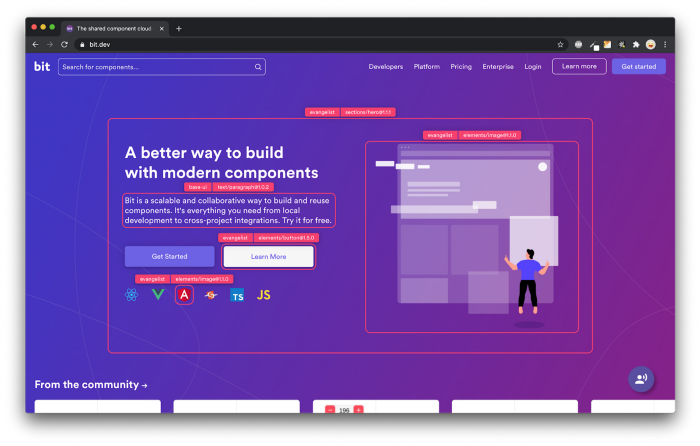
Bit’s open-source tool help 250,000+ devs to build apps with components.

Turn any UI, feature, or page into a reusable component — and share it across your applications. It’s easier to collaborate and build faster.

Learn more

Split apps into components to make app development easier, and enjoy the best experience for the workflows you want:

Micro-Frontends

Design System

Code-Sharing and reuse

Monorepo

Learn more:


Scalable APIs with TypeScript & Node.js was originally published in Bits and Pieces on Medium, where people are continuing the conversation by highlighting and responding to this story.


This content originally appeared on Bits and Pieces - Medium and was authored by Javed Baloch


Print Share Comment Cite Upload Translate Updates
APA

Javed Baloch | Sciencx (2023-03-01T07:43:57+00:00) Scalable APIs with TypeScript & Node.js. Retrieved from https://www.scien.cx/2023/03/01/scalable-apis-with-typescript-node-js/

MLA
" » Scalable APIs with TypeScript & Node.js." Javed Baloch | Sciencx - Wednesday March 1, 2023, https://www.scien.cx/2023/03/01/scalable-apis-with-typescript-node-js/
HARVARD
Javed Baloch | Sciencx Wednesday March 1, 2023 » Scalable APIs with TypeScript & Node.js., viewed ,<https://www.scien.cx/2023/03/01/scalable-apis-with-typescript-node-js/>
VANCOUVER
Javed Baloch | Sciencx - » Scalable APIs with TypeScript & Node.js. [Internet]. [Accessed ]. Available from: https://www.scien.cx/2023/03/01/scalable-apis-with-typescript-node-js/
CHICAGO
" » Scalable APIs with TypeScript & Node.js." Javed Baloch | Sciencx - Accessed . https://www.scien.cx/2023/03/01/scalable-apis-with-typescript-node-js/
IEEE
" » Scalable APIs with TypeScript & Node.js." Javed Baloch | Sciencx [Online]. Available: https://www.scien.cx/2023/03/01/scalable-apis-with-typescript-node-js/. [Accessed: ]
rf:citation
» Scalable APIs with TypeScript & Node.js | Javed Baloch | Sciencx | https://www.scien.cx/2023/03/01/scalable-apis-with-typescript-node-js/ |

Please log in to upload a file.


There are no updates yet.
Click the Upload button above to add an update.

You must be logged in to translate posts. Please log in or register.